Calibrite ColorChecker Studio stands as a versatile spectrophotometer designed to calibrate and profile displays, printers, projectors, and even cameras and scanners. This article distills the key concepts, setup steps, and practical insights from the provided material to help creatives achieve consistent, color-accurate output across their entire workflow.
Overview: What ColorChecker Studio Offers
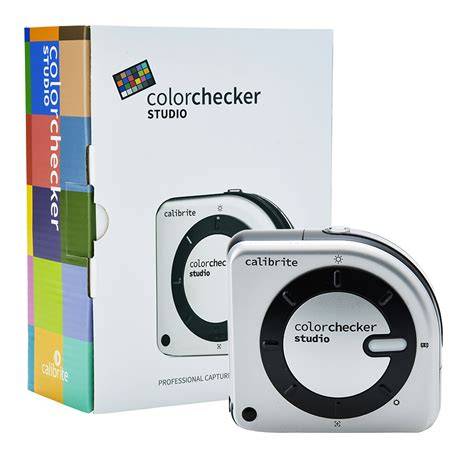
The ColorChecker Studio is described as a multi-purpose spectrophotometer that not only profiles your monitor but can also be used to profile a printer, scanner, or projector. It delivers precise, intuitive color management across your entire color workflow, enabling custom camera profiles, white balance, and printer profiling with a single device.
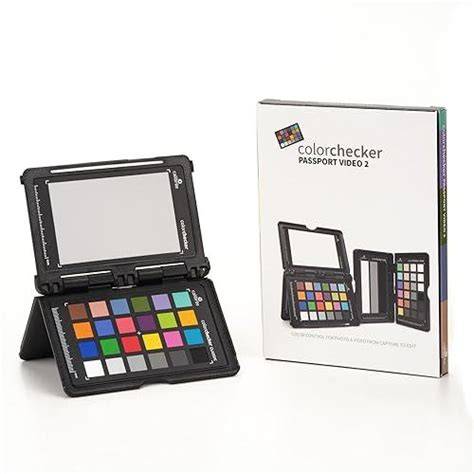
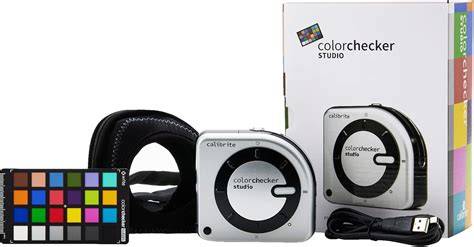
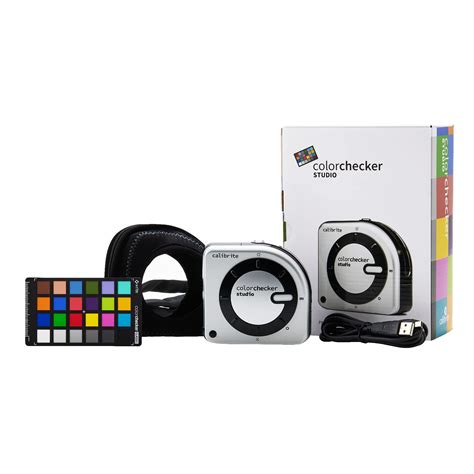
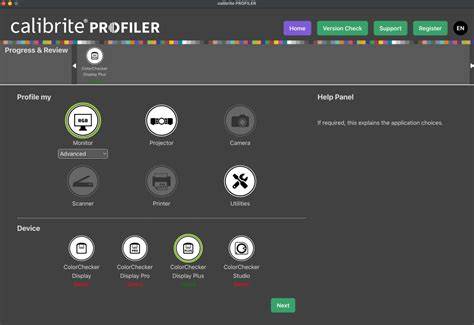
Its software, Calibrite PROFILER, provides an approachable balance between automation and creative control. The device supports a broad range of ColorChecker targets (Digital SG, Classic Standard, XL, Mega, Mini, Nano, Passport 2 and Passport Video 2 for camera), and it works with an included 24-patch target to establish accurate profiles for different devices and light conditions.
How ColorChecker Studio Fits Into a Professional Workflow
Calibrite ColorChecker Studio is positioned as a start-to-finish color management solution for creatives who care about print fidelity, accurate display color, and consistent color across capture and output. It enables monitor calibration and characterization, printer profiling with ICC profiles, projector profiling, and camera/scanner profiling with easy-to-measure targets.
The suite includes a desktop application and an Adobe Lightroom plug-in, and it emphasizes printable and display accuracy so that what you see on screen translates to prints and other outputs. The device is larger than typical monitor-only calibrators, reflecting its broader capabilities, and it ships with a neoprene case for protection and mounting convenience.
Key Features and Capabilities
- Monitor calibration and ICC profile creation with customizable White Point, Luminance, Gamma, and Brightness/Contrast settings.
- Printer profiling with 2-chart or 3-chart methods to optimize CMYK and RGB printing, including skin tones and neutral grays.
- Printer-paper profiling to ensure consistency across different media.
- Projector profiling with position-specific guidance to align the projected image with the calibrated profile.
- Camera and scanner profiling using ColorChecker targets to generate high-quality ICC profiles.
- Profile Manager to import/export, rename, and manage multiple display, printer, scanner, and camera profiles.
- ColorTRUE iOS device calibration to extend color accuracy to mobile viewing (note: system-wide color changes may be limited on iOS).
Practical Calibration Steps: From Setup to Profiles
The calibration process is designed to be intuitive yet precise. Here is a distilled sequence based on the material:
- Choose the calibration mode on the ColorChecker Studio by rotating the large dial to the appropriate position (monitor, printer, projector, ambient lighting). The device will cover its sensor during setup and then begin measurement.
- For monitor calibration, measure 118 color patches to establish the ICC profile of your screen. Ensure the probe is centered on the test pattern and keep the machine in a stable environment for accurate readings.
- Calibrate the monitor in a dim environment with a recommended brightness on the order of 80-120 cd/m², depending on ambient lighting. Set gamma to 2.2 for photography or 2.4-2.6 for video. On macOS, target D65/6500K; on Windows, adjust via Display Settings and Video Card Properties as applicable.
- During calibration, allow the monitor to warm up for at least 30 minutes and ensure the screen brightness is not in automatic mode to avoid shifts in color.
- Save the ICC profile (choose ICC version 2 for Windows and version 4 for Mac). Set calibration reminders if desired (1, 2, 3, or 4 weeks).
- For printer profiling, print two test pages with 50 patches each, scan them with ColorChecker Studio, and save the resulting printer ICC profile. If you use multiple papers, repeat for each paper type.
- Print results typically show more accurate skin tones and a reduction in overall saturation drift compared to default printer settings.
- Projector profiling follows the same logic as monitor profiling, with positioning tuned to the size of the projected image.
- For iOS devices, use ColorTRUE via the ColorChecker Studio to calibrate the display on iPhone or iPad, noting that only images viewed within ColorTRUE-enabled apps are adjusted.
These steps support a workflow where the color you see on screen aligns with prints and other media, reducing trial-and-error costs and ensuring color consistency across devices and output channels.
ColorChecker Studio vs. Alternatives: When to Choose It
The ColorChecker Studio provides printer profiling and multi-device calibration in one package, which can be a decisive advantage for workflows that require precise color management across display and print. However, it is a premium solution, and some users may find that a dedicated monitor calibrator (such as i1Display Pro) plus separate printer profiling tools offers more focused control at a lower price.
In benchmarking terms, the ColorChecker Studio offers:
- A unified approach to monitor, printer, projector, and camera/scanner profiling.
- An integrated suite with PROFILER software and a Lightroom plug-in for photographers and creatives.
- Support for a wide range of ColorChecker targets for cameras and scanners.
- Convenience and speed, including rapid two-chart printer profiling and easy target management.
Practical Considerations and Best Practices
To maximize accuracy and consistency, consider environment control (ambient light), regular re-profiling when major hardware or lighting changes occur, and adherence to recommended gamma and brightness targets. The system also emphasizes the keystone concept that calibration is foundational: the calibrator helps define a color-managed workflow so that software and devices interpret color in the same way, minimizing guesswork.
Important notes from the material include acknowledging that all equipment drifts over time, dry-run tests can ensure the targets are properly positioned, and the profile will guide color decisions across capture, display, and print. The ColorChecker Studio’s broader capabilities make it particularly suitable for professionals who demand printer-to-display color fidelity, as well as those working with video, where color space consistency is critical.
What Users Say: Practical Verdict
For enthusiasts, ColorChecker Studio provides a robust, capable pathway to professional-caliber color management. While not a budget pick, it consolidates multiple calibration tasks into one workflow and supports the creation of custom ICC profiles for displays, printers, and projectors, as well as camera and scanner workflows. Some reviewers note that certain features (like advanced projector or scanner calibration) may be less essential for all users, and that the price delta compared to a purely monitor-focused solution can be a consideration depending on specific needs.
In the end, the decision to purchase ColorChecker Studio hinges on whether your practice requires integrated printer profiling and multi-device color matching in one package, or if a lighter, more targeted approach would suffice for your creative goals.
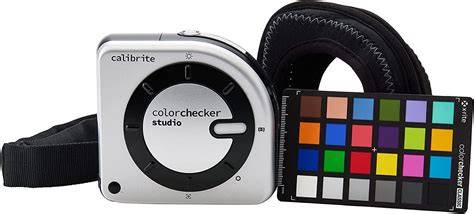
Calibration theory and practical steps are central to achieving repeatable color across devices. The ColorChecker Studio is described as both a capture-to-print solution and a versatile profiling instrument for various media and devices, including color-critical workflows in photography, filmmaking, and design. By aligning hardware and software through standard targets and ICC profiles, artists can reduce color discrepancies that arise from different viewing environments or output media. The device’s design emphasizes ease of use, with physical dials for quick mode switching and an intuitive software suite that handles profile management, though some features may be superfluous for casual users.
Related Resources and Learning
The product line includes Calibrite PROFILER software updates, learning materials in the Calibrite Learning Center, and tutorials that cover color management concepts, device profiling, and practical tips for photographers, filmmakers, and designers. The ecosystem is designed to support users who want precise color reproduction from capture to print and display, with the option to integrate with Adobe Lightroom via plug-ins and to leverage advanced profiling technologies for consistent results in varying lighting conditions.
tags: #calibrite #colorchecker #studio