CorelDRAW is a well-known graphic design solution created by the Canadian company Corel Corporation and distributed worldwide. Logos and posters can be designed using CorelDraw, a two-dimensional image editor available for Windows and Mac OS. Astonishing graphics design may be created using CorelDraw Graphics Suite X7, the most comprehensive graphic design software available.
Product licenses are identified by their serial numbers, unique to each certificate. Authentication validates and verifies your CorelDRAW product license, and authenticating the product will provide significant benefits, ensuring you are up-to-date with product updates from Corel. If you subscribe, authentication is required to use your product and entitles you to benefits such as online content. If you do a one-time purchase of a specific version of the suite, you own that version forever, but you will not receive updates or subscriber-exclusive content unless you stay subscribed or upgrade separately.
There are several ways people typically obtain or verify CorelDRAW serial numbers, depending on the distribution format and license type. This article outlines three different methods of finding the CorelDraw serial number and discusses related licensing considerations.
How CorelDRAW licensing and serial numbers work
CorelDRAW Graphics Suite or CorelDRAW Technical Suite can be purchased as a perpetual license, a subscription, or a box/ESD (electronic software download) purchase. Authentication requires signing in with a Corel Account to validate the license, and online access may be required for certain components or features. A subscription provides ongoing access to updates and benefits as long as the subscription remains active, while a perpetual license gives ownership of a single version forever but without ongoing updates unless a separate upgrade is purchased.
For Mac users especially, CorelDRAW Graphics Suite subscriptions are platform-agnostic, and cores and activation can span both Mac and Windows environments. The Subscription status, remaining days, and activation requirements can be checked in the Product Status and Subscriptions section of your Corel Account. If you cancel auto-renewal, you may revert to viewer mode after the current term ends, and online features may require re-authentication periodically to remain accessible.
Common notes about licensing and online requirements
Keeping a subscription active ensures you always have access to the most current version of your CorelDRAW product. If you are offline after authentication, you can still access main product features, but some online content and features may require you to be online and authenticated. To re-authenticate a subscription, you may need to be online at least once every 30 days. If an administrator controls access in a corporate environment, online content access may be restricted during network deployment.
What to consider when downloading or upgrading
When downloading CorelDRAW X7 or newer versions, ensure you have the latest version of supporting software and that the 64-bit or 32-bit edition matches your system requirements. Be mindful of the differences between trial versions and full licenses; trial versions may require you to authenticate and will have limited functionality after the trial period ends. Upgrades and maintenance options have evolved, with older upgrade programs being discontinued, while current subscription models provide ongoing access to updates as long as the subscription remains active.
Three methods to find or verify CorelDRAW serial numbers
- First and foremost, this is the best product key finder for you. It is technically recognized as a Windows product key finder program. EaseUS Key Finder is distinguished by its exceptional capability of locating vital keys for the Windows operating system and installed applications. WLAN credentials and browser passwords may also be accessed using this program. It can recover serial numbers for more than ten thousand other types of software. Step 1. Step 2. View Applications Registry Keys on the right panel. EaseUS Key Finder will show all keys of installed software. Copy the targeted serial numbers.
- If you buy a boxed edition, the serial number should be printed on a sticker attached to the CD sleeve or jewel case. Note: Beware of common mistakes when jotting down the CorelDRAW serial number. Double-check that the serial number on the CD matches the program being installed. Using the first two characters of the serial number, you may determine which program the serial number will operate with.
- Authentication validates and verifies your CorelDRAW product license. You will need to create and validate a Corel Account to subscribe or authenticate the product. After authentication, you will have access to all main product features even when offline, though some online components may require an active connection at times.
Additionally, product downloads sometimes include a windowed trail period. You can usually use the software free for a limited time (e.g., 15 days) in trial mode, after which you must purchase or subscribe to continue usage. Always ensure you obtain CorelDRAW from legitimate sources to avoid counterfeit or pirated versions, which may expose you to security risks or lack of support.
Practical guidance for students, professionals, and corporate users
CorelDRAW is designed to meet expanding expectations across a wide range of industries, with features tailored for graphic design, illustration, and layout tasks. For corporate users, online content and features can be accessed as long as the product is authenticated, and enterprise licenses or subscriptions often require IT administration for deployment and licensing management. Subscriptions include upgrades, ongoing access to the latest features, and platform-aware licensing that supports Mac and Windows use.
Whether using a perpetual license or a subscription, authentication and license management are central to access and updates. In a corporate setting, CorelSure Maintenance and UPP (Upgrade Protection Program) considerations have evolved, with newer licensing structures emphasizing online activation and ongoing updates through subscription rather than perpetual upgrades. If you are considering CorelDRAW for professional work, understanding licensing options, authentication requirements, and the implications of trial versus paid access is essential to ensure uninterrupted workflow.
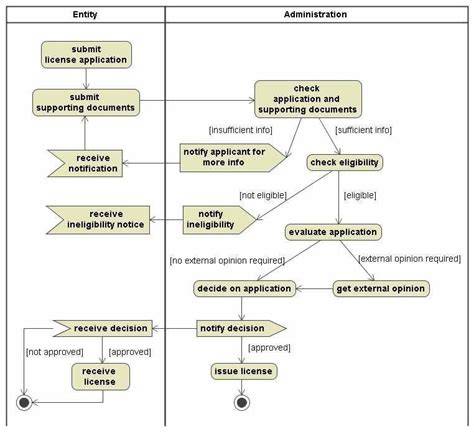
CorelDRAW’s interface can be customized, including color themes, to suit user preferences and workflows. This flexibility helps designers focus on creativity while ensuring the workspace remains comfortable and efficient. For designers, CorelDRAW remains a versatile tool for creating logos, posters, and other graphical assets with robust vector illustration and layout capabilities.
Notes on version history and regional variations
Versions such as CorelDRAW Graphics Suite X7 and later updates have introduced refined features and licensing structures. Mac and Windows platforms share licensing concepts, though deployment and activation steps can differ slightly by operating system. As of the latest developments, CorelDRAW subscriptions provide platform-agnostic benefits, with license management centralized in the Corel Account and subscription dashboard.
Summary of licensing pathways
- Perpetual license: own a specific version forever, no automatic updates unless purchased separately.
- Subscription: ongoing access to updates, online content, and platform-agnostic benefits while active.
- Box/ESD purchase: physical or electronic distribution with a serial number and activation requirements.
In summary, CorelDRAW licensing involves serial numbers, authentication, and a choice between perpetual ownership or ongoing subscription access. When selecting a license, consider the need for updates, online features, and cross-platform usage to choose the option that best fits your workflow and budget.