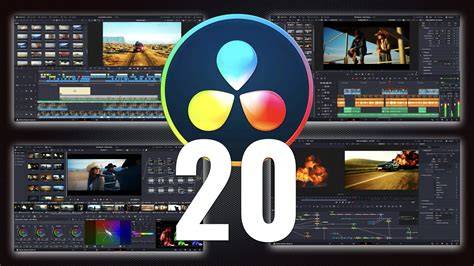
DaVinci Resolve 20 has officially moved out of beta and is now live and available for video editors across the globe. If you’ve been a DaVinci Resolve editor for some time, you might have already been trying out this latest beta update. Or, perhaps you wanted to wait until all of the kinks were ironed out. So, what’s cool about DaVinci Resolve 20 is that it introduces more than 100 new features, including some powerful AI tools designed to assist editors with all stages of their workflow. Editors can also use AI IntelliScript to create timelines based on a text script, AI Animated Subtitles to animate words as they are spoken, and AI Multicam SmartSwitch to assemble a timeline with camera angles based on speaker detection.
Blackmagic Design has officially released DaVinci Resolve 20 today, May 28, 2025, marking a significant update to its professional video editing software. This version introduces over 100 new features, with a strong emphasis on AI-driven tools designed to enhance various stages of the post-production workflow. The update also brings improvements across the Cut, Edit, Fairlight, Fusion, and Color pages, offering enhanced keyframing, voiceover tools, multi-layer compositing, and advanced color grading capabilities.
DaVinci Resolve is the world’s only all in one solution for editing, color, VFX, motion graphics and audio! The free version works with virtually all 8-bit video formats at up to 60fps in resolutions as high as Ultra HD 3840 x 2160. Includes everything in the free version plus the DaVinci AI Neural Engine, dozens of additional Resolve FX, temporal and AI spatial noise reduction, text based editing, magic mask, film grain, optical blur and more.
The Edit page is the world’s most advanced professional non-linear editor. The familiar track layout, dual monitor design and traditional workflow makes it easy for new users to learn while still being powerful enough for professional editors. It’s perfect for larger projects such as feature films, television shows, streaming, commercials, documentaries and more. The edit page features drag and drop editing, context sensitive automatic trimming tools, fully customizable keyboard shortcuts so you can work faster, and a library full of hundreds of titles, transitions, and effects that you can add and animate. You also get complete media management, organization and timeline management tools. Designed for editors to turn around work fast!
The cut page is perfect for projects with tight deadlines that you have to turn around quickly. The streamlined interface is fast to learn and designed for speed. Features such as source tape, dual timelines, fast review, and smart editing tools help you work faster than ever. The sync bin and source overwrite tools let you quickly edit multicam programs. It’s also great for documentaries plus live broadcast editing and replay. Multi Source is the fastest way to see your cameras and edit to the timeline while the cameras are still recording! Everything on the cut page is action based so every click does something. That means you’ll spend more time editing and less time hunting for commands.
The DaVinci Resolve color page is Hollywood’s most advanced color corrector and has been used to color and finish more high end feature films and television shows than any other system! It’s also approachable with features designed to make it easier for new users to get great results while they continue to learn the advanced tools. For example, primary control sliders will be familiar to anyone who’s used image editing software, making it easy to adjust contrast, temperature, mid-tone detail, saturation and more. The color workflow also includes multi-master trim passes, layer list node graphs and group versions to enhance efficiency across multiple clips.
Fusion offers a node based workflow with hundreds of 2D and 3D tools for visual effects and motion graphics, along with advanced animation curve and keyframe editors. It enables photo image editing via the new Photo page, which lets you import and manage photographs, integrating with the color page for node based grading. LightBox view on the Photo page gives you an overview of your entire album with grades applied. Select any image and grade it live while seeing the results update across the whole collection in real time. Albums let you build and manage collections directly in DaVinci, while AI IntelliSearch lets you instantly find any photo across your entire project using plain language search.
Fairlight’s audio capabilities keep pace with the rest of the suite. The Fairlight page features hundreds of pro tools for audio post production and now includes a folder function to simplify timeline space. Clip EQ gains 6 bands for tonal control at the clip level, and there are new options to match levels or tonal spectra between clips. The Fairlight Animator modifier connects Fusion to Fairlight’s audio engine, enabling automatic animation based on audio analysis. The DaVinci Resolve Studio version expands AI and hardware acceleration to support more formats and processing power, including Dolby Vision support for HDR workflows.
AI tools continue to redefine workflows: IntelliSearch can search for people, objects, animals or scenes across projects; CineFocus allows you to define a focal point and adjust depth of field with AI-assisted aperture control; AI Face Age Transformer and AI Face Reshaper give nuanced control over facial features in moving subjects; AI Blemish Removal preserves skin texture while reducing superficial imperfections; AI Slate ID detects slate metadata even in challenging frames; and AI UltraSharpen improves sharpness on upscaled footage. These tools are designed to accelerate finishing and post-production creativity while maintaining high quality results.
The Photo page also supports camera tethering for live capture with Sony or Canon, enabling real-time adjustments to ISO, exposure and white balance while capturing. Resolve FX and Open FX plug-ins remain available for still images, allowing effects, graphics, transforms and DCTLs in the photo workflow. Native AI tools-such as AI Magic Mask-provide one-click object or person selections, with the ability to color grade different elements independently within a single image.
Workflow enhancements extend to multiuser collaboration through Blackmagic Cloud, with Photo page integrated into the collaborative pipeline. Keyframing updates include new ease animations with loop, pingpong and relative modes, plus simultaneous adjustments to multiple clips. The curves editor’s normalized zoom mode automatically scales curves to fill the available vertical space. You can now adjust Fusion effects directly in the keyframes and curves editors of the cut and edit pages, enabling smoother transitions without leaving the editing environment. OGraf HTML graphics and Lottie animations are supported, allowing you to drag .json and .lottie files into the media pool as fully rendered animation clips.
In addition to new features, DaVinci Resolve 20 emphasizes hardware and workflow customization. The project libraries are built for real time local and remote collaboration, and the software can be extended with third party Open FX and audio plugins. There are new workflow integration and encoding APIs to connect with workflow and asset management systems. Dedicated hardware controls and consoles from Fairlight complement the software, making it possible to work faster and with more precision in a blended post production studio environment.
DaVinci Resolve 20 is a major update with more than 100 features including AI-driven tools designed to assist editors at every stage of their workflow. The release emphasizes AI-assisted timelines, smart search, advanced color, enhanced keyframing, and cross-page integration that brings photo editing into the same unified workspace as editing, color, VFX, and audio.
Notes about availability and release context: DaVinci Resolve 20 is positioned as the evolution of an all-in-one post production solution for Mac, Windows and Linux, with a free version and a Studio version offering additional plugins and AI capabilities. This release marks a continued emphasis on AI-assisted workflows, collaboration, and an integrated approach to media creation from capture to delivery.