Figma Slide Deck makes it easy to share slide decks with your audience, whether you’re presenting on your own or with others. Before starting the presentation, make sure each presenter has the slide deck open in presenter view. This allows them to take over the spotlight when it’s their turn to present so no one ever has to say “Next slide” again.
Presenter View: Seamless Transitions Between Speakers
Before starting, ensure every presenter has the slide deck open in presenter view. Keep the presenter view tab open to present. Present with presenter notes: Opens your currently selected slide in a new tab with presenter notes visible and opens a new window with your presentation in audience view. Present + Notes: Opens your slide deck in a new tab with presenter notes visible and opens a new window that displays your presentation in an audience view.
There are practical benefits to this setup: it minimizes interruptions, allows smooth handoffs, and helps maintain a professional flow during multi-speaker sessions. If your slide deck includes live interactions, such as polls or alignment scales, audience members will need at least can view access to the slide deck to interact with these elements during the presentation.
Audience Interaction and Access Levels
If your slide deck includes clickable prototypes, audience members will need at least can view access to the slide deck and at least can view access to the prototype file to be able to interact with the prototype. There are some other restrictions around adding prototypes to slides. Each slide deck has a presentation link, enabling viewers to access the deck remotely.
Workflows for Independent Presenters
When presenting solo, the presenter can rely on the audience view while maintaining control over notes and transitions. This setup reduces the cognitive load of manual slide changes and supports a confident delivery when moving through a deck.
Collaborative Presentations
For co-presenters, ensure everyone uses presenter view to maintain synchronized pacing. The ability to open slides in both presenter and audience views helps each speaker manage their portions while the audience retains a clear, uninterrupted view of the content.
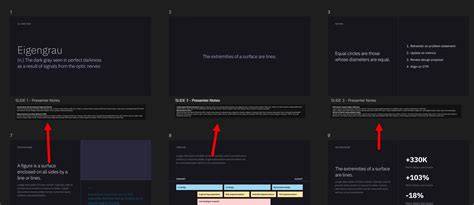
How to Present a PowerPoint Slideshow With Presenter View
In summary, Figma Slide Deck offers structured ways to present with notes, manage multi-speaker sessions, and handle audience interactions with appropriate access controls. A presentation link is provided for each deck, supporting flexible distribution and viewing scenarios.