Trees play a vital role in architectural and landscape design, helping to bring projects to life with a sense of scale, depth, and natural beauty. Whether you’re working on site plans, elevations, or 3D visualizations, adding high-quality tree graphics can enhance the realism and presentation of your work. Our free tree CAD blocks and PNG downloads are designed to be versatile and easy to use in a variety of projects. Whether you're an architect, landscape designer, or student, these resources can save you time while ensuring your designs look professional and polished. We continually update our collection to provide a wide range of styles and formats, helping you find the perfect trees for your drawings.
These trees come as individual layers in Photoshop, both with black outlines and without, allowing for flexible colouring and compositing. Don’t hesitate to download and integrate them into your personal library for faster workflows and more polished renderings. CAD blocks and PNG trees are suitable for site plans, elevations, and 3D views, providing scalable graphics that maintain quality across different resolutions. The set embraces a variety of styles to accommodate different architectural aesthetics and landscape themes.
To maximize usability, each tree asset is designed for easy placement and blending with other elements in your composition. Neutral outlines help with quick tracing or masking, while the solid versions offer clear silhouettes for foreground or focal elements. The collection is ideal for students learning Photoshop workflows, professionals refining presentation boards, and hobbyists exploring environmental design concepts. By leveraging these assets, designers can achieve consistent tree imagery across multiple drawings and presentations.
In addition to the core features, the library is updated regularly to expand style options and formats, ensuring compatibility with recent Photoshop versions and common CAD workflows. The trees’ layered structure supports non-destructive editing, color adjustments, and advanced shading to fit any scene. With a wide range of species-inspired silhouettes and canopy densities, you can craft realistic streetscapes, parks, and natural backdrops that communicate scale and atmosphere effectively.
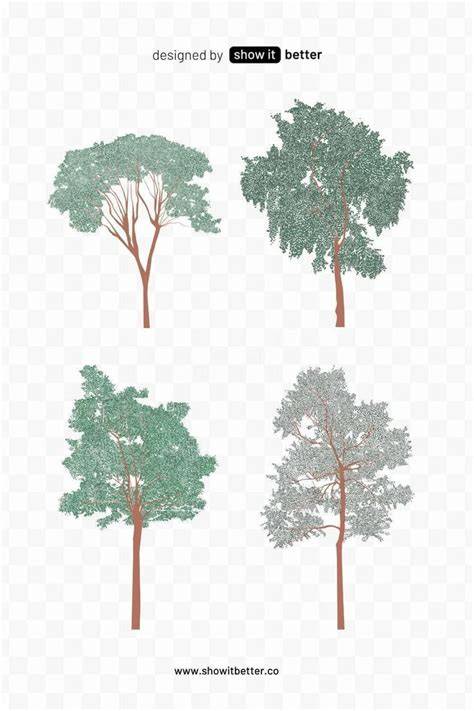
Select Any Tree in Photoshop FAST!
- Individual Photoshop layers that can be colored or left with outlines
- CAD blocks converted to PNGs for versatile use across projects
- Wide range of styles and formats to suit different design aesthetics
- Non-destructive editing with layered tree graphics
These resources are designed for quick integration into site plans, elevations, and 3D renderings, helping you present professional, polished designs with natural detail. As you work, you can mix and match silhouettes, adjust opacity, and apply blending modes to achieve realistic depth and shading in your scenes. The library’s ongoing updates ensure you’ll have access to fresh shapes and arrangements that reflect current design trends and practical needs in architectural visualization.
| Asset Type | Usage | Benefits |
|---|---|---|
| Photoshop tree layers | Coloring, masking, compositing | Flexible integration, non-destructive edits |
| CAD block trees | Accurate site plans, elevations | Realistic scale, easy conversion to PNG |
| PNG trees | Quick drops into scenes | Outlines or solid silhouettes for varied looks |