Congratulations! You’ve purchased DaVinci Resolve Studio from Coremicro, one of the world’s most powerful video editing and color grading tools.
Before uninstalling or installing any version of DaVinci Resolve, always back up your Project Library. Before installing DaVinci Resolve Studio, make sure to completely remove any existing DaVinci Resolve Free version from your computer. Tip: Make sure you download the Studio version, not the free one.
Get your official DaVinci Resolve Studio (Activation Key) from Coremicro, an Authorized Blackmagic Design Dealer. Need help? The free version of DaVinci Resolve is packed with more features than most paid software applications! You can use it to edit and finish up to 60 fps in resolutions as high as Ultra HD 3840 x 2160. You get extensive color grading tools including luma, HSL and 3D keyers, color warper and HDR tools, video collage, elastic wave audio retiming and more. Plus it also enables collaboration so multiple people can work on the same project, all at the same time!
Once you’ve learned how to use DaVinci Resolve and gain more experience, you can move up to DaVinci Resolve Studio. DaVinci Resolve Studio supports up to 120fps at a massive 32K resolution, as well as support for multiple GPUs for real time playback of professional 10-bit formats, and accelerated H.264 and H.265 hardware decoding and encoding. There’s a full suite of immersive audio tools, DaVinci Neural Engine AI voice isolation, music remixer and dialogue separator. It also includes Dolby Vision and HDR10+ grading and rendering, and 45 extra Resolve FX such as AI UltraNR noise reduction, SuperScale and de-interlacing.
You also get workflow and media asset management integration, remote scripting API, and rendering and encoder plug-in support. DaVinci Resolve Studio turbo charges your system’s GPU performance! DaVinci Resolve Studio includes some of the most powerful and sophisticated noise reduction. DaVinci Resolve Studio includes a lens correction feature that allows you to analyze a clip and correct for spherical lens distortion or other aberrations. The HDR scopes in DaVinci Resolve Studio are capable of measuring and providing detailed information about ST.2084 and HLG images.
DaVinci Resolve Studio features a complete set of tools for editing and grading stereoscopic 3D projects. Remote monitoring allows clients to view a real time feed via computer, iPad or iPhone with extreme high quality! Unlike LUTs, which rely on simple lookup tables, DaVinci color transformation scripts are GPU accelerated bits of code that directly transform images using combinations of math functions. DaVinci Resolve Studio features support for both Python and LUA scripting, along with developer APIs that allow you to add workflow integrations and custom encoding options.
DaVinci Resolve Studio supports workflow integration plug-ins for connecting to local and remote asset management, automation systems and more. DaVinci Resolve Studio includes over 45 additional GPU and CPU accelerated Resolve FX! These include effects for adding lens flares and reflections, analog damage, sharpening and more. There are face and beauty tools for re-touching, along with image restoration tools for dirt removal, dust busting and de-flickering. Film Look Creator lets you add filmic color looks, film stocks, halation, grain, gate weave, split toning and more!
Patch replacer lets you clone and paint out spots, and the object removal plug-in is used to remove entire objects from a scene! The DaVinci AI Neural Engine uses state of the art deep neural networks and machine learning to power many of the features found exclusively in DaVinci Resolve Studio. This includes facial recognition to populate bins based on the people in a shot, Super Scale high quality image uprezzing so you can create 4K and 8K images from HD sources, and speed warp retiming, including advanced optical flow for crystal clear, smooth speed changes. You also get incredibly high quality de-interlacing, magic mask for object isolation and tracking, smart reframe, object removal, scene cut detection and more!
Immersive audio uses height, width and depth to surround the audience in a 360 degree sound field, adding a spatially creative dimension to audio mixing sound effects and music. DaVinci Resolve Studio supports high resolution 3D audio to work with spatial formats, and features import and export of the latest IAB and ADM files. Object based formats like Dolby Atmos and MPEG-H use panning automation to move audio objects, creating a realistic aural experience that scales based on the size of the theater. Ambisonics is fully supported, with resolutions up to 5th order. Import Dolby Atmos master files in .damf, .wav, .mxf formats with support to recreate the original bed and object tracks, content, VCA groups and panning metadata. Use the integrated Dolby Renderer for trims and down mixes.
Support for adding audio to video via IMF packages with multiple simultaneous audio deliverables as IAB-MXF or .wav. In addition to all of the 8‑bit formats supported by the free version, DaVinci Resolve Studio lets you work with most professional formats. You also get support for advanced AVCHD, AVC-Intra and popular H.264 camera formats that use "all-I" intraframe encoding, and also 10‑bit encoding. Dolby Vision support includes a GPU accelerated version of the Dolby Vision CMU, content mapping unit, and free Dolby Vision grading controls. Create SMPTE ST.2067 compliant Interoperable Master Format (IMF) files for tapeless delivery to networks and distributors using Kakadu or Easy DCP.
Native support for unencrypted DCP files lets you output and import unencoded DCP files for testing and validating playback of digital cinema packages. Hollywood’s most popular solution for editing, visual effects, motion graphics, color correction and audio post production, for Mac, Windows and Linux. Includes large search dial in a design that includes only the specific keys needed for editing. Editor panel specifically designed for multi-cam editing for news cutting and live sports replay. Includes buttons to make camera selection and editing extremely fast! Full sized traditional QWERTY editor keyboard in a premium metal design. Featuring a metal search dial with clutch, plus extra edit, trim and timecode keys. Powerful color panel gives you all the control you need to create cinematic images. Includes controls for refined color grading including adding windows. Get incredibly fast audio editing for sound engineers working on tight deadlines! Used by Hollywood and broadcasters, these large consoles make it easy to mix large projects with a massive number of channels and tracks. Fairlight studio console legs at 0º angle for when you require a flat working surface. Fairlight studio console legs at 8º angle for when you require a slightly angled working surface. Get quick access to virtually every Fairlight feature!
If you recently downloaded DaVinci Resolve on a new device and couldn’t find where to enter your activation key, you’re not alone. Don’t worry. Accidentally Installed the Free Version of DaVinci Resolve? You’ve just purchased DaVinci Resolve Studio, excited to unlock its advanced color grading tools, AI features, and more. But after downloading and installing the software, you notice something strange-there's no activation prompt, and instead, it’s asking you to pay $299 again. Don’t worry. Don’t worry - you don’t need to buy a new license. When the activation key prompt doesn’t appear, it’s almost always because you installed the free version of DaVinci Resolve instead of DaVinci Resolve Studio. Both versions look very similar, but only the Studio version will prompt you to enter your activation key. Choose the Correct Installer: Make sure you select DaVinci Resolve Studio, not the free version. Launch the App. Make sure you’re launching the correct version (Studio). Once installed and activated, DaVinci Resolve Studio can be used on up to two computers.
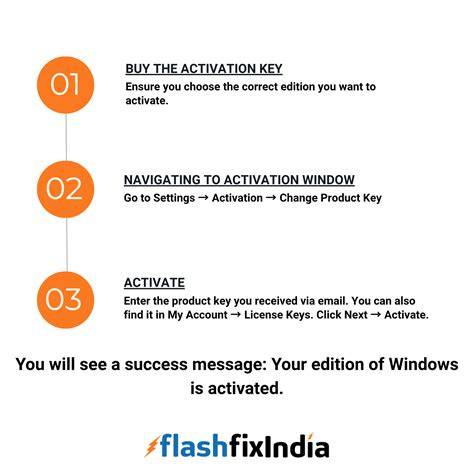
How to correctly install and activate
- Uninstall any DaVinci Resolve Free version from your computer.
- Back up your Project Library before installing new software.
- Download and install DaVinci Resolve Studio (not the free version).
- Launch the Studio version and enter your Activation Key from Coremicro when prompted.
- Verify activation on up to two computers as allowed by the license.
If you need extra guidance, ensure you’re selecting the Studio installer, not the free one, and confirm you’re launching the Studio application after installation. Once activated, you can leverage Studio’s advanced color grading tools, AI features, and enhanced performance to handle high-resolution projects and complex workflows.