Final Cut Pro 12.3 introduces a wealth of new features and enhancements designed to streamline workflows, boost AI-powered capabilities, and expand cross-app integration for creators using Mac and iPad. This update emphasizes Generate Captions, Match Color, Edit Detection, and seamless interoperability with Pixelmator Pro, along with fresh Creator Themes and expanded content offerings under Apple Creator Studio.
New content and AI-powered tools
Generate Captions uses on-device AI to transcribe audio and place subtitles on the timeline, with options to animate style and adjust font, color, and position; it's available only in US English and requires a Mac with Apple silicon and macOS 15.6 or later, or an iPad with M1, A16, or A17 Pro and iPadOS 26 or later.
Match Color has been rebuilt for more accurate color matching across footage and lighting conditions using a reference frame chosen by the editor, enabling quick reference-frame matching and batch grading within a scene. A reimagined Match Color produces more accurate and natural color matches across a wider range of footage and lighting conditions.
Edit Detection analyzes rendered video to reveal edit points and automatically split it into separate clips with just a click; on-device AI powers this feature to simplify post-production workflows.
Send a video frame from Final Cut Pro directly to Pixelmator Pro with one click, streamlining the creation of custom thumbnails and social media graphics and allowing changes to flow back into the timeline without interrupting workflow.
Creator Themes and Motion
New Creator Themes support multiple aspect ratios, dynamic titles featuring additional styles, and more vibrant, customizable backgrounds, expanding the aesthetic options for social-ready videos. Motion adds native vector graphics at any resolution and Distribute Layers for faster animation setup, with integration that allows image edits in Keynote, Pages, or Numbers to be saved back into Pixelmator Pro.
Pixelmator Pro gains enhanced vector shape generation and natural-language image generation, with a Content Hub library of photos, graphics, shapes, and illustrations. Keynote, Pages, and Numbers introduce new transitions, builds, and organizational improvements such as Auto-Hyphenate, Show Invisibles, and sheet color-coding.
Creator Studio and system requirements
Apple Creator Studio remains the umbrella for Final Cut Pro, Motion, Compressor, Pixelmator Pro, and other apps, with a focus on AI features that enhance efficiency across disciplines. The update notes outline macOS and hardware requirements, including macOS 15.6 or later, Apple silicon, a Metal-capable GPU for Intel Macs, and specific device capabilities for iPadOS features.
- Final Cut Pro requires macOS 15.6 or later, 8 GB of memory (16 GB recommended), a Metal-capable graphics card (Intel-based Macs only), and 7.2 GB of available disk space; some features require Apple silicon.
- Final Cut Pro for iPad includes features that work with iPadOS 26 and the latest iPad hardware, with enhanced reliability and performance improvements for multitasking and touch input.
- Creator Studio pricing includes options for subscriptions and one-time purchases, with trial offers and education pricing.
Workflow optimizations and reliability improvements
Generate Captions is complemented by Transcript Search for finding spoken words or phrases, and Visual Search for locating moments in footage using natural language. Beat Detection analyzes songs to reveal bars and beats for rhythm-aligned edits, while Montage Maker creates highlight reels synced to music.
Key improvements include: Drive-by for multicam and audio workflows, improved stability and performance across a wide range of features, and enhanced reliability when exporting HDR timelines, handling color spaces, and importing media. A new 360° Reframe effect extends Keyframe Toolbox to reframe 360° footage, with dedicated controls for Pan, Tilt, Field of View, and Roll.
Other updates address UI and accessibility refinements, including faster font grid updates, improved Live Activities for background exports, better drag-and-drop behavior, and expanded keyboard shortcut support for editing, navigation, and playback.
Additional tools and integrations
New and improved tools extend the ecosystem beyond Final Cut Pro, including better integration with Pixelmator Pro for thumbnails and graphic assets, and expanded audio tools like ProRes RAW handling, enhanced color grading presets, and skin tone indicators within vectorscopes.
Creative professionals can also leverage updated tools for camera workflows, such as Final Cut Camera with new capabilities, and extended support for third-party workflows and live multicam adjustments, ensuring smoother collaboration and faster iteration.
Notes on release and availability
The update to Final Cut Pro 12.3 is presented as part of a broader Apple Creator Studio refresh, with ongoing development around AI-assisted workflows and cross-application interoperability. The release emphasizes accessibility and speed for editors who need to produce social-ready content and professional-grade videos across Mac and iPad platforms.
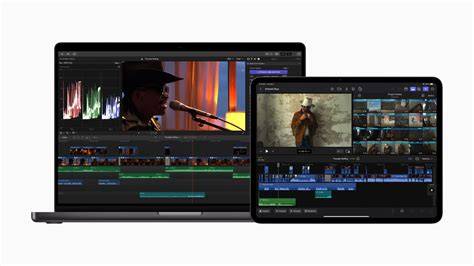
Slash Editing Time A Beginner's Guide to AI Video Workflow
For editors evaluating the upgrade, it’s important to verify system requirements and confirm that the hardware supports on-device AI features, as some capabilities are limited to specific chipsets and operating system versions. The release notes also highlight the continued evolution of Creator Studio with integrated tools across Apple’s software ecosystem.
Practical implications for editors
With Generate Captions and Edit Detection, editors can dramatically reduce manual transcription and clip segmentation time, enabling faster delivery of accessible content. Match Color simplifies color consistency across shots from different cameras and lighting conditions, while Pixelmator Pro integration streamlines thumbnail design and social media graphics creation without leaving Final Cut Pro.
Creator Themes and new motion capabilities provide templates and animation workflows that help editors deliver polished outputs for various formats, including social platforms, podcasts, and short-form content. As Apple continues to expand AI-powered features, users can expect incremental improvements that further integrate analytics, searchability, and automation into daily editing tasks.