Android users now have a robust lineup of drawing apps that rival Procreate in features, brushes, and workflow. This article curates the most popular alternatives, examining their strengths, weaknesses, and ideal use cases to help artists pick the right tool for their style, device, and budget.
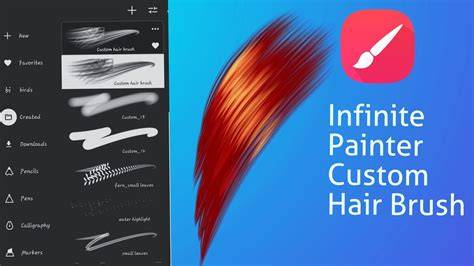
Infinite Painter
Infinite Painter is a one-time $9.99 so similarly priced compared to Procreate. The brushes and painting engine mimic real artistic media, feeling very natural and responsive. Infinite Painter has a minimalist interface focused on drawing experience. It surfaces only the relevant tools while drawing, avoiding on-screen clutter.
Pros: Stabilizer helps smooth out strokes. There are lots of tutorials built into the app to help you learn it. You can share and view others’ artwork made in Infinite Painter through the app.
Cons: The huge brush selection makes it hard to remember and find favorites again. Because there are so many Android device types, it may cause that the Infinite Painter won’t work smoothly on some of the tablets. The Infinite Painter can freeze up or crash unexpectedly in some situations, like when working on complex projects with a lot of layers. This could mean that the app has difficulty using the RAM of your tablet efficiently. Combining filters and masks can sometimes corrupt artwork files, resulting in lost work and time. There are bugs that prevent properly importing and exporting PSD project files to transfer between software. Developers actively improve the app and release new features and updates regularly.
Concepts
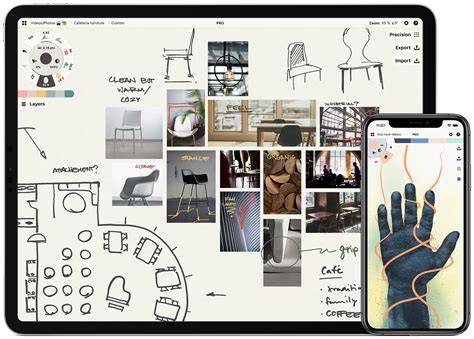
Concepts app is vector-based, so the lines stay sharp when zooming in, unlike pixelation with raster apps like Procreate. Infinite canvas, so you can continually draw without hitting an edge and then crop later. Useful for sketching scenes going beyond a frame. There are no size limits.
Pros: The limited tools and UI are easy to learn. There is a large canvas space to draw without on-screen clutter. Complex illustrations with many layers take up little storage since it’s vectors. Layers have a negligible impact on file size. Concepts can open files across Windows, Android, and iPad (with some limitations currently). Stabilizer works very well and gives a natural drawing experience on par with Procreate.
Cons: Filling shapes with color is challenging without a fill bucket. Gaps often occur when you try to manually color shapes. Selecting and deleting masks takes many steps. Has fewer brushes to choose from compared to apps like Procreate.
Krita
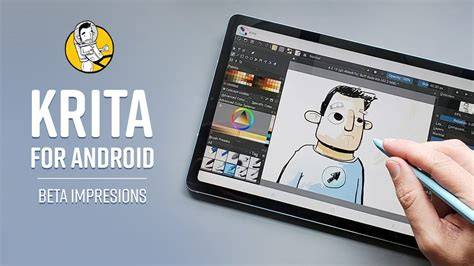
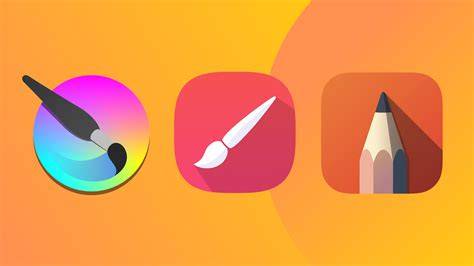
Krita is a free digital painting software. Krita is still in beta on Android, so the interface is not well optimized for Android tablets. Krita is extremely robust and full-featured like Photoshop, giving you professional-level tools for digital art and design on an Android tablet.
Pros: It lacks common gestures like two-finger undo/redo which would improve workflow. It has animation features, making it good for digital art and animation.
Cons: Some interface panels surround the canvas and feel cramped on a tablet. As a desktop-oriented app, it may require adjustments to work smoothly on mobile devices.
Sketchbook
Sketchbook is a casual sketching app designed for artists who want a simple yet effective tool for drawing. Its clean and intuitive interface lets you jump straight into sketching, with some customizable brushes like pencils and markers that feel like traditional media. A free app gaining popularity among artists who want to try their hand at creating illustrations and manga on their smartphone, tablet, or computer.
Pros: The gallery is very similar to Procreate, so it’s easy to organize projects. The interface mimicry makes it feel like a Procreate clone rather than a unique app. Has basic illustration tools like layers, selections, transformations. Stabilizer works very well and gives a natural drawing experience on par with Procreate.
Cons: The app can feel resembles a Procreate clone rather than a distinct offering; some advanced features may be missing for power users.
Medibang Paint
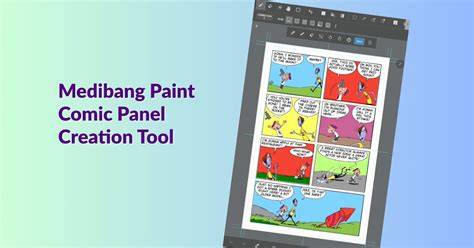
Medibang is free on all major desktop and tablet platforms, making it easily accessible to try. It is designed for comic artists and illustration, offering pressure-sensitive brushes, comic panel tools, layers, cloud sync, and cross-platform support.
Pros: Your artwork can be automatically saved to Medibang’s cloud storage for backup and syncing between devices. Many useful comic panel layouts and templates are available to support comic creation.
Cons: The basic palm rejection introduces stray lines occasionally when drawing, so it needs to be switched to stricter mode. The app is free to download with features behind account requirements for cloud storage.
HiPaint
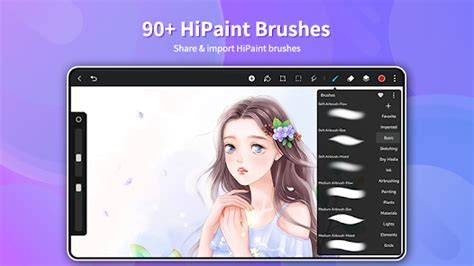
HiPaint is one of the closest alternatives to Procreate on Android and iOS, offering a clean layout with layer support, pressure-sensitive brushes, blending tools, and offline use. It’s free to install with optional upgrades and includes some pop-up ads in the free version.
Pros: Features a Procreate-like experience with two-finger undo and smooth navigation. Canvas rotation and a one-click fill for flat colors can speed up workflows. It works fully offline, so you can draw anywhere.
Cons: Occasional ads in the free version. Some brushes and features may require unlocks or upgrades.
Ibis Paint X
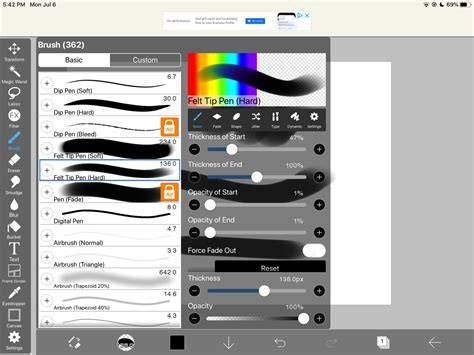
Ibis Paint X offers a huge brush library with over 47,000 brushes, adjustable brush size and opacity, stabilizers for clean lines, grid and perspective tools, liquify, blur, lasso tools, and more. The busy interface is packed with tools but remains a favorite for illustrators seeking a feature-rich drawing app that remains free with ads or optional upgrades.
Pros: The interface becomes incredibly powerful for manga and detailed illustration. You can watch a 30-second ad to unlock all premium brushes for 4 hours. The app is robust for free usage with extensive brush options.
Cons: The sheer number of tools can feel overwhelming; finding favorites can be challenging without good organization.
Clip Studio Paint
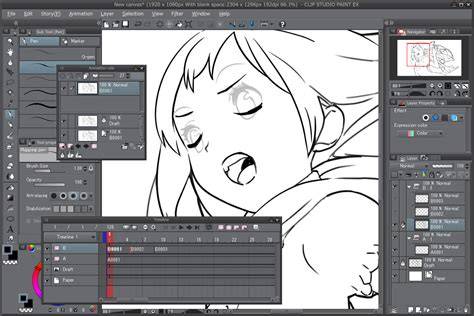
Clip Studio Paint is a versatile all-in-one drawing app for digital illustration, comics (including manga and webtoons), and animation. It can be used on PC, iPad, iPhone, and Android, with cloud storage and a vast asset library. It offers PRO and EX versions to match different needs like multi-page comics and advanced animation tools.
Pros: Extensive brush options, materials library, and timelapse recording. Cloud storage supports cross-device work.
Cons: The app can be complex for beginners; some features require time to learn and configure.
Procreate vs Android: Is there an Android equivalent?
Yes, there are several Android equivalents to Procreate. The most popular are Infinite Painter, Clip Studio Paint, Concepts, Sketchbook, Krita, HiPaint and MediBang Paint.
Platform differences - Procreate is designed to leverage the features of the Apple Pencil and iPadOS, while Android alternatives vary in their hardware and OS integrations. Exclusivity - Procreate is developed by a small team focused on iPadOS and iOS, with no immediate plans to port to Android. Development costs - Porting Procreate to Android would require significant development work and ongoing upkeep.
Choosing the right app for you
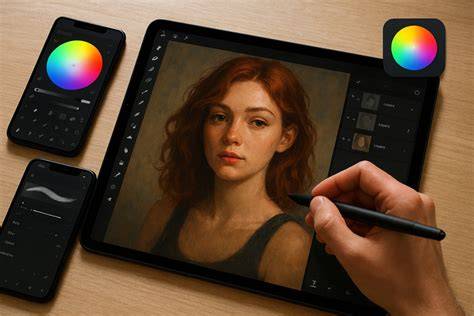
Choosing a drawing app depends on your personal art goals, device, and budget. It’s important to pick an app that works well with your preferred device, supports your workflow, and provides the right balance of brushes, layers, and speed. If you’re unsure, try free versions or trials to assess performance on your device before committing.
Tables and quick comparisons
| App | Best for | Strengths | Weaknesses |
|---|---|---|---|
| Infinite Painter | Manga inking, natural brush feel | Minimalist UI, many tutorials | Large brush library can be hard to navigate |
| Krita | Professional painting on Android | Robust tools, open-source | Beta Android version, cramped UI on tablets |
| Sketchbook | Straightforward sketching | Clean UI, good for beginners | Lacks some advanced features |
| Ibis Paint X | Feature-rich for manga | 47,000+ brushes, stabilizers | Busy interface |
| Medibang Paint | Comic artists | Cloud sync, templates | Learning curve, account requirements |
Overall, Android offers strong Procreate alternatives ranging from minimalist sketching tools to full-featured manga pipelines. Your best choice depends on whether you prioritize brush variety, vector versus raster workflows, offline use, or cross-device syncing.