Lightroom is a major player in photo editing, but its price tag prompts many photographers to seek capable alternatives. This article compiles a detailed comparison of popular Lightroom-like editors, focusing on features, workflow fit, and cost. It gathers insights from a broad range of tools that offer organizing, editing, and sometimes non-destructive processing, with special attention to how each option handles color, RAW files, and batch workflows.
Luminar Neo: AI-powered speed with creative control
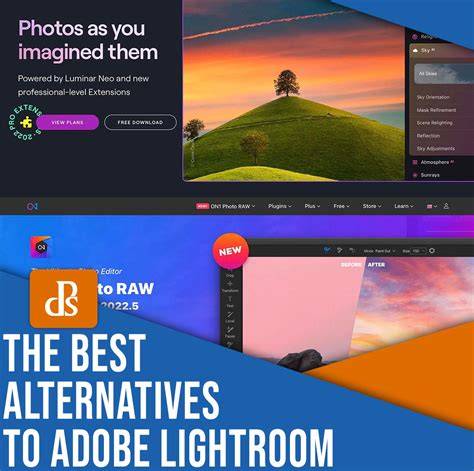
Photo editing has never been easier than it is with Luminar Neo. This software has awesome Artificial Intelligence-powered features that allow you to edit photos in seconds. Luminar Neo provides the same basic features for organizing and editing photos as Lightroom but also includes a range of advanced tools that allow you to unleash your creativity. For example, Accent AI analyzes a photo and determines how to enhance different aspects of it, like contrast, light, details, color, and clarity. Luminar Neo has tools to make edits automatically, but you remain in complete creative control and can change, adjust and enhance any part of your image. Furthermore, Luminar Neo contains dozens of built-in Presets, Layers, Masking functionality, and pro-level Extensions, that you can purchase separately. If you’re interested in learning more about Luminar Neo and how it can revolutionize your photo editing workflow, we encourage you to read our article dedicated to exploring Luminar Neo as an excellent alternative to Adobe Lightroom, called Lightroom vs Luminar Neo. In that article, we delve into the software’s features, user interface, and differences between the two great products. You can also find more information about the software on the Luminar Neo Review page.
Apple Photos: built-in simplicity with RAW support
Apple Photos is automatically installed on all Mac computers, and it can be set up to sync with your other Apple devices via iCloud. Apple Photos offers a simple, streamlined way to organize and edit your photos all from one application. It supports RAW files and offers a handful of tools for simple editing, such as levels, curves, and selective color. Where it falls short of Lightroom is in its inability to edit certain parts of an image. If you want to make the sky brighter, for example, you’ll have to make the entire image brighter.
GIMP: open-source flexibility with strong manipulation tools
GIMP is an open-source raster graphics editor. It was initially created as a photo editor for those on Linux systems, since Photoshop wasn’t supported. GIMP looks and feels a lot like Photoshop and offers a lot of the same tools. It can even read. Unfortunately, GIMP doesn’t offer any sort of photo organization. If you choose to go this route, you’ll need to organize your photos outside of the app, then import them for editing purposes only. Yet as far as photo manipulation goes, GIMP can do nearly everything that Lightroom and Photoshop can.
Windows 10 Photos: integrated library and editing
Microsoft Windows 10 Photos comes installed on any Windows 10 operating system, just as Apple Photos does for Mac. Like Photos and Lightroom, Windows 10 Photos acts as both an image library and editing program. You can flag, rate, caption, and tag your images in Windows 10 Photos, making it easy to sort through large batches of photos.
Paint.NET: beginner-friendly editing with a straightforward toolkit
Paint.NET is free and easy-to-use photo manipulation software. It’s an open-source image editor created specifically for Windows operating systems. The interface is a bit old-fashioned, and the software doesn’t offer any sort of photo organization system. Paint.NET is designed as a simple photo editor and is geared toward beginner photographers who don’t need a lot of complicated tools. The tools in Paint.NET are straightforward and simple to understand.
darktable: free, non-destructive editing with library integration
darktable is an open-source editor that’s available on Mac, Linux, and Windows. It also happens to be one of the only free image editors that doubles as a space to store and organize your photos. The interface is almost identical to Lightroom’s, with the ability to quickly toggle between your photo library and editing tools. While the tools offered are similar to those in Lightroom, it does fall short in its ability to handle professional color manipulation.
RawTherapee: advanced RAW processing with non-destructive editing
Raw Therapee is completely free open-source software that runs on Windows, Mac, and Linux. Like Lightroom, Raw Therapee offers quick and easy RAW image processing. It also offers non-destructive editing, meaning the original file can be brought back with a simple click. This software is best for simple photo editing and basic color correction. It’s a free Lightroom alternative for users who want advanced tools without the learning curve of Photoshop.
PhotoScape X: broad toolset with a strong editing toolkit
PhotoScape X is a free image editor for Mac and Windows. The Viewer in PhotoScape X allows you to rate and flag images, although the library isn’t as powerful as Lightroom’s. The Editor has over 1,000 filters and effects as well as the option to use masks, layers, and brushes. The wide range of editing tools makes PhotoScape X a compelling Lightroom alternative.
Photo Pos Pro: beginner-friendly editor with project-building features
Photo Pos Pro is free photo editing software for those who want to both edit photos and build projects from scratch. It offers the ability to create collages, design business cards, and make other graphics. When you first open Photo Pos Pro, you’ll have the option to choose between a simple and a professional interface. For most basic adjustments, the simple interface offers all the tools you’ll need. Photo Pos Pro is a good Lightroom alternative for beginners who don’t need their photo editor to double as an image organizer.
Lightzone: stack-based editing for streamlined workflow
Lightzone is available for Windows, Mac, and Linux. But while it lacks an image organization system, LightZone makes it easy to instantly improve your images. It’s geared toward novice photographers and those who don’t need a lot of Photoshop’s advanced tools. LightZone doesn’t use traditional layers. Rather, it offers an alternative that involves stacking tools on top of each other. You can then rearrange, add, and delete tools in this stack.
Pixlr and Photopea: browser-based editors for quick edits
Pixlr is a free photo editor that’s 100% online. This is great for people who are wary of downloading free programs onto their computers. No account is necessary to use Pixlr; you only need to create one if you want to use the Pixlr Library with free cloud storage. A handful of filters such as HDR, glamour glow, and vignetting offer quick and easy ways to improve your photographs. Pixlr is a reasonable Lightroom alternative for users who want a simple, straightforward photo editor. Like Pixlr, Photopea is a photo editing program that works completely online. This means you won’t need to worry about downloading any software onto your computer. Photopea is free, but in exchange you’ll notice a lot of ads around the interface. If these are too distracting, you’ll need to pay $9 a month to get rid of them. Unlike Pixlr, Photopea doesn’t offer an image library. If you close your browser without saving, you’ll lose your work. On the plus side, Photopea supports many different file types including .XD, .sketch, and .XCF, making it great for photographers, graphic designers, and graphic artists.
Polarr: quick edits with filters and cross-platform availability
Polarr is an image editing program for Windows, Mac, and Linux. There’s both a free and a paid version (for $2.50 per month). There are also apps for both iOS and Android, making it easy to edit photos on the go. Polarr is best for people looking for a quick and easy way to edit their photos. There are dozens of filters to choose from, with a slider to adjust the intensity of each. Unlike Lightroom, Polarr doesn’t offer an image library. And while it does offer some more advanced tools such as masks and brushes, the functionality is limited. The paid version (Polarr Pro) adds extra tools at a very affordable price.
Pixelmator and other Mac-focused editors
Pixelmator is a photo editing program for Mac. Unfortunately, it’s only free for the first 30 days. The interface is designed to look a lot like Adobe Photoshop and offers many of the same basic tools. However, it lacks the in-depth tools that Adobe products provide. Pixelmator is best for novice photographers who are looking for a one-click fix. On the plus side, you can start projects from scratch. Pixelmator is especially good for creating digital artwork. On the downside, it doesn’t support RAW files.
Specialized and emerging tools worth watching
Depositphotos API for martech is a design and content solution developed by Depositphotos and VistaCreate, aimed at streamlining creative workflows for businesses. Lightroom is unique in the fact that it’s an all-in-one program to both organize and edit your photos. While some free alternatives, such as Darktable, offer many of the same tools, others only offer simple image adjustments. Depending on your editing style, you may need to download a couple of different free programs to get all of the tools you need. Even so, free editing programs have come a long way in the past decade. If you decide to invest into a paid program, rest assured that Luminar Neo is the right fit for you. You can even try it for free for 7 days!
Pricing and licensing considerations
Is Lightroom free option available? No, there isn’t a fully cost-free edition of Lightroom. However, Adobe does offer a 7-day free trial of Lightroom, after which a paid subscription is required. Is Lightroom free on iPhone, iPad, and Android devices? Yes, Lightroom is free on iPhone, iPad, and Android devices. You can use many features, including capture, organization, sharing, and most editing options at no cost. However, upgrading to a premium version allows access to additional features and cross-device functionality. Is the Lightroom app no longer offered without charge? The Lightroom mobile app has a free version with limited features available for both iOS and Android, but a subscription is needed for the full set of features. What’s the most economical method to acquire Lightroom? The most economical method to acquire Lightroom is through the Adobe Photography Plan, which includes both Lightroom and Photoshop for a monthly or annual fee. What is the pricing structure for Lightroom? Adobe offers Lightroom through its Creative Cloud subscription. Pricing may change based on location or promotions. Typically, it’s included in the Photography Plan or can be subscribed to individually.
How to choose your Lightroom alternative
- Define your use case: Consider how you shoot and edit. Are you mainly working on quick social edits, client projects, hobby images or high volume workflows.
- Look for a balance of basic and advanced tools: Make sure you get reliable essentials like exposure, color and selective adjustments, while still having access to deeper controls when you need them.
- Consider AI features as workflow boosters: Modern AI tools can significantly speed up repetitive edits like masking, object removal, sky selection and relighting.
- Be honest about usability: A beautiful interface and logical layout make a big difference.
- Check long term cost: Subscription vs lifetime licence matters. Look closely at what you pay, what you actually get in return and how often you realistically upgrade your software.
Standout recommendation
All of the services above have free trials or money-back guarantees, but after years of testing, the standout choice for most photographers remains Luminar Neo. Sign up today and start editing with something you will actually enjoy using. Updated 5th August 2026: this guide includes screenshots of Luminar Neo’s new interface and performance improvements, reflecting ongoing changes in the market.
Sick of paying monthly?! BEST Lightroom alternatives
There’s no one-size-fits-all editor. A blend of tools across a couple of platforms can cover different shooting styles, from quick social edits to professional color-critical work. The market has evolved to offer powerful, affordable, or even free alternatives that deliver robust editing capabilities and, in many cases, efficient workflow features similar to Lightroom.