Batch convert images from WebP to PNG format quickly while preserving transparency with our online tool. Get Fast, free, and unlimited conversions today!
Why convert WebP to PNG in bulk?
PNG is a widely supported, lossless image format with excellent transparency support, making it ideal for graphics, logos, and editing workflows across platforms. WebP offers advanced compression and web-focused performance, but compatibility and perfect alpha channel handling in all environments can still be a concern. Converting WebP to PNG in bulk ensures maximum compatibility, preserves image details, and maintains transparency without sacrificing quality.
Key benefits of bulk WebP to PNG conversion
- Fast & Efficient: Convert up to 50 WebP files in seconds, enabling rapid workflows for designers and developers.
- 100% Free: No fees, subscriptions, or watermarks, with no software installation required.
- Browser-based: All processing happens in your browser, keeping files private and local.
- Lossless Quality: PNG preserves all image details without quality loss during conversion.
- Transparency Support: Retains alpha channel for graphics requiring transparent backgrounds.
- Bulk Processing: Upload multiple files at once and download as individual PNGs or a ZIP archive.
Our online converter tool is designed for both individual and bulk conversions, making the process effortless for designers, developers, and everyday users who prefer PNG format.
How the batch WebP to PNG conversion works
To convert WebP to PNG in bulk, you upload several WebP images at once, initiate the conversion, and then download the resulting PNG files. The typical workflow includes selecting files, starting the conversion, and saving the outputs-often packaged as a convenient ZIP file for easy distribution and storage. The entire process is performed in-browser, with no server-side uploads and no data storage beyond your local device.
What to expect during and after conversion
- Processing happens locally in your browser, ensuring privacy and security.
- Converted PNG files are ready for download individually or as a ZIP archive.
- Transparency is preserved in PNGs, making them suitable for web graphics and overlays.
- No watermarks or hidden fees are added to the outputs.
Comparison: WebP vs PNG in batch workflows
WebP is optimized for web performance with strong compression, but PNG offers universal compatibility and perfect transparency. In bulk workflows, converting to PNG helps ensure consistent rendering across browsers and tools, especially in design and development pipelines that rely on lossless quality and alpha channels.
Practical use cases
- Design handoffs: Designers export PNGs for editors and development environments that expect universally supported formats.
- Web graphics: Logos and UI elements benefit from transparent backgrounds in PNG while remaining editable.
- Image editing: PNGs retain pixel-perfect accuracy for post-processing in standard editors like GIMP or Photoshop.
Additional features often highlighted by users
Many tools emphasize privacy, browser-only processing, and batch capabilities. Users appreciate the ability to convert large batches without software installation, while keeping files private on their devices. Some converters also offer the option to download as a ZIP, which simplifies transferring multiple PNG outputs together.
FAQ highlights
- Can I convert multiple WebP files to PNG at once? Yes, bulk conversion supports multiple files in a single run.
- Are my WebP files safe during conversion? Absolutely-processing is performed in the browser, with no server uploads or storage.
- Will PNG outputs preserve transparency? Yes, PNG supports alpha transparency and preserves it in conversion.
- Is the service free to use? Yes, the batch WebP to PNG converter is described as fast, free, and without hidden fees.
If you need to convert in the opposite direction or explore more formats, many online converters offer additional paths like PNG to WebP, JPG to WebP, or other format pairs, often with similar batch capabilities and privacy guarantees.
Best practices for batch conversions
- Prepare your source WebP files with clear naming to keep outputs organized after conversion.
- Use ZIP packaging for bulk downloads to simplify transfers and preserve file integrity.
- Leverage the in-browser editing toolkit if available to perform quick tweaks before saving PNGs.
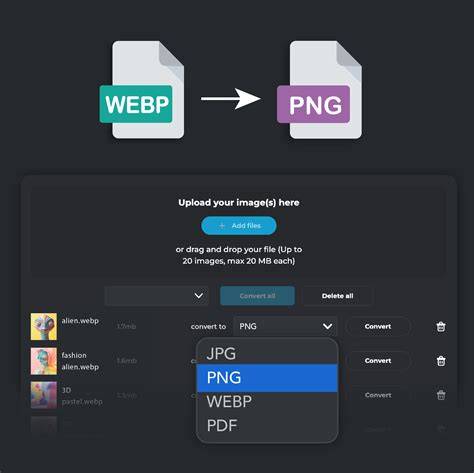
Batch Convert WEBP Images into Various Image Format | WEBP File Converter Tool
In summary, batch WebP to PNG conversion offers a fast, free, and privacy-conscious way to obtain universally compatible PNG outputs while preserving transparency and image quality. Whether you’re working on web graphics, UI assets, or design handoffs, bulk conversion helps streamline your workflow without installing software or paying for services.