For photographers, designers, and content creators looking for a reliable, portable machine to edit and refine their photos, the best laptops for photo editing are a must. With a focus on photo editing in Adobe Photoshop and Affinity, and using Lightroom for batch processing, the laptops my team of experts and I have selected deliver the performance needed to handle creative workloads and make full use of AI tools. This includes color-accurate displays that cover sRGB or DCI-P3 gamuts for pinpoint color correction.
Right now, our top recommendation goes to the Apple MacBook Pro 14-inch (M5 Pro), with its outstanding performance in Photoshop and Lightroom, along with its superb display boasting a wide P3 color gamut for rich, accurate colors.
The top pick: Apple MacBook Pro 14-inch (M5 Pro)
| Specifications | Details |
|---|---|
| Screen | 14-inch (3024 x 1964) Liquid Retina XDR, 120Hz |
| Color gamut | Wide color P3 |
| CPU | Apple M5 - M5 Max |
| RAM | Up to 128GB |
| Graphics | Up to 40-core integrated |
| Storage | Up to 8TB |
Reasons to buy: Effortless running Photoshop, Excellent battery life, One of the best displays on a laptop.
Reasons to avoid: No new design, No Wi-Fi 7 on base model, Price increase.
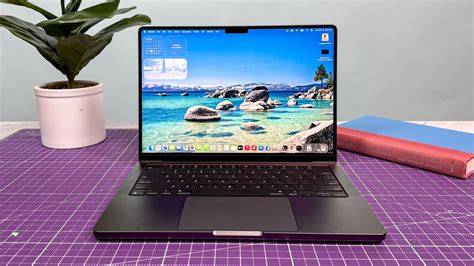
The MacBook Pro has long been the go-to laptop for creators of all kinds, and now with M5, it's better than ever. Specifically, we're big fans of the MacBook Pro with M5 Pro, hitting the sweet spot between performance and price - and it's a powerhouse for photo editing. As our reviewer notes, the 14-inch Liquid Retina XDR display remains one of the best screens you'll find on a laptop, and that's a huge perk for photographers. The true highlight is the M5 chip; the base M5 offers plenty of power to breeze through photo edits, but the M5 Pro reigns supreme for a seamless creative workflow. With the M5 Max as the ultimate option, the M5 Pro model offers a balanced combination of performance and cost.
Compact, premium-looking chassis and life-like colors with smooth 120Hz visuals make it ideal for on-the-go editing. Port selection is still limited, but for many, the performance gains outweigh the lack of upgrades on the base M4 model.
Affordable photo-editing laptop with dedicated GPU: HP Victus 15
| Specifications | Details |
|---|---|
| Screen | 15.6-inch FHD (1920 x 1080) LED, 144Hz |
| Color gamut | 100% sRGB |
| CPU | Up to Intel Core i7-14700HX / Ryzen 7 8845HS |
| RAM | Up to 32GB |
| Graphics | Up to NVIDIA GeForce RTX 4060 |
| Storage | Up to 1TB |
Reasons to buy: Well-priced for online content creation, Good gaming performance, Can double as a work laptop.
Reasons to avoid: Bad battery life, Rather plain design.
The HP Victus 15 offers strong photo-editing performance at a budget price. It includes a dedicated GPU to smooth AI photo editing and video tasks, keeps cool with dual fans, and delivers around four hours of battery life in tests. It’s a solid mid-range option for creator-on-a-budget, with compelling value for handling AI-assisted edits in Photoshop or Lightroom.
2-in-1 with an ultra-premium OLED display: HP OmniBook Ultra Flip 14
| Specifications | Details |
|---|---|
| Screen | 14-inch 3K (2880 x 1800) OLED, 120Hz |
| Color gamut | 100% sRGB |
| CPU | Up to Intel Core Ultra 7 256V |
| RAM | Up to 32GB |
| Graphics | Intel Arc Graphics (integrated) |
| Storage | Up to 1TB |
Reasons to buy: Brilliant OLED display, Impressively thin, Superb build quality.
Reasons to avoid: Heavier than expected, Poor stylus storage, No dedicated GPU.
The Ultra Flip 14 earns its spot for on-the-go editing thanks to a premium 3K OLED display with a 120Hz refresh rate. It’s a versatile 2-in-1 that can transform into a tablet and support a stylus for touch-ups. Battery life is strong, lasting up to 18 hours in TechRadar tests, which is ideal for travel and field work. However, it lacks a dedicated GPU for video editing and its port selection is limited, so adapters may be necessary for dock-heavy workflows. Overall, it’s a compelling mid-range option for editors who want a premium display without flagship prices.
Ultra-portable option for editing on the go: 13-inch MacBook Air (M5)
| Specifications | Details |
|---|---|
| Screen | 13.6-inch Liquid Retina, 60Hz |
| Color gamut | Wide color P3 |
| CPU | Apple M5 |
| RAM | Up to 32GB |
| Storage | Up to 2TB |
Reasons to buy: Ultra-portable for editing on the go, M5 chip delivers power and efficiency, Long battery life.
Reasons to avoid: No new colors, More expensive than previous M4 model.
Looking for an ultra-sleek, portable machine to edit photos anywhere? The 13-inch MacBook Air with the M5 chip excels with a bright display, strong performance for Photoshop and Lightroom, and lengthy battery life. It’s particularly attractive when substantial on-the-go editing is required, and base storage options are generous. It remains one of the best all-rounders for photographers who value portability without sacrificing power.
All-rounder with a premium display: Dell XPS 16
| Specifications | Details |
|---|---|
| Screen | 3K OLED 16-inch, 120Hz |
| Color gamut | 100% DCI-P3 |
| CPU | Intel Core Ultra X7 |
| RAM | Up to 32GB |
| Graphics | Intel Arc (integrated) |
| Storage | Up to 1TB |
Reasons to buy: Outstanding hardware and performance for creators, Exceptional 3K OLED display, Excellent battery life.
Reasons to avoid: Limited ports (no SD reader or HDMI), Pricey.
The Dell XPS 16 stands out as a premium Windows pick, delivering a top-tier 3K OLED display with superb color accuracy and strong performance for heavy Lightroom and Photoshop sessions. It’s a robust choice for photographers who want a long-lasting machine capable of both photo and video work, albeit with a higher price tag and modest port selection.
Flagship Windows alternative with powerful specs: Asus ProArt P16 OLED
| Specifications | Details |
|---|---|
| Screen | 16-inch 4K OLED, 120Hz |
| Color gamut | 100% DCI-P3, Pantone validated |
| CPU | AMD Ryzen 9 HX 370 |
| RAM | Up to 32GB |
| Graphics | NVIDIA GeForce RTX 5090 |
| Storage | Up to 2TB |
Reasons to buy: Staggering performance with RTX 5090, Stunning OLED display, Excellent build quality.
Reasons to avoid: Extremely expensive, No 4K option in some configs.
The ProArt P16 OLED pushes the envelope with a high-end RTX GPU and a beautiful 4K OLED panel. It’s ideal for professional photo and video editors who push heavy multi-layer workflows and AI-based tools, though its price may be a barrier for some users. For creators seeking uncompromising performance and top-tier visuals, this is a standout option.
Creative power with a dual-screen design: Asus Zenbook Duo
| Specifications | Details |
|---|---|
| Screen | Dual 14-inch OLED, 120Hz |
| Color gamut | 100% DCI-P3 |
| CPU | Intel Core Ultra 9 285H |
| RAM | Up to 32GB |
| Graphics | Intel Arc 140T integrated |
| Storage | Up to 2TB |
Reasons to buy: Beautifully engineered dual-screen, Stunning OLED displays, Improved battery life.
Reasons to avoid: Interface and software can be frustrating, Steep learning curve, Two screens come with compromises.
The Asus Zenbook Duo is a superb two-in-one for creators needing extra screen real estate and a stylus for hands-on retouching. It’s powered by an H-series Intel Core Ultra 9 chip and offers strong performance for photo editing, though the dual-screen setup can introduce a learning curve and some thermal considerations. It’s a strong, creative-specific tool when you value versatility and screen area.
Table: Quick comparison of standout machines
| Device | Best for | Strengths | Drawbacks |
|---|---|---|---|
| MacBook Pro 14" (M5 Pro) | Overall top pick | Photoshop/Lightroom performance, color accuracy | Limited ports, high price |
| HP Victus 15 | Budget editing | Good GPU, reasonable price | Battery life |
| HP OmniBook Ultra Flip 14 | 2-in-1 premium display | 3K OLED, long battery | No dedicated GPU |
| 13" MacBook Air (M5) | Ultra-portable editing | Powerful, long battery | Price, USB-C limits |
| Dell XPS 16 | Premium Windows editor | 3K OLED, long battery | Limited ports, high price |
| Asus ProArt P16 OLED | High-end power user | RTX 5090, 4K OLED | Very expensive |
| Asus Zenbook Duo | Multi-monitor workflows | Dual OLEDs, stylus | Learning curve, compromises |
What to consider when choosing a photo-editing device
What specs matter most for photo editing? The CPU is the “brain” of your workflow, and higher-end processors speed up complex edits. RAM determines how many files and layers you can work with simultaneously. GPUs help with AI-assisted tools and rendering, while VRAM matters for 4K+ workflows. A high-quality display - with accurate color and wide gamut coverage - is essential for precise color correction. Storage capacity matters for RAW files and project libraries, and port selection can influence how easily you connect cameras, displays, and external drives.
Tablets and hybrid devices are becoming increasingly powerful, with excellent screens and capabilities. Tablets can run desktop versions of key software on Windows or macOS, but for full desktop Photoshop or Lightroom, a traditional laptop or tablet with full desktop OS is often preferred. When considering tablets, 4K or OLED displays and stylus support are big bonuses for precise retouching. For some users, a pen tablet connected to a PC can provide the most precise editing experience, particularly with pressure-sensitive pens and professional software.
What to look for in software and hardware ecosystems
Software choice often guides hardware needs. If you work heavily in Lightroom, Luminar Neo, Affinity Photo, or Capture One, ensure your device is capable of handling batch operations and AI features smoothly. Some editors favor Ryzen or Intel high-performance CPUs with ample RAM and dedicated GPUs, while others prefer Apple silicon for optimized power efficiency. Integration across desktop and mobile workflows, cloud sync, and subscription flexibility can influence long-term satisfaction with a system.
Additional considerations: tablets and pen displays
Drawing tablets and pen displays remain valuable tools for precision editing. Wacom Intuos and Cintiq lines provide industry-standard input with high levels of pressure sensitivity, useful for detailed retouching and masking. For those who prefer editing directly on-screen, pen-enabled displays such as Wacom Cintiq Pro or pen-enabled laptops offer tactile control that many editors prefer over a mouse. The right tablet or pen display can complement your laptop by enabling more natural, precise edits on large RAW files.
Images to help visualize capabilities
Photoshop Running Slow? 10 Quick Fixes!
Photoshop Running Slow? 10 Quick Fixes!
The best tablet options for photo editing in 2026 range from high-end iPad Pro models with mini-LED or OLED displays to Windows tablets that run full desktop apps. Each option has trade-offs between portability, screen quality, and software availability. The key is to pick a device whose software ecosystem aligns with your regular editing routine and on-the-go needs.
When to choose a desktop over a laptop for photo editing
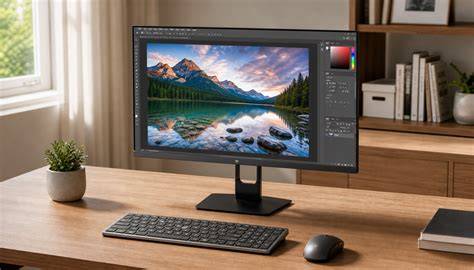
Desktop CPUs generally offer higher performance-per-dollar and more upgrade flexibility, but laptops win on portability. If you frequently edit on location or need to balance power with travel, a capable laptop is often the best compromise. A desktop paired with a high-resolution monitor can deliver superb color accuracy and comfort for long editing sessions, but it lacks on-the-go versatility.
In essence, the best device for editing photos depends on your workflow: portability and battery life for field work; raw power and color-accurate displays for studio work; or a balanced combination with a premium 2-in-1 or high-end notebook. The right choice empowers you to edit efficiently, leverage AI features, and maintain color fidelity across your edits.