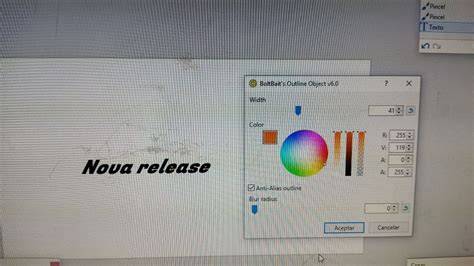
You get something, I get something, and you still have choices. This article distills discussions around BoltBait’s GPU Accelerated Plugin Pack for Paint.NET, the Store-versus-Classic dynamics, updates, donations, and the broader ecosystem that shapes how users experience Paint.NET today.
Foundations of the BoltBait Plugin Pack
The BoltBait GPU Accelerated Plugin Pack for Paint.NET v5.0 (Updated) represents a response to performance demands in image editing workflows. The project emphasizes acceleration, aiming to deliver faster processing for common tasks and enhanced responsiveness during heavy edits. For many users, this is a significant upgrade path that complements the core Paint.NET experience rather than replacing it.
BoltBait’s release narrative also highlights how updates are coordinated with Paint.NET’s lifecycle. The latency between releases, and the potential synchronization with the Classic version’s announcement, can influence user expectations about when new features become available. This is especially relevant as users evaluate whether to adopt the Store version or remain on Classic builds.
Store Version vs Classic Version: Update Cadences and User Experience
The Store version is described as allowing fully automatic updates, which is presented as a major convenience and a direct support to development. In this model, users can enjoy a seamless maintenance flow without manual checks, while developers benefit from a more predictable distribution channel.
The Classic release checks for updates approximately every 10 days, which can create a perception of slower propagation compared to Store releases. If users move to the Store release, they may receive updates several days sooner on average, subject to certification and server propagation. This creates a trade-off between manual control and convenience, as well as between visibility of development work and potential delays in hotfix delivery.
Public discourse about monetization reflects a preference for non-intrusive experiences. The “please donate!” tip jar during the updater is cited as a model for unobtrusive funding: users can continue to use Paint.NET with minimal nagging, while creators maintain a visible, voluntary support mechanism. Some commentators question advertising models, suggesting two Store apps-one with advertising (displayed at startup) and another without-so users can choose updates and funding paths that suit them. These discussions reveal broader tensions between monetization, user experience, and timely maintenance.
Donations, Ads, and Ethical Considerations
Several quotes express a desire to avoid ads or nagging within the application. The sentiment is that a clean, authentic experience is preferable, aligning with a user-centric philosophy where donors can support the project without being pressured through the app itself. This stance helps sustain a sense of trust between developers and the Paint.NET community as software evolves through community contributions and professional updates.
In practical terms, the Store model may inherently support automatic updates and simplified monetization, while the Classic model relies more on user-initiated checks and community contributions. The debate over how best to fund ongoing development remains active, with perspectives ranging from donations to store-based, monetized distributions, to hybrid approaches that balance accessibility with sustainability.
Technical and Release Considerations
The BoltBait project has undergone notable versioning changes, including references to v5.0 (Updated) and prior iterations such as v3.5.x in historical discussions. The evolution toward GPU acceleration reflects a broader trend toward leveraging hardware capabilities to boost performance in image editing workloads, particularly when handling large brushes, filters, and layered workflows.
Release dynamics also encompass compilation and packaging decisions, with discussions about synchronizing Classic and Store announcements to align user expectations. Additionally, the inclusion of certain components (like Portrait.dll and InkSketch.dll) into Paint.NET signifies ongoing integration efforts that can affect plugin compatibility and performance profiles across builds.
Practical Guidance for Users
For users on older paths, the recommended approach has included checking for updates via the Utilities menu in Paint.NET v3.5.x, a reflection of historical maintenance practices that predate modern automatic update flows. For those evaluating BoltBait’s pack, it can be beneficial to understand how GPU acceleration may impact workloads with large image files or computationally intense effects, potentially improving throughput and responsiveness during edits.
When considering Store versus Classic, weigh your priorities: automation, update speed, and ease of funding against the desire for control over when upgrades are adopted and how features appear. The conversation around two-store strategies highlights how distribution models can influence user choice, upgrades, and the pace of bug fixes.
Notes on Community and Collaboration
Maintenance and development are shaped by conversations with the broader Paint.NET community, including feedback loops with Microsoft for hotfix prioritization and potential cross-platform considerations. A collaborative spirit underpins the continued improvement of plugins, packs, and the core editor, with the BoltBait work serving as a case study in community-driven enhancement of an open ecosystem.
- GPU accelerated plugins can significantly improve editing performance on larger projects.
- Store-based updates offer automatic maintenance but involve platform-certification delays.
- Classic builds emphasize user control and sometimes slower propagation of updates.
- Donations and non-intrusive funding help sustain development without degrading user experience.
- Release synchronization between Classic and Store can reduce user confusion about availability.