Photoshop’s new AI features are transforming digital creativity. Images that once took hours to retouch can now be reimagined in seconds, but speed is just the start. The actual breakthrough is in how these tools spark creativity, helping you achieve results you might never have thought possible.
Adobe Photoshop has leapt forward by integrating artificial intelligence into its core. Photoshop’s AI suite is designed for productivity and innovation. The benefits of Photoshop’s AI go far beyond efficiency. Time-saving automation allows designers to focus on creative decisions rather than routine work. AI-driven suggestions and presets further raise the quality and consistency of results, making professional-level edits accessible to all.
Adobe’s Generative AI, spearheaded by Generative Fill, takes image editing to new heights. This not only speeds up tasks like image completion or modification, but also invites more creative freedom. The Generative Fill tool is a major leap in digital editing.
Beyond Generative Fill, Photoshop’s AI toolkit includes advances in enhancement, retouching, and intelligent selection. AI-powered tools such as auto-retouch, advanced noise reduction, and one-click optimisation help both beginners and experts achieve stunning results, fast.
Firefly vs. Adobe Firefly stands out thanks to its seamless Photoshop integration and robust support for creative applications. By supporting rapid prototyping and diverse experimentation, AI tools help bring even ambitious ideas to fruition. AI can extend a photo’s borders, generate plausible content to fill new areas, and seamlessly merge images for composite designs. This is ideal for adapting artwork to different formats or merging elements for a polished result. AI can identify and remove objects, analysing surrounding pixels for a natural finish. AI-generated backgrounds and textures suit everything from ads to digital art. By automatically matching lighting, colour, and style, these features allow for quick creation and adaptation to different needs.
Set clear goals before starting a project. Understand each tool’s capabilities and limits. Learn about ethical considerations, always respecting subject integrity and content authenticity. Be aware of copyright and commercial restrictions when working with AI-generated art. Some content is free to use; others have limitations. The integration of AI in Photoshop is revolutionising digital creativity. As these tools become more innovative and more intuitive, your capacity to create compelling, high-quality work expands accordingly. With Photoshop’s AI features constantly advancing, future updates are poised to bring even more innovative capabilities.
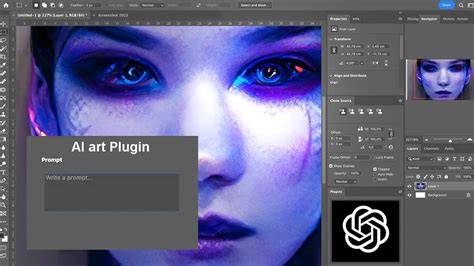
Introduction to Generative Fill | Adobe Photoshop
| Feature | Benefit | Use Case |
|---|---|---|
| Generative Fill | Speeds up image completion and modification; creative freedom | Completing missing areas; generating plausible content |
| Auto-retouch | Efficient skin smoothing, blemish removal | Portrait editing; quick beauty pass |
| Advanced noise reduction | Cleaner images with preserved detail | Low-light or high-ISO images |
| Intelligent selection | Precise selections with fewer steps | Isolating subjects for compositing |