CorelDRAW Graphics Suite is professional vector graphics designing software for Windows. It offers highly professional vector illustration, photo editing, page layout, and typography tools to help you create and successfully complete critical design projects. It solves various use-cases specific to manufacturing and engineering, sign making, marketing, and more. Corel Graphics Suite is used by designers, businesses, and industries worldwide.
In order to enjoy all the features of CorelDRAW Graphics Suite 2020 on your Windows PC, you will have to ensure that it meets the specifications laid out by the developers. CorelDRAW Graphics Suite 2020 System Requirements Operating System: Windows 10, Windows 8.1, Windows 7 with latest updates and service packs Processor: Intel Core i3, i5, i7, i9 or AMD Ryzen 3, Ryzen 5, Ryzen 7, Ryzen 9 Graphics Card: OpenCL 1.2 capable video card (Recommended) RAM: 4 GB or more Hard Disk Space: 4 GB of available hard disk space Display: Monitor with a screen resolution at 100% (9dpi) Additional Packages: Microsoft.NET Framework 4.7.2 Connectivity: Internet Connection is required for product authentication and access to online features Supported Browser: Internet Explorer 11 or higher Notes: Variable fonts are supported on Windows Version 10 only. Features that use Artificial Intelligence (AI) require CorelDRAW Graphics Suite 64-bit applications and are not supported in 32-bit applications.
Historical milestones and evolution
Graphic design has become an integral part of modern visual communication. To cater to the ever-growing demands of designers, CorelDraw Graphics Suite 12 emerged as a revolutionary software package. CorelDraw Graphics Suite 12 is a powerhouse in the realm of graphic design software. Offering a comprehensive set of tools and features, it empowers designers to create stunning visuals and illustrations. Its user-friendly interface makes it accessible to both beginners and professionals, setting it apart from the competition. Over the years, it underwent numerous updates and improvements, each version bringing innovative features and enhanced capabilities. CorelDraw Graphics Suite 12, released in February 10th, 2004, marked a significant milestone in its evolution.
CorelDraw Graphics Suite 12 falls under the graphic design software genre, focusing on vector-based design and illustration. Its primary function is to enable designers to create logos, brochures, posters, and other graphic elements with precision and creativity. CorelDraw Graphics Suite 12 has stood the test of time and continues to be a favorite among designers and graphic enthusiasts for several compelling reasons. Firstly, its intuitive and user-friendly interface makes it accessible to a wide range of users, from beginners to seasoned professionals. The software’s extensive library of tools and features, combined with its exceptional performance, enables designers to unleash their creativity without limitations. Furthermore, the cross-platform compatibility ensures that designers can seamlessly work on their preferred operating systems, enhancing flexibility.
While both CorelDraw Graphics Suite 12 and Adobe Photoshop are powerful graphic design tools, CorelDraw offers several distinct advantages. Firstly, CorelDraw’s vector-based design approach allows for precise and scalable graphics, making it ideal for logo creation and illustration. Its user-friendly interface is known for its ease of use, even for beginners, whereas Adobe Photoshop can be more complex. Additionally, CorelDraw Graphics Suite 12 is available at a more affordable price point, making it a budget-friendly choice. Lastly, its cross-platform compatibility ensures seamless operation on both Windows and macOS, offering greater flexibility. Release Date and Significance - CorelDraw Graphics Suite 12 was officially released on February 10th, 2004. This release garnered significant attention in the design community due to its innovative features. Designers eagerly embraced the new tools and enhancements, which streamlined their workflow and improved the quality of their work.
Availability on Different Platforms - One of the remarkable aspects of CorelDraw Graphics Suite 12 is its availability on multiple platforms. Whether you are using Windows or macOS, this software can seamlessly integrate into your design workflow. In conclusion, CorelDraw Graphics Suite 12 is a software must-have for anyone involved in graphic design. Its rich history, versatility, and wide availability on various platforms make it a top choice in the industry.
CorelDRAW’s broader story begins with its vector graphics editor roots. CorelDRAW is a vector graphics editor developed and marketed by Corel Corporation. It is also the name of the Corel graphics suite, which includes the bitmap-image editor Corel Photo-Paint as well as other graphics-related programs. It can serve as a digital painting platform, desktop publishing suite, and is commonly used for production art in signmaking, vinyl and laser cutting and engraving, print-on-demand and other industry processes.
In 1987, Corel engineers Michel Bouillan and Pat Beirne undertook to develop a vector-based illustration program to bundle with their desktop publishing systems. That program, CorelDraw, was initially released in 1989. CorelDraw 1.x and 2.x ran under Windows 2.x and 3.0. CorelDraw 3.0 came into its own with Microsoft's release of Windows 3.1. Sep 1991 marked releases that expanded toolsets, while 1993 saw multiple utilities bundled with the suite. Through the years, CorelDRAW evolved across platforms and versions, adding features like OpenType font support, advanced color management, and scripting, while branching into cross-platform availability and later cloud-oriented workflows.
CorelDRAW Graphics Suite continued to evolve, introducing 64-bit support, improved typography, non-destructive editing, cloud collaboration, and AI-powered features in recent iterations. As of 2021, CorelDRAW Graphics Suite supports Windows 10, Windows 11, and macOS, including a new release for Apple silicon. A related web app and iPad app offers collaboration and markup online. With version 6, Corel introduced task automation using a proprietary scripting language, Corel SCRIPT. Support for VBA macros was added in version 9, and Corel SCRIPT was eventually deprecated. In its first versions, the CDR file format was a proprietary format; beginning with CorelDraw 4 it included the version number and later became a ZIP-compressed directory with XML files in X4 and onward.
CorelDRAW’s history is intertwined with the broader trajectory of vector graphics software, driven by the needs of signmaking, manufacturing, and digital publishing. The suite’s evolution reflects shifts toward performance optimization, cross-platform flexibility, and more recently AI-assisted design workflows. Modern releases expand AI-assisted image generation, background removal, and intelligent content reuse, while maintaining CorelDRAW’s hallmark strengths in vector precision and layout control.
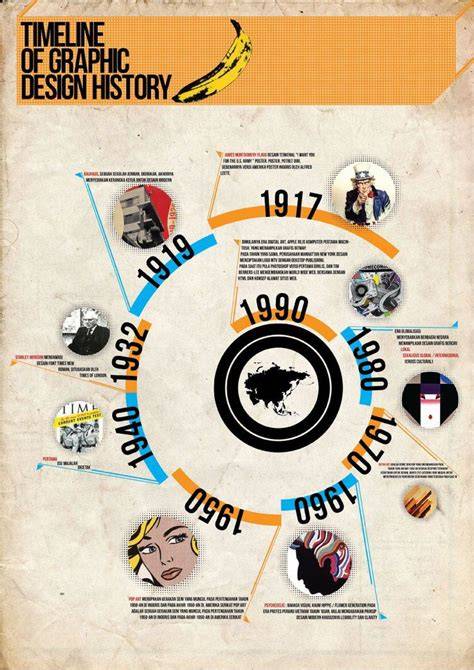
In practice, users look to CorelDRAW Graphics Suite for precise vector tooling, page layout, typography management, and compatibility across devices and platforms. The cloud-hosted delivery model discussed in contemporary materials highlights advantages such as scalability, synchronization, backup, and device-agnostic access, which align with ongoing industry needs for flexible design workflows. CorelDRAW 2020 and later versions continue to expand AI capabilities, 64-bit performance, and integrated collaboration features to support professional designers across manufacturing, marketing, and digital media.
| Aspect | Key Details |
|---|---|
| System requirements (2020) | Windows 10/8.1/7; Intel/AMD CPUs; OpenCL 1.2 GPU; 4 GB RAM; 4 GB disk; .NET Framework 4.7.2; IE11+; 64-bit for AI features |
| Core strengths | Vector illustration, page layout, typography, photo editing |
| Notable advantages over competitors | Vector precision, user-friendly UI, cost effectiveness, cross-platform |
| Historical milestone | Initial CorelDRAW releases began 1989; 2004 CorelDRAW Graphics Suite 12; ongoing evolution to AI and cloud |