Join us for a tour of the enhanced user interface in Painter Essentials. See new features like a dark theme, tool highlights, new icons and more. Painter Master Elite Don Seegmiller demonstrates a variety of unique brushes that glow, jitter, shatter, distort and add decorative brushstrokes. See how to use the Color Selector in Painter Essentials, including new features like circular grabbers and a split color and clone painting preview. Painter Master Elite Cher Pendarvis demonstrates the benefits of using a pressure-sensitive drawing tablet with Painter Essentials. Create your first pencil sketch in Painter Essentials! Learn how to find and use various pencil media types and keep them organized in a custom palette. Learn how to create a simple pen and ink sketch in Painter Essentials, with tips on using various pen brushes and organizing them in a custom palette. Learn how to blend colors like a master using Painter Essential’s glazing brushes that allow opacity to build up smoothly along your brushstrokes.
Interface and new features
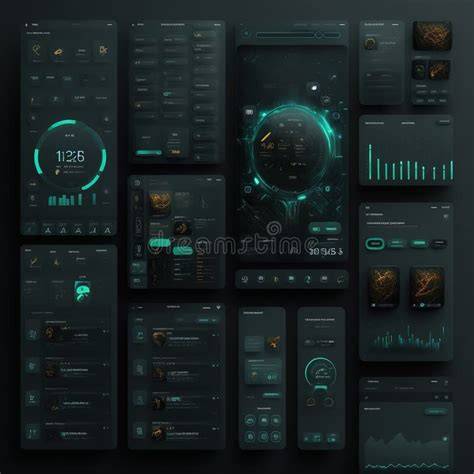
The new version emphasizes an enhanced user interface with a dark theme, tool highlights, and refreshed icons for quicker access to essential tools. A floating color picker remains available and resizable, while toolbars and palettes can be rearranged or docked as side attachments. A welcome screen provides direct access to recent documents and mode selection for laptop or tablet use. The interface is clean and tidy, with tools large enough for comfortable use and plenty of workspace for the painting area. A useful feature is the ability to change the background colour of the working file to increase contrast for different artwork.
New in Painter Essentials 7 is an overview of painting and drawing tools, including 23 new brushes with small previews to help users choose tools faster. The brush selection is tailored for newbies with Natural-Media media and Painter signature brushes, and canvas textures include more than 30 paper textures for authentic results. Layers and layer blend functions remain integral, enabling creative overlays and effects. Auto-Painting with artificial intelligence styles adds a new level of experimentation, while allowing users to refine results with hand-painted brushstrokes, textures and blending. Tools like clone painting, tracing, and Quick Clone are introduced in the Photo Art layout for more flexible workflows. The Dynamic Speckles brush category and texture brushes let artists apply texture from source images and create varied brush strokes.
Hardware compatibility and system requirements
Painter Essentials 7 emphasizes improved pressure sensitivity for graphic tablets and flexible usage modes (Presentation, Laptop and Tablet). The interface supports on-the-fly changes between laptop and tablet, adjusting tool settings and icon size accordingly. A smooth installation process leads to a responsive start and a comfortable workflow, with performance depending on the host hardware. A reasonably equipped machine, such as a mid-range PC or Mac, is sufficient for good performance, making Painter Essentials ideal for beginners, hobbyists, and designers who do not require the full power of Painter.
Pricing, editions, and value
Painter Essentials 7 is positioned as a more affordable entry point compared with the full Painter suite, delivering robust painting and drawing capabilities suited for photo enhancement, graphic design elements, and standalone artwork. The product includes additional brush packs and extensive learning support through a learning portal with video tutorials, tips, sharing, webinars, and community challenges. For those exploring creative tools without a high-end workstation, Painter Essentials provides a balance of features, performance, and cost that remains attractive for both new and experienced artists seeking a capable, lighter-weight solution.
Tutorials and guided workflows
Painters and editors within Corel provide tutorials that cover beginner-friendly topics like creating pencil sketches, organizing palettes, and setting up a custom layout for efficient work. Demonstrations include creating simple pen and ink sketches, blending colors with glazing brushes, and using the Color Selector with circular grabbers and split painting previews. Additional tutorials show how to benefit from pressure-sensitive tablets and how to blend and layer colors using various brush types. The tutorials also explore auto-painting workflows, combining AI styles with hand-painted brushstrokes, and techniques for refining auto-paint results with textures and blending.
Practical projects and demonstrations
- Creating pencil sketches and organizing pencil media in custom palettes.
- Pen and ink sketches with organized brush palettes.
- Glazing techniques to control opacity across brush strokes.
- Auto-painting workflows and refining results with hand-painted accents.
- Background element removal, underpainting, and quick cloning in the Photo Art layout.
- Landscape foundations: composition, light and dark values, and finishing details.
- Hair painting, realistic eyes and eyebrows, and eye-catching portrait details.
- Texture brushes to apply source-image textures to paintings.
Table: key features at a glance
| Aspect | Details |
|---|---|
| Interface | Dark theme, new icons, tool highlights, floating toolbars |
| Brushes | 23 new brushes, previews before selection, Natural-Media focus |
| Color | Color Selector improvements, circular grabbers, split painting preview |
| Hardware | Improved pressure sensitivity, tablet modes, flexible UI |
| AI | Auto-painting styles with hand-painted refinements |
| Learning | Video tutorials, tips, webinars, contests |
In addition to the core features, the software emphasizes a strong emphasis on usability for both new users and seasoned artists, with layouts that can be saved and customized for ongoing projects. The balance between AI-assisted artwork and traditional painting techniques offers a versatile workflow suitable for photo-to-art transformations, concept art, and finished pieces. With Painter Essentials 7, Corel delivers a more approachable yet capable creative environment that scales with user needs and hardware capabilities.
Introducing Corel Painter Essentials 7
tags: #corel #painter #essentials #7