Final Cut Pro 12.3 brings a wealth of updates designed to streamline editing workflows, improve accessibility, and expand creative possibilities. This article compiles the key features and improvements from the recent update, organized to maximize clarity and usefulness for editors at all levels.
New content and generation tools
Generate Captions: Use Generate Captions to quickly add subtitles and easily customize their look to create accessible, ready-to-share content for social media and video platforms. English only.
New content: Use new Creator Themes with support for multiple aspect ratios, dynamic titles featuring additional styles, and even more vibrant, customizable backgrounds. See Download new content. Available with an Apple Creator Studio subscription.
Send a video frame to Pixelmator Pro: Send a single video frame from your timeline directly to Pixelmator Pro with one click, streamlining your workflow for custom thumbnails and social media graphics. See Send a video frame to Pixelmator Pro.
Color and color management enhancements
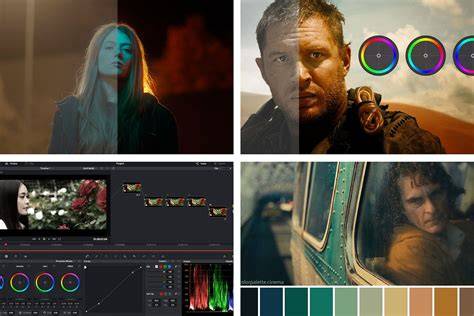
Match Color: Instantly unify your timeline with an all-new, AI-powered Match Color tool that intelligently adjusts your color sliders to seamlessly blend different cameras, lighting conditions, and cinematic styles. See Match color between clips in the timeline.
HDR and color improvements: Numerous refinements to color handling, LUT application, and color grading workflows across ProRes RAW and standard color spaces to preserve dynamic range and fidelity.
Editing tools and automation
Edit Detection: Analyze any previously edited video to reveal its edit points and automatically split it into separate clips with just a click. See Detect and restore edits.
Keyframe Toolbox updates: New tools such as Keyframe Toolbox 360 Reframe for re-framing 360° footage, plus enhanced graph controls including Pan, Tilt, Field of View, Roll, and Distortion for finer control over perspective changes. Standard Keyframe Toolbox graphs can be used with new properties, and the Stereographic projection is often enough for smooth transitions. Optional changes to graph visibility are supported to maximize workspace.
Other editing enhancements: The Release notes mention improvements to dragging items between shelves, larger and improved media browsers, and new options for animated titles and background elements. There are additional fixes and workflow refinements aimed at stabilizing the editing experience and speeding up common tasks.
Workflow and interoperability
Share to Pixelmator Pro: As noted, sending a frame to Pixelmator Pro speeds up thumbnail creation and social media assets. This streamlines cross-application workflows for creators who frequently design graphics alongside video edits.
Open media handling and XML compatibility: The update includes expanded XML support and more robust handling of imports/exports, enabling smoother round-tripping with third-party tools and libraries. Open WAV files, metadata handling, and improved scene/take tagging are also highlighted in the broader ecosystem tools mentioned in the update notes.
System requirements and compatibility
The minimum system requirement remains macOS 15.6, with further optimizations for Apple Silicon and higher-performance configurations. As with any major update, users should verify that their hardware and software environments meet the new requirements to ensure best performance and stability.
Additional improvements and notes from the community
There are ongoing discussions around the integration of new performance modes for Media Extensions, improvements to stability when adjusting sliders, and fixes addressing issues with share destinations, timelines, and export behavior. The community also notes enhancements in universal view and font management, with faster font switching and updated font collections for improved usability in large libraries.
Other tools and plugins mentioned in related conversations include improvements to speech-to-text models, enhancements to 360° editing, and new or updated third-party integrations that expand Final Cut Pro’s native capabilities. Users also report continued interest in broader ecosystem tools and workflow accelerators that complement Final Cut Pro’s core editing features.
Potential table: quick feature recap
| Feature | What it does | Notes |
|---|---|---|
| Generate Captions | Add subtitles with customizable appearance | English only |
| Match Color | Unifies different cameras and lighting | |
| Edit Detection | Detects and splits edits into separate clips | One-click workflow |
| Frame to Pixelmator Pro | Send a frame for thumbnail/graphics | One-click integration |
| Creator Themes | New themes for multiple aspect ratios and dynamic titles | Apple Creator Studio subscription required |
| Keyframe Toolbox 360 Reframe | Reframe 360° footage with new controls | Advanced perspective animation |