GIMP is a free photo editing and graphic design program most similar to Photoshop, and it offers a wide range of text effects to enhance typography. This article compiles beginner-friendly methods for creating vertical text, 3D text, curved text, Unicode characters, and various decorative text effects using the GIMP text tool and built-in filters. Each technique is explained with simple steps to help newcomers achieve polished results.
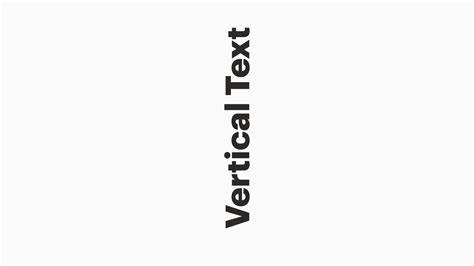
Vertical text with the text tool
In this GIMP help article, I’ll show you how to create vertical text using the text tool. This is super easy to do and is very beginner friendly. Let’s dive in!
To begin, select the Text Tool, click on the canvas, and type your text. Rotate the text box to align it vertically, or use the Tool Options to set the orientation. Adjust font, size, and spacing to achieve the desired vertical appearance. Fine-tune color and stroke if needed to enhance readability on various backgrounds.
Creating 3D text
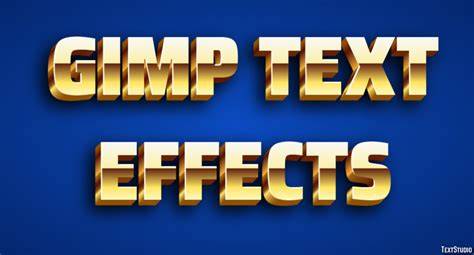
In this help article I’ll be showing you a quick and easy beginner-friendly method for creating awesome 3D text using GIMP. GIMP is a free photo editing and graphic design program most similar to Photoshop. Let’s get into it!
Start with your text layer, then duplicate it to create the base and highlight layers. Apply a slight offset to the duplicated layer to simulate depth, and use a gradient fill or shading to enhance the 3D look. You can add a drop shadow or bevel filter to intensify the dimensional effect. Experiment with lighting angles and color combinations to achieve the most convincing 3D appearance.
Putting text on a curve
In this tutorial, I’ll be showing you a tried-and-true method for putting text on a curve in GIMP. It’s super simple, beginner-friendly, and requires only a few basic steps.
Draw or import a curve path, then attach text to the path using the Text along Path feature. Adjust the font, size, spacing, and alignment to fit the curve. You can tweak the path’s shape to influence how the text wraps around the curve, and you may optionally stroke or fill the text for added emphasis.
Unicode characters and symbol typography
In this tutorial I’ll show you the simple and fast process for creating unicode characters in GIMP. Unicode characters are commonly used symbols, like bullet points, icons, or special characters, across pretty much all languages of the world.
Use the Unicode input or copy-paste special characters into a text layer. Select a suitable font that supports the desired glyphs and adjust size, tracking, and line height. For consistent appearance, consider rendering on transparent or solid-color backgrounds and applying color variations or outlines as needed.
Drop shadow and other basic text effects
In this article I’ll be showing you how to add a drop shadow effect in GIMP using a built-in filter. In this post I’ll be sharing 14 examples of simple text effects for GIMP users who may be looking to add some style to their typography. Each effect is accompanied by a video tutorial that explains how to apply them with step-by-step instructions that even a beginner could follow.
To add a drop shadow, go to Filters > Light and Shadow > Drop Shadow, then adjust offset, blur, and opacity to suit your design. You can combine shadows with gradients, strokes, and bevels for more complex results. For more variety, try effects like light bursts, embossed textures, or cursive pipe-like lettering as described in the various examples.
- Slice your text in half with this simple text effect for GIMP.
- Create cursive text that looks sort of like 3D pipes.
- Make an explosive impact with this light burst text effect for GIMP.
Gain a complete understanding of your favorite design apps with my comprehensive collection of video courses.
Дополнительно: таблица опций текстовых эффектов
| Эффект | Основной метод | Требование к шрифту |
|---|---|---|
| Vertical text | Rotate text box; adjust orientation | Без засечек обычно лучше читается |
| 3D text | Дублирование слоя, смещение, градиент | Контрастные цвета для объема |
| Text on curve | Text along Path; настройка пути | Гладко изгибаемый путь |
| Unicode characters | Скопировать/вставить; выбрать подходящий шрифт | Поддержка нужных символов |
| Drop shadow | Filters > Light and Shadow > Drop Shadow | Настройки смещения, размытия |
Infographics, maps, or diagrams can help illustrate how each effect transforms typography, especially when comparing before-and-after results. Below are suggestions for visuals to accompany specific sections.