The following article compiles insights from user feedback and highlights the features, usability, and reception of the Free Procreate Graffiti Brush Pack presented by Henta Zakharia and Doste Project. It focuses on how graffiti brushes for Procreate can enhance digital street art workflows, annotate typical user experiences, and address common download issues.
Overview of the brush pack
The Free Procreate Graffiti Brush Pack offers a collection of brushes designed to emulate spray paint textures, drips, fill effects, and stencil-like edges. The brushes aim to provide versatility for lettering, fills, and ornamental graffiti elements within Procreate workflows. The creators emphasize that the set can be tweaked to individual preferences, allowing artists to tailor pressure, speed, and tilt dynamics to their style.
Users frequently note that the brushes are best used for bold line work, layered color builds, and textured fills that resemble real-world graffiti textures. The ability to adjust settings to taste is highlighted as a significant advantage for artists seeking unique outcomes without sacrificing performance in Procreate’s interface.
Perceived value and reception from the community
Customer reviews reflect a generally positive reception among those who successfully download and install the brushes. A number of responses emphasize the quality of the brush shapes and the potential for customization to suit various graffiti aesthetics. On the whole, feedback centers on ease of use, variety within the brush pack, and the creative possibilities it unlocks for street-art-inspired digital pieces.
Some users report download and access issues, noting that links may not consistently lead to the intended files. It is common for free brush packs to require correct download paths or confirmation emails, and such hiccups can affect initial impressions and early adoption by new users. When access is smooth, reviewers describe the brushes as a solid addition to a Procreate artist’s toolkit, with particular appreciation for the “tweakable” nature of the brushes and the efficient workflow they enable.
Key strengths for graffiti-focused work
- Texture variety: spray textures, caps emulation, and granular fills that mimic real-world graffiti surfaces.
- Customizability: adjustable dynamics to tailor spray distance, pressure, opacity, and flow for unique outcomes.
- Workflow compatibility: designed specifically for Procreate, integrating smoothly with typical lettering and tagging workflows.
- Creative flexibility: supports rapid composition of layered pieces, drips, and bold typographic elements common in graffiti art.
Usability considerations and tips
For best results, artists should experiment with brush pressure curves, jitter, and tilt sensitivity to achieve organic spray effects. Combining multiple brushes in a single piece-such as base fills, outlines, and highlight drips-can create depth and authenticity. If download issues occur, rechecking the source link, confirming access permissions, and ensuring compatibility with the latest Procreate version can help restore access.
Practical use cases
- Tag lettering: use bold caps with crisp edges and controlled drips for signature-style tags.
- Wall textures: couple sprays with rough texture brushes to simulate mural backdrops.
- Stenciled accents: create stencil-like shapes and fill with controlled spray patterns for contrast.
- Color overlays: apply multiple layers of color with varied opacity to mimic aerosol layering.
Considerations for creators and buyers
When evaluating a free Procreate brush pack, consider download reliability, update compatibility, and how well the brushes align with your personal graffiti aesthetic. The ability to tweak and adapt brush settings is a common criterion for professional digital graffiti artists, as it directly influences the efficiency and precision of piece execution. Overall, the pack presents a compelling starting point for artists seeking authentic graffiti textures in Procreate without upfront cost.
Table: sample brush attributes and suggested usages
| Brush type | Texture/Effect | Ideal use | Tips |
|---|---|---|---|
| Spray | Soft edge spray with texture | Base fills and soft shading | Adjust flow and jitter for natural spray variability |
| Drip | Vertical drips and gravity trails | Drip accents and finishing touches | Limit opacity for subtle drip effects |
| Outline | Bold, sharp edges | Lettering outlines and crisp edges | Use with contrasting fill color for legibility |
| Texture | Grainy, gritty surface texture | Background texture and wall feel | Layer with a slight blur to blend with shadows |
Videos and images
To illustrate practical applications of graffiti brushes in Procreate, you can refer to tutorial walkthroughs and visual demonstrations that showcase layering, texture blending, and edge control with spray brushes.
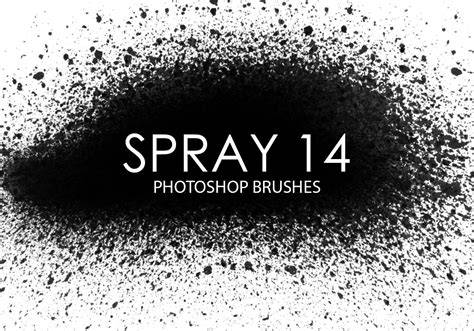
GRAFFITI BRUSH FATCAP on PROCREATE 5X - for free
Notes on accessibility and download reliability
Users reporting download issues emphasize verifying that the download link is active, ensuring compatibility with their Procreate version, and attempting downloads in a stable internet session. If problems persist, seeking alternative sources or contacting the pack creators for assistance can be helpful steps. When accessible, the brush pack is praised for enabling rapid composition and authentic graffiti aesthetics inside Procreate.