Fundamentally, renders should be of equivalent height and width, such as 512x512, or 1024x1024, preferably the latter for higher quality, and in the PNG file format. In order to upload renders, you must do so on the WWE 2K Uploader, logging onto your Sony, Steam, or Microsoft account. A past issue pre-1.09 was how custom renders would have inconsistent sizes depending on the game mode, but has since been patched.
The original post will be linked here, with another post testing out how it looks here. It should be noted when creating custom renders to use an image that reaches above the wrestler's knees. It's okay for a superstar's limbs (very likely the arms) to pass the red line, though it's advised to keep it within the space to avoid awkward loading screen situations, such as seeing someone's arms over another wrestler's face.
Custom renders for the most part can be found online, but can also be taken from promotional images found around the web. A simple online search along the lines of "[name] render wrestler" along with an image set to transparent, or a search for "[name] png", can yield some quality results, though if you can't find a way to remove a background on a good image, the site remove.bg can help remove backgrounds on images you might want to use, though at a reduced quality, unfortunately. Another alternative would include photoroom.com.
In order to align images into the template mentioned before, it is advised to use any of a multitude of programs used for photo editing, especially those with layers to move around certain images over others to get them to fit the designated boundary. It has been reported by some players on Playstation and Xbox that the game will crash after applying 35 custom renders. The picture above is a compilation centered around the Bubba Ray Dudley CAW I have in my game, in various match types. Pictured as well are renders for other CAWS, such as the Iron Sheik, Ricky Steamboat, and the Great Khali, who have also been made as CAWs for comparison.
All-in-all, the addition of custom renders is a step in the right direction for the series and is something that 2K will hopefully maintain in the coming years. Even if Sting or Rick Rude aren't in the game, these will make them feel as if they're in the game already! And of course, for giving us stuff like this... We hope you found this guide useful, and don't get forget to check out our other WWE 2K22 guides on the site too!
If you're having problems using the Image Uploader Tool or finding Community Creations for WWE 2K, don't worry! We have a handy guide here for you to reference. Launch WWE 2K and ensure you accept the Terms of Service and that you have internet connectivity.
Image Uploader for CrossplayKeep in mind: In WWE 2K25 Community Creations are shared between platforms of the same generation. In WWE 2K26 all consoles will share Community Creations. For WWE 2K26 On Switch 2:Cross-platform Community Creations have limited support for WWE 2K26 on Nintendo Switch 2. There will be a slight delay before content from Switch 2 is available on other platforms, and most content from other platforms will not appear on Switch 2 without a significant delay due to review requirements.
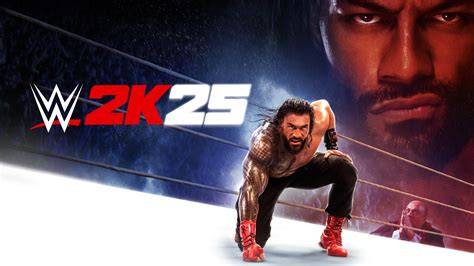
How to Make a Render for WWE 2K25 in 17 seconds
| Guideline | Details |
|---|---|
| Target dimensions | Prefer 1024x1024 for higher quality; 512x512 acceptable |
| File format | PNG |
| Uploader | WWE 2K Uploader via Sony, Steam, or Microsoft account |
| Framing | Image should reach above knees; arms may cross red line but stay within space |
| Background | Use transparent PNG; remove backgrounds if needed (remove.bg or photoroom.com) |
Launch WWE 2K and ensure you accept the Terms of Service and that you have internet connectivity.