Developed by Apple, iMovie is a preinstalled video editing application for macOS, iOS, and iPadOS devices. It’s not available on Windows, Android, and Chromebook. In the previous posts, we’ve introduced some of the best iMovie alternatives for Windows and Android. And today we’ll give 7 alternatives to iMovie for Chromebook.
1. OpenShot
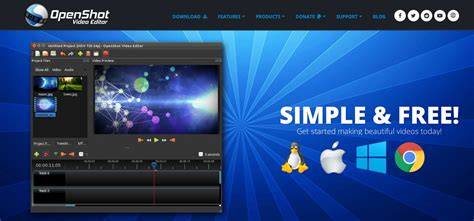
OpenShot is a free and open-source video editor for Windows, macOS, Linux, and Chrome OS. Alternatively, you can get it on your Chromebook from the Chrome Web Store. OpenShot has a simple user interface and it’s equipped with a set of editing features like title editor, video transitions, video color editing, audio mixing and editing, and more. Thus, OpenShot comes as the first alternative to iMovie for Chromebook.
2. WeVideo
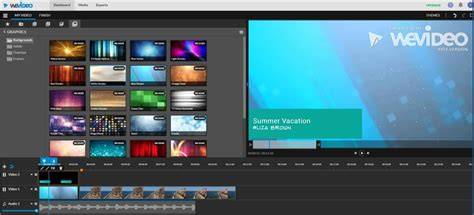
WeVideo is also one of the best iMovie alternatives for Chromebook to create videos. This iMovie online alternative provides a library of videos, images, and music. It also allows you to do video transformation, cropping, color correction, speed adjustment, and more. You can use WeVideo for free with limited features. And the free version has 5 min per month of publishing time and will watermark your videos.
3. Clipchamp
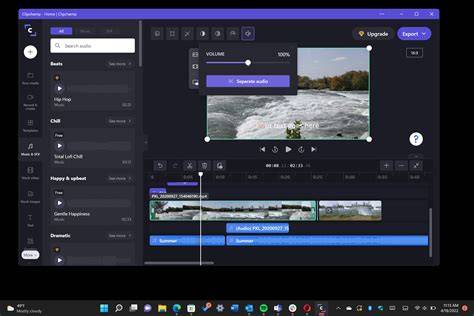
Clipchamp is another worth trying iMovie alternative for Chromebook. It has multiple tools and features to make videos like transformation, filters, fade, layout, and graphics. It also offers stock videos, images, and music tracks. And you can create a video with a template. Clipchamp can be used for free and this is limited to personal use. The free plan supports 1080p export.
4. Kapwing
Among the iMovie online alternatives for Chromebook, Kapwing should not be ignored. It has many tools to edit videos. Also, it enables you to choose a video aspect ratio, record your screen with camera, and add videos and images from Unsplash, GIPHY, Pexels, Pixabay, and Google Photos using plugins. Kapwing is simple to use. You can use it for free with an account, and you can export 3 watermark-free projects per month.
5. FlexClip
FlexClip is also one of the best alternatives to iMovie for Chromebook. It offers various video templates for your creation, and you can also start from scratch. You can upload videos from your computer and phone or record one. You can make awesome videos using FlexClip’s tools. The free plan only supports 480p export and limits the video length to up 1 minute.

6. VivaVideo
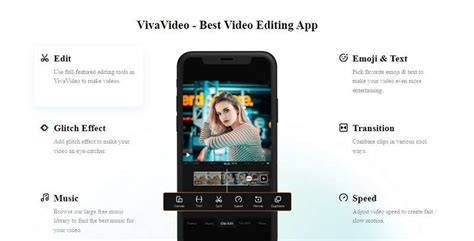
VivaVideo is another iMovie online alternative for Chromebook. It has many editing tools like trimming to enhance your videos. You can also add music, and stickers, apply special effects, edit speed, add filters, and more.
7. YouTube Studio
YouTube Studio is YouTube’s built-in video editor and it’s also an iMovie online alternative. You can trim and blur videos, add music to the video, and add subtitles. After editing, you can download the edited video. It had advanced tools like filters and transitions, but Google has discontinued them. And if you want to edit YouTube videos with more options, just try other video editors.

Chromebooks are designed to run Chrome OS, which supports online and Android video editors. Below are practical notes on how to approach choosing an iMovie alternative for Chromebook, especially for different use cases:
- For quick social media videos, Kapwing and WeVideo offer ready-made templates and simple workflows.
- For offline-like experience on Chrome OS, OpenShot provides a desktop-like editor via Chrome Web Store.
- For full-featured editing with stock media, Clipchamp and FlexClip deliver broad asset libraries and templates.
- YouTube Studio is convenient for creators focused on YouTube workflows, though it lacks some advanced features.
- VivaVideo offers multi-track editing and cinematic effects for more polished clips.
Note: iMovie itself is not available on Chromebooks. Some editors (like Clipchamp or Kapwing) offer near-parallel workflows, but each has its own export limits, watermark policies, and feature sets. For more robust features such as 4K export, green screen, and advanced color correction, consider higher-tier plans or alternate desktop solutions when possible.
Additional options mentioned in the broader discussion include Google Photos with basic video editing capabilities, and other online tools that may integrate with Chromebooks. The market is diverse, and your best choice depends on whether you prioritize offline capability, stock assets, or advanced editing features.
Table: Quick comparison of key features
| Editor | Offline/Online | Free tier | Key strengths |
|---|---|---|---|
| OpenShot | Offline (Chrome OS via Web Store) | Yes | Simple UI, transitions, color edits, audio |
| WeVideo | Online | Limited | Stock media library, 4K on higher plans |
| Clipchamp | Online | Yes | Templates, stock assets, 1080p export |
| Kapwing | Online | Yes | Aspect ratios, plugins, watermark-free limits |
| FlexClip | Online | Yes | Templates, quick edits, 480p free export |
| VivaVideo | Online/Extension | Limited | Trimming, effects, speed, filters |
| YouTube Studio | Online | Yes | Direct YouTube workflow, basic edits |
Overall, Chromebook users have several viable alternatives to iMovie that cover a wide range of editing needs-from quick social videos to more polished projects with stock media. The right choice depends on whether you prefer online workflows, stock assets, or offline-like editing on Chrome OS.
tags: #imovie #for #chromebook