Coloring in Procreate is one of my favorite parts of the digital art process. Whether I’m working on an illustration, a seamless pattern, or just doodling for fun, adding color is when everything really starts to come to life. But when I first started using Procreate, I’ll admit-I was kind of overwhelmed by all the tools. If you’ve ever felt the same way, don’t worry-I’ve got you! In this post, I’m sharing some simple, beginner-friendly tips on how to color in Procreate to help you get started.
Start simple with clean lines and foundational brushes
One of the best things about Procreate is its massive selection of brushes. But that also means it’s easy to get lost trying to pick the perfect one. My advice? Start simple. The Studio Pen works great for clean lines, while the Soft Airbrush is perfect for smooth gradients and shading.
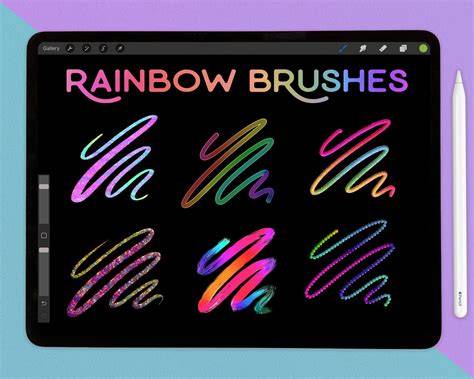
Looking for unique Procreate brushes to get started on your journey? For colors, I love using the Color Harmony tool to find complementary shades-it’s an easy way to create a balanced color palette without overthinking it.
Coloring tips for accuracy and control
When I first started using Procreate, I used to color directly on my linework layer (big mistake). You can also use Clipping Masks and Alpha Lock to color within specific areas. Alpha Lock locks transparent pixels so you can paint only within existing shapes, while Clipping Masks allow you to apply color to a base layer without affecting the whole canvas.
If you’re coloring large areas, drag and drop your color from the color wheel into a shape to fill it instantly. Another trick I love is using the Selection Tool + Color Fill to quickly block in areas before going back in with shading.
Adding depth: shading and color adjustments
Flat colors are great, but if you want to add dimension, shading is the way to go. This instantly adds depth without messing up your base colors.
One of my favorite things to do after finishing an illustration is to tweak the colors using Hue, Saturation & Brightness or Color Balance. If you ever feel stuck on colors, try Procreate’s Recolor Tool to swap shades without repainting everything.
Practice and practice-friendly resources
Want to see these techniques in action? Want to practice coloring in Procreate without having to draw your own designs? I’ve got you covered! I’ve created several free coloring pages that you can download and use in Procreate.
Learning how to color in Procreate doesn’t have to be overwhelming. By using layers, blending tools, and some simple adjustments, you can bring your artwork to life with ease. If you found this helpful, be sure to check out my free coloring pages for extra practice! Happy coloring!
| Technique | Why it helps | When to use |
|---|---|---|
| Clipping Masks | Restricts paint to a base shape | Coloring within lines or shapes |
| Alpha Lock | Locks transparency for controlled painting | Shading within existing areas |
| Color Fill / Drag & Drop | Fast large-area coloring | Base colors for big shapes |
| Selection Tool + Color Fill | Precise blocking of regions | Preparing shading and highlights |
| Hue/Saturation/Brightness, Color Balance | Fine-tunes overall mood | Final adjustments after coloring |