Neon orange is a vivid and warm orange shade characterized by its high energy and vibrancy. Positioned between red and orange on the color wheel, this color is reminiscent of citrus fruits and sun-drenched summer days. Neon orange is defined by the following color codes and values to ensure consistency across various digital platforms and devices. HEX code: #FF5C00 RGB value: 100% red, 36.1% green, and 0% blue. Accessibility considerations play a crucial role in UX and UI design color choices. Figma offers plugins in the Community to make sure your designs meet Web Content Accessibility Guidelines.
What neon orange brings to design
Neon orange is a bold instrument for grabbing attention. Here are some ways to use neon orange in your designs: Grab attention. Use neon orange sparingly for crucial elements like CTA buttons, important notifications, or progress bars. Create excitement. Neon orange injects a sense of energy into your interface. In large doses, neon orange can be fatiguing for the eyes. Instead of making it your primary UI color, use it as an accent color on a neutral background like white, black, or gray.
Keep in mind that color meaning can vary across cultures and times. If you are designing for a global audience, research color considerations for your specific regions. For variations within the same bright spectrum as neon orange, consider: Bright orange (#FF991C), Yellow-orange (#FFB343), Red-orange (#FF4B33), and Tangerine (#FFA800).
Color harmonies and complementary pairs
To complement neon orange, consider pairing it with:
- Royal blue (#305CDE) - playful contrast with neon orange.
- Fuchsia (#FF00FF) - vivid tropical look when paired with neon orange.
- Olive green (#636B2F) - muted earthy shade for an autumnal palette.
- Brown (#895129) - neutral, cozy color that allows neon orange to pop.
- Indigo (#560591) - bold contrast for a joyful, energetic vibe.
Other colors that complement neon orange include navy blue, lavender, and gray to emphasize the brightness of neon orange.
Potential clashes and cautious use
Neon orange can clash with neon yellow (#FFFF00) or neon green (#2CFF05). Beige (#EDE8D0) dulls its vibrancy, and rosewater (#FFD6D1) can be washed out by neon orange. Black (#000000) paired with neon orange creates strong, dramatic contrast, which can be effective in certain Halloween palettes but may feel stark in others.
Historical and psychological context
Neon orange symbolizes enthusiasm and confidence, with connotations of fun, playfulness, and creativity. In color psychology, it evokes assertiveness and a willingness to take risks. In UI design, neon orange can grab attention, making it suitable for CTAs, but its intensity requires careful balancing to avoid overstimulation. Neon orange was created in 1910 by French engineer Georges Claude, who invented neon lighting. The first neon lights used neon gas, producing a distinct reddish-orange glow. Neon’s popularity grew with urban development and era-defining fashion, design, and advertising in the 1980s. Its association with energy and modernity remains a hallmark of bold aesthetics.
Practical implementation tips for Photoshop
When working in Photoshop, apply neon orange for high-visibility elements while maintaining accessibility. Use precise HEX and RGB values (#FF5C00; RGB 255, 92, 0) for consistency across assets. For vibrant accents, consider opening a palette with variations such as Yellow-orange (#FFB343) and Bright orange (#FF991C) to create harmonious gradients and hover states. For legibility on light or dark backgrounds, test contrast ratios and adjust brightness or saturation accordingly. When designing for diverse regions, validate color behavior across devices and lighting conditions to ensure the neon tone remains effective without sacrificing usability.
Variations and related neon greens
While neon orange stands apart, designers often explore related vivid hues like neon green to craft cohesive energetic palettes. Neon green shares the neon’s brightness and immediacy, associated with vitality and cutting-edge technology. Its codes are typically around HEX #2CFF05 and RGB with high green and low red/blue values. As with neon orange, neon green benefits from careful pairing with dark backgrounds and selective use in CTAs or interactive indicators to avoid overstimulation. Historical and cultural contexts for neon greens echo similar themes of futurism and urban vitality, with fashion and advertising embracing the glow of bright greens in late 20th-century design.
Usage guidelines for global audiences
When designing for a global audience, research regional associations and accessibility considerations. Ensure that neon colors maintain readability and do not cause discomfort in prolonged viewing. Use neon orange as an accent on neutral surfaces rather than a dominant UI color to preserve balance and user comfort. Consider combinations with classic neutrals (white, black, gray) and deep blues or purples to maintain legibility while preserving the color’s energetic impact.
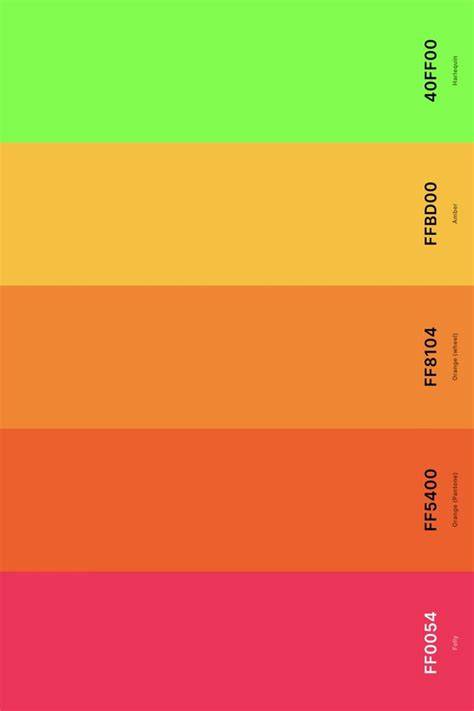
| Color | HEX | RGB | Typical Use |
|---|---|---|---|
| Neon Orange | #FF5C00 | 255, 92, 0 | CTAs, notifications, highlights |
| Bright Orange | #FF991C | 255, 153, 28 | Primary accents, energetic themes |
| Yellow-Orange | #FFB343 | 255, 179, 67 | Sunny accents, warmth |
The neon family remains a bold statement in design language-use its power with intention, balance, and accessibility in mind to inspire memorable and effective visuals.