Turn your child into the hero of their own illustrated storybook with a cinematic poster adventure and world landmarks backgrounds. Every creation is based on your actual photo, with age-accurate features and real baby expressions, ensuring authentic keepsakes without avatars or presets.
What the editor offers
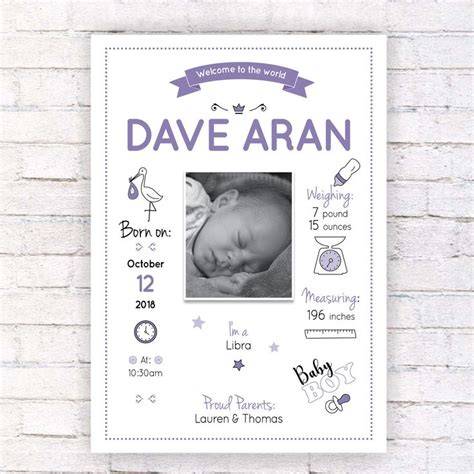
Upload the newborn photo you took and choose a clear image from your phone or computer. Edits happen on your device, so your baby's photos are never uploaded to any server and nothing is saved on the provider’s side. The editor cuts out the baby, changes the background, and lets you customize the image. You can add text with birth details, names, or milestone notes after choosing the scene.
There are ready-made templates for monthly milestone photos, newborn photos, pregnancy & baby bump visuals, announcements, and a large library of stickers. Backgrounds, frames, and text options let you personalize every shot with fonts and colors. Everything is designed to be user-friendly, with no design skills required.
For families who want to preview before subscribing, the editor offers a try-before-you-buy approach. The workflow is simple: upload, edit, and download in high resolution, with privacy and safety as priorities since edits occur locally on the device.
How to create standout newborn images at home
Begin with a clear newborn photo, then select a soft scene to complement the baby’s natural features. You can adjust the background to emphasize the baby's expressions and milestones, and you can insert birth details or a caption to commemorate the moment.
Use cropping to reduce clutter in the background and keep the focus on the baby. If siblings are present, zoom in on the baby’s cuddle for a warm, safe composition. Light edits can soften minor skin imperfections while preserving natural texture-avoid over-processing to keep the photo authentic.
Experiment with one-tap presets that balance light, color, and softness for a studio glow. When more control is desired, adjust brightness, contrast, and color balance to achieve warm, natural tones that suit newborn skin. These steps help transform a good photo into a heart-melter without requiring professional software.
Practical tips from a photographer's perspective
- Struggle: Dull photos hide bub’s glow. Fix: bump brightness slightly and increase contrast to make features pop.
- Struggle: Cluttered backgrounds distract from bub. Fix: crop tight to center bub’s face or hands.
- Struggle: Redness or blemishes steal the show. Fix: gently smooth skin with careful use of retouching tools, preserving texture.
- Struggle: Editing takes forever to look pro. Fix: use a balanced, one-tap preset and pair with careful, simple adjustments.
Users can also explore additional resources and courses that teach pro-level shooting and editing techniques, including masterclasses and practical tips for creating professional looks with a smartphone or a DSLR. The intention is to empower new parents to capture gorgeous moments themselves, without needing extensive editing knowledge.
Privacy, safety, and ownership
Your baby’s photos are edited on your device and are never uploaded or stored on external servers. You retain ownership of your images, and rights confirmation is required only to edit uploaded photos. The editor emphasizes privacy and safety, ensuring that the baby’s memory remains in your control.
For those who want to print keepsakes, high-resolution exports allow sharing with family and friends, or creating physical albums and wall art. The product is designed to be accessible on iPad and iPhone, with compatibility notes for newer operating systems and devices.
Additional features and related tools
In addition to newborn edits, templates cover monthly milestones, pregnancy announcements, and birth announcements. A large library of stickers and collage layouts enables storytelling across a baby’s first year. Backgrounds and frames offer creative flexibility, and text tools let you annotate dates, names, and milestones.
Some editors emphasize a built-in, ad-supported model with optional purchases to remove ads or unlock premium content. A privacy-first approach often highlights that the edits happen locally on the user’s device, with no data uploaded or used for training AI models.
Another trend in the market includes AI-assisted editing services that blend color correction, background editing, and skin retouching while preserving natural textures. Batch editing can streamline workflows when handling large galleries from a newborn session, making it possible to apply consistent tweaks across multiple images.
Practical example workflow
- Upload your newborn photo.
- Choose a soft scene and add birth details or milestones as text.
- Crop and adjust brightness, contrast, and colors for natural skin tones.
- Add a calendar-style monthly milestone template or a growth collage.
- Export in high resolution and share with family or print keepsakes.
For users seeking more advanced workflows, additional tools like background replacement, gentle skin smoothing, and color consistency across a gallery can help achieve a cohesive, studio-like look without in-depth editing skills.
How To Edit Newborn Photos in Lightroom & Photoshop Part One
Downloadable templates and continuing updates ensure new themes align with seasonal celebrations and family milestones, making it easy to document a baby’s growth from ultrasound through the first year.