Valentine’s Day is the perfect moment to showcase love and creativity through heartfelt designs. This guide compiles practical methods to craft a heart in Photoshop using a variety of ready-made doodle heart shapes, vector shapes, and brushes, with tips on resizing, recoloring, and combining shapes with text. By leveraging the included CSH files and PNGs, you can quickly assemble charming heart-based graphics for invites, cards, posters, and social media visuals.
Foundational assets: heart shapes in Photoshop
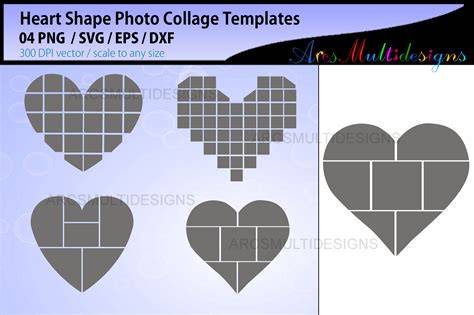
The collection features heart vector shapes in CSH format for Photoshop, along with PNG files. Because they are vector shapes, they can be resized or reshaped easily without losing quality. The pack includes a wide range of designs, from simple outlines to more decorative doodles, suitable for wedding invitations, Valentine’s Day cards, or romantic design projects. The heart shapes are designed to be versatile, letting you mix and match shapes and text for varied compositions.
Many sets emphasize hand-drawn silhouettes, making them ideal for personal and commercial use. The vector nature means you can recolor, tweak stroke weight, and layer shapes for unique effects. You can also blend multiple heart shapes with patterns or textures to create rich backgrounds or focal elements for your designs.
Working with Photoshop: basic workflow
- Open Photoshop and load the CSH brush or shape set. Create a new document with the desired dimensions.
- Place heart shapes as custom shapes, then resize by holding Shift to preserve proportions. Recolor using Layer Styles or the Color Picker.
- Combine multiple hearts with text to craft personalized messages or monograms. Use the Move Tool to position elements precisely.
- If you prefer vector-level edits, open the shapes in Illustrator or use the Smart Objects workflow in Photoshop to retain editability.
Because vector shapes are scalable, you can create large posters or small icons without losing crisp edges. When you need quick results, a set of 14 or 18 heart shapes can help you assemble a cohesive composition fast, especially for Valentine’s Day themes.
Typography integration: combining text and heart shapes
Writing a name on a heart is one of the simplest design ideas you can execute with heart shapes. Typography can be integrated by converting text to a shape or by applying layer styles to the text to harmonize with the heart silhouette. When combining shapes and text, keep contrast in mind: light text on a dark heart or vice versa helps readability and visual impact. The MockoFun shape generator is mentioned as a tool that can assist with creating typography in shapes, though Photoshop itself provides robust text and shape integration capabilities.
Creative applications and use cases
- Wedding invitations and save-the-date cards with stylized heart icons.
- Romantic posters, wallpapers, and patterns featuring doodle heart shapes.
- Valentine’s Day cards, shop banners, and social media posts with custom heart designs.
- Scrapbook themes and craft projects that benefit from flexible vector shapes.
Because the assets are vector-based, you can scale and recolor them to suit different design contexts. The shapes are suitable for both personal and commercial projects, enabling a wide range of creative experiments without compromising quality.
Practical tips for best results
- Leverage vector shapes for crisp edges at any size; avoid rasterizing until final adjustments are complete.
- Experiment with layer blending modes (Overlay, Multiply, Screen) to create soft glows or subtle textures.
- Use gradients or texture overlays to add depth to solid heart fills.
- Pair hearts with light typography and ample white space to maintain readability on cards and posters.
These approaches help you maximize the impact of heart shapes in a variety of Valentine-inspired designs. The asset packs mentioned provide a broad spectrum of doodle-style hearts to spark creativity and speed up production time.
Practical example: creating a Valentine card
1) Start with a blank canvas. 2) Add a large heart shape as the central element. 3) Place a name on the heart using a contrasting font. 4) Surround with smaller heart doodles or decorative brushes to frame the composition. 5) Export as PNG for digital sharing or print-ready PDF for invitations.