WebP offers superior compression for web images, helping pages load faster without sacrificing visual quality. This article synthesizes practical options for Mac users who need to convert JPEG, PNG, HEIC, and more to WebP, with emphasis on offline, on-device processing, batch workflows, quality control, and maintaining color profiles.
Why choose an offline Mac WebP converter
Offline converters run entirely on your device, ensuring privacy and security since data is not uploaded to the cloud. They typically support batch processing, allow precise quality and output settings, and preserve EXIF data and color profiles where possible. This is especially valuable for designers, developers, and photographers who manage large image batches and require consistent results across formats.
Key features to look for
- Batch processing to handle hundreds of images efficiently
- On-device processing with no data collection
- Support for input formats: JPEG, PNG, HEIC, TIFF, WebP, and more
- Output format options including WebP with adjustable quality and lossless settings
- Preservation of color profiles and EXIF metadata
- Watermarking during conversion for branding or copyright protection
- WebP encoding options such as lossy vs lossless, and alpha transparency handling
- User-friendly interface with drag-and-drop support
Two notable offline Mac WebP converters
The following tools are representative of popular offline Mac solutions, each emphasizing local processing, batch workflows, and quality control.
Offline Batch WebP Converter (Mac, free with in-app purchases)
Offline Batch WebP Converter is designed for macOS, offering:
- Conversion from JPEG, PNG, HEIC, and more to WebP in seconds
- Batch processing and Exif preservation
- Optional watermarking during conversion
- WebP encoding options and color profile retention
- On-device processing with no data collection
The app may require macOS 11.0 or later and offers in-app purchases to unlock additional features. It supports multiple languages and emphasizes performance improvements and bug fixes in recent updates.
AnyWebP Offline (Mac, free with in-app purchases)
AnyWebP is a lightweight WebP converter built for fast batch workflows with fully offline processing. Highlights include:
- Direct WebP conversion for WebP, JPG, PNG, and GIF
- Batch processing: drag multiple images, select output format and quality, convert together
- On-device processing, ensuring privacy and security
- One-time in-app purchase to unlock larger batch conversions and support ongoing development
- Continued development and improvements to user experience, including restoration of purchases
AnyWebP emphasizes a robust batch workflow, converting hundreds of WebP files at once with efficient performance. It uses modern web-related technologies to process images, while maintaining local control over files and metadata.
Practical workflow: converting for web using Mac apps offline
1) Install a suitable offline WebP converter for Mac that supports batch processing and preserves color profiles.
2) Prepare your source images (JPEG, PNG, HEIC, etc.). If preserving EXIF data is important, verify that the chosen tool supports EXIF retention.
3) Drag and drop or select a folder of images, choose WebP as the output format, and set quality levels. For lossless WebP, select the lossless option if available.
4) If needed, apply a watermark during conversion for branding or copyright protection.
5) Run the batch conversion and review output, checking color fidelity and file sizes.
Tips for optimal WebP results on Mac
- Balance quality and file size: higher quality yields larger files; start with quality 75-85 for general use and adjust as needed.
- Preserve color profiles to maintain accurate colors across devices and displays.
- Consider lossless WebP for images with transparency or sharp details where quality preservation matters.
- Verify that metadata (EXIF/IPTC) is preserved if it’s important for your workflow.
- For batch tasks, use a dedicated batch queue or script-friendly app to automate repetitive conversions.
Alternatives and complementary approaches
In addition to dedicated offline Mac apps, there are command-line tools and built-in macOS utilities that can help with WebP conversion when you prefer a customizable or automated approach.
- cwebp: Command-line tool from the WebP library for converting images (PNG/JPEG/TIFF) to WebP. Useful for scripted batch conversions.
- ImageMagick: Powerful open-source suite that supports converting PNG/JPEG/WEBP with adjustable quality settings for batch workflows.
- Preview (macOS built-in): Offers WebP export in newer macOS versions; suitable for quick single-file conversions, though batch support is more manual.
- WebP considerations: WebP often provides 25-35% smaller files than JPEG at similar quality, aiding faster page loads and reduced storage.
Practical notes on performance and privacy
Offline converters process images locally, which helps with privacy and security since data is not uploaded. They are generally optimized for batch performance, enabling rapid conversions while preserving essential metadata and color fidelity. For large catalogs or professional workflows, investing in a tool with robust batch support and reliable metadata handling can save significant time and ensure consistent output across projects.
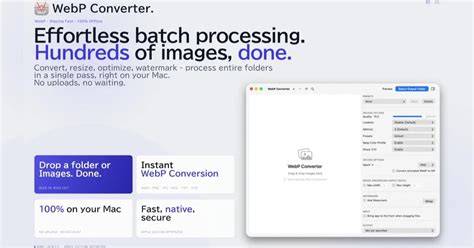
Batch convert Photos to WebP Format | Save Storage Space & Load Time
When evaluating options, consider supported input formats, quality controls, color profile retention, EXIF preservation, watermarking capabilities, and whether you need lossless or lossy WebP output. The right tool depends on your volume, desired fidelity, and whether you prefer a simple GUI or a scriptable solution.
Sample data considerations for a table (illustrative)
| Feature | Offline Batch WebP Converter | AnyWebP Offline |
|---|---|---|
| Batch size | High | High |
| On-device processing | Yes | Yes |
| EXIF preservation | Supported | Supported |
| Color profile retention | Yes | Yes |
| Watermarking | Yes | Optional via features |
| Price model | Free with in-app purchases | One-time purchase |
In modern web workflows, WebP remains a preferred format for balancing image quality and performance. Mac users have several solid offline options to implement batch WebP conversions efficiently without cloud dependencies, while still offering flexible controls for quality, metadata, and branding.