Looking to give your photos that cinematic, "straight from a movie" look? These are the presets for you! With just one click of a button, you can turn your photos into a dreamy image that looks like it was pulled from a film.
These presets make editing your photos quick and easy, and they are designed to help photographers achieve soft, muted tones while maintaining a natural feel reminiscent of classic romance and documentary cinema. A selection of mobile and desktop options ensures a seamless workflow across devices, so you can edit on the go or at your desk.
What’s Included
- Access to 10 high quality, hand crafted presets that will elevate your photos:
- 10 Unique MOBILE Presets (DNG): 7 COLOR & 3 BLACK AND WHITE
- 10 Unique DESKTOP Presets (XMP): 7 COLOR & 3 BLACK AND WHITE
- A Step-by-Step Installation Guide for Lightroom Desktop and Lightroom Mobile
- Presets included in the CINEMATIC BUNDLE:
- COLORPOP - DAYDREAMER - HIGH GRAIN FILM - MOODY - VINTAGE FILM
- BLUE DREAM - CINEMATIC BACKGROUND (adaptive) - B&W CLASSIC - B&W GRAIN - SMOOTH SEPIA
These presets are compatible with all photo formats including RAW & JPEG, and with the FREE Lightroom Mobile App. They work with Desktop Lightroom Classic v7.3 (2018) and newer. Note that every photo is unique, so you may need to make minor adjustments after applying a preset. For mobile files, you’ll need to upload and save each mobile preset one by one, as the Lightroom mobile app does not currently support automatic saving of presets.
Why Creators Use Cinematic Presets
I wanted to create edits that reminded me of all my favorite classic romcom movies so I can make each session feel unique in its own way. A documentary and cinematic style of photography is on the rise, so these presets help photographers’ lives by sharing base edits that mimic soft, muted tones while preserving the natural feel of old love stories. The goal is to simplify color grading, offering tones that feel nostalgic yet alive, so that every session can tell a cinematic story.
These presets have significantly streamlined editing workflows, especially when aiming for a cinematic mood across various genres, including weddings. A single click can add life to a photo and make it feel like a movie scene, with skin tones balanced and mood enhanced without heavy manual adjustments.
How They Work and How to Install
The Cinematic pack includes presets described as stills from a movie, designed to be intuitive to apply. To install, unzip the preset folder and import into Lightroom Classic by navigating to File > Import Develop Profiles & Presets, then select the zip folder and Import. A restart of Lightroom completes the setup.
As with any color grading tool, results vary by image due to lighting, exposure, and subject matter. The creators recommend experimenting with minor tweaks after applying a preset to achieve the exact look you want.
- Choose a preset that matches the mood you’re after (romantic, moody, vintage, etc.).
- Apply the preset to your photo.
- Fine-tune exposure, white balance, and contrast as needed to fit the scene.
For mobile workflows, keep in mind that each mobile preset must be saved individually within the Lightroom Mobile app, which currently lacks automatic saving of presets.
Audience and Use Cases
Photographers across genres-portraits, weddings, travel, and editorial-will find these presets useful for achieving a cinematic aesthetic quickly. They are designed to help create a soft, nostalgic atmosphere that echoes classic film without sacrificing realism. The variety included in the pack supports multiple looks, from color-rich scenes to classic black-and-white interpretations, enabling cohesive storytelling across a shoot.
Potential Enhancements to Your Edits
While these presets offer strong starting points, the best results come from thoughtful light, composition, and subject. Incorporating the cinematic mood with deliberate lighting choices and post-processing nuance will elevate your final images beyond a simple filter. The pack facilitates quick baseline edits, leaving room for creative decisions that reflect your personal style.
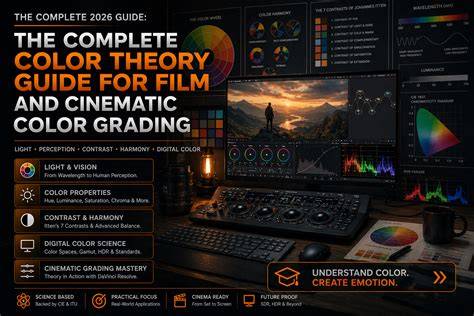
Mastering Color Space Transform: Resolve Tone Mappings, Gamut, OOTF, Advanced Pipeline
Additional Notes
Purchase of this preset pack does not include Lightroom templates beyond the included XMP and DNG presets, and some catalogs may require additional steps or free resources for full compatibility. The collection emphasizes a nostalgic, movie-like vibe while remaining practical for everyday shooting and editing workflows.
| Preset Type | Color / B&W | Platform | |
|---|---|---|---|
| MOBILE Presets | 7 Color, 3 B&W | Mobile (DNG) | Save individually in app |
| DESKTOP Presets | 7 Color, 3 B&W | Desktop (XMP) | Easy apply via Lightroom Classic |