Drawing and painting is easy with Clip Studio Paint! Try it and see why pros and beginners alike choose Clip Studio Paint. CSP’s digital art features will have you drawing better! Now with new and more powerful features!
Getting Started: Free Trials Across Devices
Tablet users can Start drawing and painting in a free 30-day trial. Smartphone users can enjoy all features for 30 hours in a free trial that refreshes monthly with no ads. The trial options vary by device, but the core offer is to explore Clip Studio Paint with no upfront commitment. Subscribe for the time you want to use it. Get all the latest features, materials, and cloud storage (10 GB) as part of the plan.
Plans and Access: How to Save and Export
Tablet · You need an annual or monthly plan to save or export your artwork. After trying the free access, you can choose from affordable monthly or annual plans, or purchase a one-time perpetual license for Windows and macOS. The app is available on Windows, macOS, iPad, iPhone, and Android, with different licensing models per platform.
Core Features: Tools that Elevate Your Art
- Drawing and painting with a natural-feeling brush engine, including 70,000+ brushes from the Assets store.
- Vector painting and scalable artwork with no loss in quality.
- Line Stabilization for smoother line art and vector layers with control points to fix lines.
- Live 3D models and 3D primitives for layout, perspective, and reference angles.
- Liquify on multiple layers for instant color and line adjustments.
- Gradient maps for refined color control and perceptual color mixing for realistic blending.
- Smart Fill, snap-to guides, and puppet warp for quick edits and posing.
- Record timelapses and share work on social media to showcase progress.
Clip Studio Paint’s brush engine, asset richness, and feature set give full control over art creation. The software supports bitmap and vector art, text, imported 3D models, and frame-by-frame animation, making it suitable for illustrations, comics, and animation alike.
Character Art and Animation: Making Your Characters Come Alive
Whether you’re making character art or comics, CSP will bring your character to life. Features include posing 3D models to draw tricky angles, live video capture for drawing references, and puppet warp to adjust drawings after sketching. You can also record a timelapse of your process to share your workflow, or use 3D primitives for quick layout and perspective planning.
Creative Flow: Materials, Tools, and Customization
Access 270,000+ free and premium materials made by other creators, including textures for brushes. Adjust lines with your fingers or stylus, and customize brush texture, shape, dual brush settings, color mixing, spray effects, and more to create your perfect brush. The dedicated Assets store offers 70,000+ brushes from artists worldwide, catering to a broad range of styles and needs.
Working Across Platforms: What You Get on Each Device
Clip Studio Paint is designed to work across Windows, macOS, iPad, iPhone, Android, and ChromeOS. Sketch and ink on your phone, draw smooth lines with a stylus or finger, and color areas easily even with gaps in lines. The app’s features include vector drawing, layer-based editing, and a variety of brush types to suit different mediums.
How to Use CSP Effectively: Tips for Beginners
New to drawing? No problem. There are numerous official tutorial articles and instructional videos to help you achieve a polished finish at your own pace. The software accommodates both beginners and professionals with a range of features designed to ease learning and production.
Licensing and Updates: What Changes Over Time
From 2013 to 2023, updates for earlier versions were distributed free of charge to different license holders. The modern model includes subscriptions with cloud storage and optional perpetual licenses, along with ongoing updates that introduce new tools and improvements. For new users, the option to try the service for up to six months exists, followed by selected plans or licenses.
Who Should Use Clip Studio Paint?
Clip Studio Paint is a family of software applications developed by Celsys for digital creation of comics, general illustration, and 2D animation. It is ideal for artists who want a versatile, feature-rich platform that supports natural media emulation, vector art, and 3D references, across multiple devices and licensing options.
- Start with a free trial to explore core features on your device of choice.
- Consider a monthly, annual, or perpetual license based on your workflow and budget.
- Leverage 3D references, puppet warp, and snapping to guides for accurate compositions.
- Explore the Assets store for brushes and textures to expand your toolkit.
- Use vectors and raster tools together for flexible, scalable work.
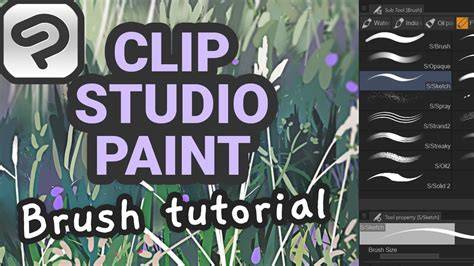
With its natural pens and brushes and rich support features, beginners can create with confidence. There are many features that help you achieve a polished finish, whether you are crafting illustrations, comics, or animations. Clip Studio Paint is continually updated with new tools and improvements to meet professional standards.