Figma is renowned in the design world for its collaborative features, realistic prototyping, and vector graphics capabilities, streamlining the co-creation process and saving valuable time. However, it's not the only player in town, and it may not suit everyone's needs due to its complexity or pricing. If you're in search of a Figma alternative, this article presents the top 8 options, evaluates their key features, and assists you in finding the ideal solution for your design workflows.
AFFiNE
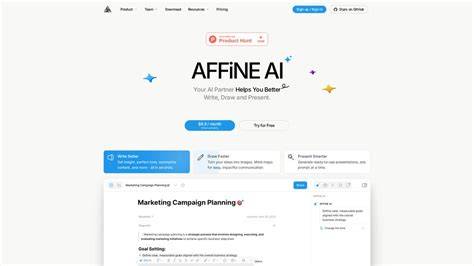
AFFiNE is an all-in-one app that provides a comprehensive suite of services including mind maps, whiteboard functionality, kanban boards, and more. This versatile tool is designed to facilitate effective memorization and cognitive improvement by offering a range of features that enhance your thinking processes. Seamless Drawing and Collaboration: With AFFiNE Cloud, unleash your creativity with powerful drawing and sketching tools. Work in real-time on multiple devices and effortlessly collaborate with friends or colleagues. Local first approach: One of the key strengths of AFFiNE is its support for offline working. This means you can create and work on your workflows at any time, even when you don't have an internet connection. In this way, you can manage your time more convenient. Additionally, AFFiNE prioritizes data security, keeping your information safe and private.
InVision
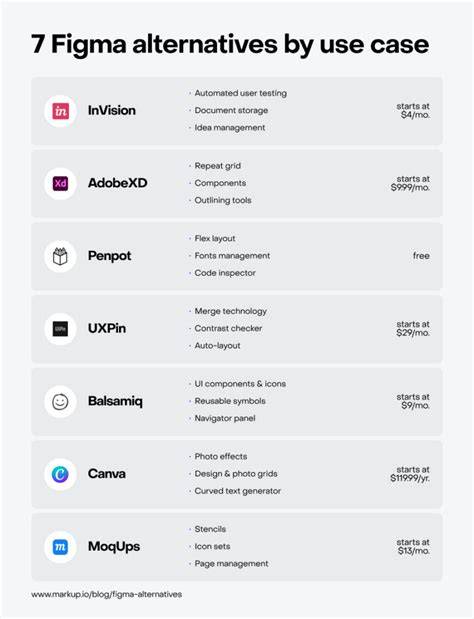
InVision, a design collaboration tool, ceased operations at the end of 2024, promoting collaboration among designers, product managers, engineers, marketers, clients, and stakeholders.
Adobe XD
Adobe XD is a design and prototyping tool that is now in maintenance mode, allowing users to simulate user interactions with their designs. It offers the flexibility to modify objects as needed and incorporate elements like animations, voice interactions, and transitions. Once designs are finalized and approved, they can be readily published for further development. Effortless Creative Cloud Integration: Users enjoy easy access to Adobe Photoshop files and a wide array of creative resources. Dynamic Animations and Transition Design: By utilizing the auto-animate feature, users can quickly transform static designs into functional prototypes with a realistic touch.
UXPin
UXPin is a cost-effective graphic design software with a focus on drawing and vector graphics. It offers a comprehensive set of tools for creating logos, illustrations, icons, and various graphic elements. User-Friendly Interface: UXPin offers an intuitive and easy-to-navigate interface. It also supports Merge for design-to-development handoff and contextual documentation, making it a strong choice for teams seeking closer design-to-implementation alignment.
Moqups
Moqups empowers teams to collaborate on sketches, blueprints, and mock-ups using its interactive whiteboard. Wireframing and Prototyping: Moqups provides a versatile set of tools for creating wireframes and interactive prototypes. Collaborative Workspaces: Moqups offers collaborative workspaces where multiple team members can work together in real time. Library of Templates and Assets: Moqups comes with an extensive library of pre-designed templates and UI elements, making it easier for users to create professional-looking wireframes and prototypes.
ClickUp
Manage multiple workflows, collaborate more effectively, and streamline your work into one place with ClickUp - a free project management solution for teams. Whether you're new to project management apps or a seasoned user, ClickUp's customizable features can adapt to any team size. Collaboration capabilities: ClickUp excels in fostering collaboration among team members. Real-time reporting: With ClickUp, you can access real-time reporting and analytics that give you insights into your projects and team's performance.
Miro
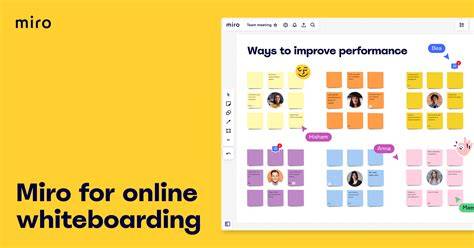
Miro is an online workspace and collaborative platform that offers a collaborative whiteboard app for effortless teamwork. It has been a trusted tool in this space for years, with an increasing range of integrations and features that people love. Whether you're in a hybrid or remote team focused on UX design or sales departments that need visual task monitoring, Miro can meet your needs. Collaborative Whiteboarding: Miro provides a digital canvas where teams can collaborate in real-time, just like a physical whiteboard. Agile Framework Support: Miro is designed to support agile methodologies and frameworks. Teams can use it for sprint planning, retrospectives, and visualizing agile processes like Scrum or Kanban. Integration Ecosystem: Miro boasts a robust integration ecosystem that allows you to connect it with a wide range of other tools and platforms.
Framer
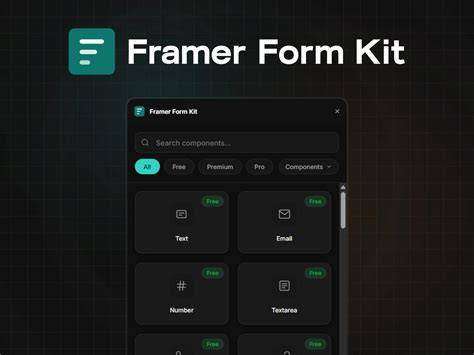
Access Control: You have complete control over project access and editing permissions in Framer. Dynamic Data Visualizations: Framer's capabilities extend to designing dynamic data visualizations, including a wide range of charts, graphs, and maps. This comprehensive list presents you with top Figma competitors and alternatives, encompassing both free and paid solutions. Whether you're in search of a budget-friendly option or require specific features, we highly recommend considering AFFiNE as an alternative. Currently, AFFiNE has released its stable version, but we are continuing to build to a more feature-rich and stable build.
Penpot
Penpot is the leading open‑source, self‑hostable Figma alternative. Figma’s large library of plugins for design systems, collaboration, content, and automation has helped it become widely adopted in the marketplace. But it’s not the ideal solution for all use cases. Designers and developers cite the following reasons when switching to alternatives. A closed system you don't own. Figma is a proprietary SaaS platform, which means the code is closed, your data lives on Figma's infrastructure, and your workflows are built on top of their plugin APIs. This means nothing you build in Figma is truly yours to control. If Figma one day decides to increase prices, change a key feature, or close up shop altogether (like Adobe XD), then this closed architecture will make it difficult for teams to take their files and workflows and move elsewhere. Plus, with new concerns around Figma’s AI privacy, it’s more important than ever to know exactly what's happening under the hood with your design system has never mattered more. Local self-hosting option: This makes Penpot attractive for regulated industries. AI integration: Penpot offers an MCP server that allows AI agents to read, create, and modify designs programmatically. Native design tokens aligned with W3C specs, enabling scalable design systems.
ProtoPie
ProtoPie is a dedicated, realistic prototyping tool designed for advanced interactions, multi-step flows, and sensor-level behavior on devices. Best for: Product teams needing high-fidelity interactive prototypes that simulate complex interactions, multi-device behavior, and logic without code. Pricing: Limited free plan for two projects; see full and updated pricing on ProtoPie’s pricing page. AI approach: ProtoPie has no major AI-first positioning. It’s primarily focused on rich manual prototyping, with any AI support coming via integrations or scripts. Pros: Very powerful interaction model that supports conditional logic, variables, and multi-step animations. Multi-device and hardware support, including integrations with sensors and various input methods. Realistic behavior that’s ideal for pre-development user testing. Cons: Steeper learning curve for non-technical teams. Separate tool from your main design platform.
Marvel
Marvel-a platform built for teams that want to prototype and test ideas quickly. Where Figma delivers deep control over high-fidelity design and collaborative systems, Marvel emphasizes speed and simplicity. Marvel vs. Marvel pricing: Marvel offers a free plan, which includes one project for a single user. Paid plans start at $12/month (billed annually). Team plans begin at $42/month for up to three users and include premium support.
- Uizard
- UX Pilot
- Pen
- Paper
- ProtoPie
- Principle
- Balsamiq
- Miro
- Penpot
- ProtoPie
- Mockflow
- Uizard
The right tool depends on what you need to achieve, and how you like to work. Before diving into comparisons, consider what to look for in wireframing and UI design tools: focus, ease of use, pricing models, and collaboration capabilities. The landscape includes open-source and self-hosted options like Penpot, native macOS strengths like Sketch, AI-first contenders like Uizard or UX Pilot, and robust prototyping power like ProtoPie. Figma remains a strong choice for high-fidelity UI work and collaboration, but its complexity and per-user pricing drive teams to explore diverse alternatives that better fit their workflows.
TL;DR: Figma’s pricing, proprietary tech, and cloud-only model aren’t ideal for every team or workflow. We evaluated a mix of full design platforms, AI-first tools, and those focused on prototyping and wireframing. Your choice ultimately depends on your workflow, security needs, and what you plan on building. Penpot stands out as the leading open-source, self-hostable option with strong design-system support, while AFFiNE offers a versatile offline-capable alternative with robust collaboration features.