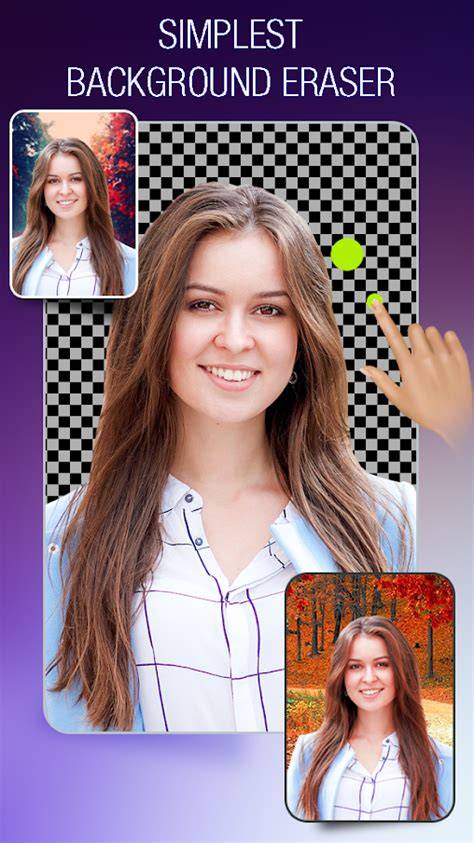
Cut and Paste Photos is an AI-powered photo editor designed to simplify background removal, cutouts, and image merging with a smart eraser and intuitive tools. All you need is 2 steps: Cut what you need and Paste where you want, enabling you to create stunning photo collages with just a few taps.
Why this editor stands out
With features like background eraser, lasso, smooth, repair, auto-cut, and magic cut, this app offers the easiest way to cut out any objects-people, trees, cars, and more-and remove unwanted elements in seconds. Whether using the smart auto tool or manual eraser, precision remains a priority.
Note: This tool emphasizes a seamless cut and paste workflow, letting you paste cutouts anywhere you like and merge multiple elements for creative compositions.
Pastings are smooth and flexible: paste cutouts onto new backgrounds, into scenes, or into collages, then adjust color, backgrounds, or orientation to achieve the desired result. You can even paste a dog into the sky or swap faces with pop stars, illustrating the limitless creative potential of the editor.
Core capabilities
Cut and Paste Photos provides these core capabilities to empower users of all levels:
- Precise Cut and Paste Photos
- Fast Background Eraser
- High-Quality Results
- Unleash Limitless Creativity
Face swap and cutout features enable professional-looking results for profiles, social media graphics, and creative collages. A vast online background library offers scenic, artistic, or studio backdrops to transform photos effortlessly with the smart background eraser.
Face swap and AI effects
Fun Face Swap capabilities allow quick transformation into various AI art styles from a single selfie. Options range from professional headshots to cyberpunk vibes, fairy-tale aesthetics, athletic looks, and retro vintage shots, expanding creative possibilities without specialized design skills.
Backgrounds, templates, and decorations
The editor includes an online background library with unlimited resources for changing backgrounds, plus templates crafted for cutouts to help your moments shine. Colorful decorations and stickers add personality, making photos pop with playful or stylish accents.
Product photo editing for e-commerce
AI-powered background removal supports fast product photo edits with clean backgrounds suitable for marketplaces like Amazon, eBay, Shopify, and Etsy. This helps products stand out and attract more buyers by delivering professional-looking images quickly.
Text and typography
4+ fonts and a wide color palette allow you to add captions and text overlays to enhance storytelling or branding within photos.
How to use the Cut and Paste workflow
- Cut out the desired subject using the Cut tool, choosing from smart AI or manual options to ensure clean edges.
- Paste the cutout onto a new background or composition, then refine placement, color, and effects for a natural look.
The platform emphasizes a simple two-step process and supports multiple objects in a single image, enabling easy collage creation and complex scenes without professional editing software.
Quality and compatibility
The editor preserves original image resolution and quality through background removal and paste operations. It supports common formats for upload and export, and is designed for cross-platform use on PC and mobile devices without heavy installations.
Comparative perspective
We’ve gathered insights from various top cutout tools to help users choose the best option for their needs. YouCam Perfect remains a popular choice for quick cutouts and seamless edits, while other tools specialize in online image cutouts or precise edge detection for portraits. This article places Cut and Paste Photos as a versatile solution that combines fast background removal, high-quality cutouts, and flexible paste options in one app.
Practical use cases
- Create professional-looking product photos with clean backgrounds for online storefronts.
- Merge multiple photos to design creative collages or surreal scenes.
- Swap faces or place subjects in new contexts for fun, social media-ready visuals.
- Enhance images with templates, text, and decorative stickers to fit themes or events.
Additional features and considerations
The editor emphasizes the ability to replace backgrounds, combine images into one composition, and maintain image quality. It supports adding multiple objects to a single image, creating silhouettes, and adjusting backgrounds to suit different creative or marketing goals. Some tools may offer auto-detection, manual brushes, and edge refinement for challenging subjects like hair or translucent materials.