Interactive control points let you fine-tune every curve with professional precision. Smart Design Tools enable intuitive creative controls, letting creators of all skill levels craft stunning curved text effects without any design experience.
Visual Style Presets, Font & Typography Control, and Color & Effects System come together with a Responsive Canvas Design to empower seamless experimentation. Engineering-Grade Canvas Rendering Architecture ensures consistency, performance, and professional output across devices.
Through abstracted rendering layers and capability detection, this workflow unifies text-along-path layout, curve sampling, and interactive feedback into a stable pipeline, providing cross-device consistent and predictable editing and export experience.
Key Components of Curved Text in Instagram Stories
Smart Design Tools provide a comprehensive toolkit for shaping text along curves. Professional-grade tools are designed for creators of all skill levels, enabling the creation of sophisticated curved text effects without prior design experience.
Font & Typography Control allows precise selection and adjustment of type properties to match brand voice or story mood.
Color & Effects System adds depth with shadows, gradients, glow, and blend modes to enhance legibility and visual impact on stories.
Visual Style Presets offer quick-start options such as Arc, Circle, Wave, and Heart to accelerate the creative process.
User Experience and Performance
The Responsive Canvas Design supports fluid interaction, while the Rendering Architecture abstracts complexity of the drawing pipeline. This ensures that edits remain fast and predictable, whether on desktop or mobile.
Everything is processed locally, which preserves privacy and allows offline editing workflows. This local processing also contributes to cross-device consistency and reliable export outcomes.
Practical Tips for Crafting Instagram Story Text
To create circular or wavy text fast, pick a preset under Templates (Arc, Circle, Wave, Heart) or adjust control points to customize the curve.
Export options include standard PNG for quick sharing, with Day Pass and Pro unlocking clean 4K and SVG workflows for higher fidelity needs.
The editor runs fully in your browser and works without sign-up, making it convenient to experiment on the go. It is responsive and works on modern Chrome, Edge, Firefox, and Safari on desktop and mobile.
Workflow for Consistent Results
- Choose a curve preset or manually adjust control points to define the path.
- Fine-tune font, size, tracking, and baseline alignment to achieve legibility on small screens.
- Apply color and effects to enhance contrast against varied story backgrounds.
- Preview on target devices to ensure consistent appearance across placements in the Instagram story.
By leveraging the combination of adjustable curves, typography controls, and inline previews, creators can produce polished curved text that maintains readability and visual harmony within the story design.
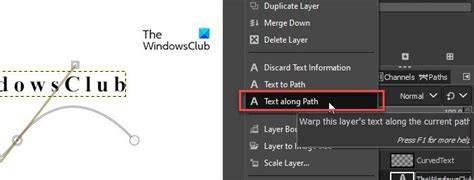
Consider using a circle or arc as a framing element for quotes, captions, or usernames to draw attention without overpowering the main focal point of the story.
How to Add Animated Text to Instagram Stories
In practice, keeping contrast high, avoiding overly dense typography, and aligning the curve with the story's vertical flow helps maintain readability while achieving a striking design.
| Feature | Benefit |
|---|---|
| Control Points | Fine-grained curve shaping |
| Presets | Fast-start options (Arc, Circle, Wave, Heart) |
| Typography | Precise font, size, and tracking control |
| Color & Effects | Enhanced readability and style |
| Local Processing | Privacy and consistency |