June shares a candid assessment of CorelDRAW Graphics Suite, highlighting its power, learning resources, and evolving AI-driven features while acknowledging trade-offs. This article compiles and reorganizes her observations to offer a thorough, step-by-step overview of what the suite delivers in 2026, including how it fits into real-world design workflows, learning paths, and purchasing options.
Overview and positioning in the design toolkit
CorelDRAW Graphic Suite is your fully-loaded, professional design toolkit for delivering breathtaking vector illustration, layout, photo editing, and typography projects with total efficiency. CorelDRAW is a trusted name for engineering, manufacturing, and construction firms. Easy to learn and packed with unique features, CorelDRAW Graphics Suite is a powerful alternative to comparable graphic design software.
CorelDRAW has long been one of our favorite creative apps, and it's especially notable that unlike so many similar software services, it's still - even in 2026 - offering a one-time fee instead of being subscription-only (although that is available too).
CorelDRAW’s main apps and components include vector illustration and page layout (CorelDRAW), raster editing (Corel PHOTO-PAINT), a font manager (Corel Font Manager), and a screen capture tool (CAPTURE, Windows only). CorelDRAW Web and CorelDRAW Go offer browser-based workflows for different user types, with Web providing more advanced tools than the Go service.
Why designers choose CorelDRAW
The suite is a practical option for print shops, sign makers, apparel decorators, and in-house marketers who need an integrated toolset across vector work, photo editing, and layout. It’s a cost-conscious alternative to some Adobe subscriptions, with a one-time purchase option and monthly/annual subscription plans. CorelDRAW Web and Go expand the collaboration and mobility of design work, while a broad collection of tools supports a wide range of design tasks-from technical illustrations to packaging perspectives.
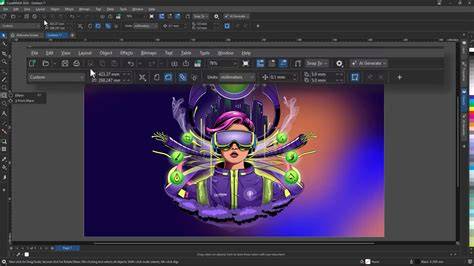
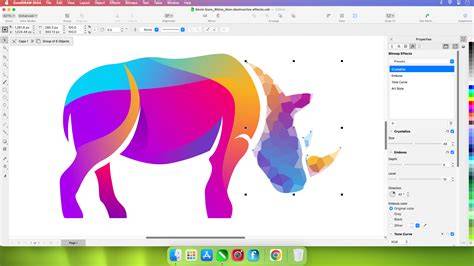
In June’s testing, CorelDRAW stood out for its LiveSketch hand-drawn vector curves, Painterly brushes, and a powerful PowerTRACE bitmap-to-vector tracing tool. The interface has been refreshed for 2026, offering a cleaner look with condensed icons and more accessible tools, while preserving familiar workflows for Illustrator and InDesign users transitioning to CorelDRAW.
Key features and how they translate to daily work
LiveSketch and vector painting
The industry-first AI-based LiveSketch tool lets designers draw hand-drawn vector curves directly in CorelDRAW, removing the need to scan and trace sketches. This is particularly useful for quick ideation and iterative creativity, enabling a faster move from concept to vector art.
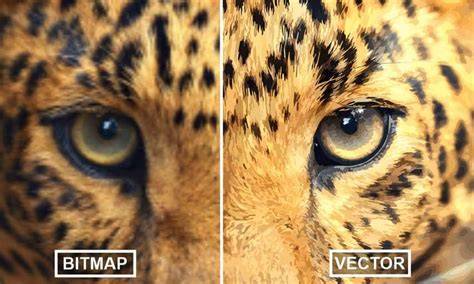
PowerTRACE sits inside CorelDRAW and uses AI-based tracing to convert bitmap artwork into editable vector graphics, a significant time-saver when dealing with client logos, photos, or rough sketches that need scalable vectors.
Perspective and 3D workflow
The Perspective plane in CorelDRAW helps create three-dimensional visuals, with a two-point perspective that’s convenient for presenting packaging designs from multiple viewpoints. This feature supports smooth transitions between ideas and final layouts, especially for product design and marketing materials.
Multipage management and export
CorelDRAW Standard introduces efficient page management, allowing users to fluidly move around objects across pages and arrange content with ease. The software also includes a robust multipage export capability-exporting multiple pages or objects simultaneously in formats such as PNG, high-resolution JPEG, and more, with per-object export settings preserved.

AI-assisted design tools and generative AI
2026 brings a refreshed interface and new AI-assisted capabilities. Remove Background delivers clean edges quickly, rivaling dedicated photo-editing tools in quality, while Generative AI offers image creation, remixing, and style variations directly from within CorelDRAW. Users can select from multiple algorithms (including Nano Banana and variants) and styles (photorealistic, line art, 3D render, pop art), and generate prompts with an “inspire me” option. The Remix feature can adapt an AI-generated scene to different settings with a click.
AI credits power the generative features. Subscriptions provide monthly credits, while perpetual licenses include a non-renewing allotment. Additional credits can be purchased as needed. The AI features are designed to augment, not replace, the designer’s judgment and craft.
Integrated suite for production and color management
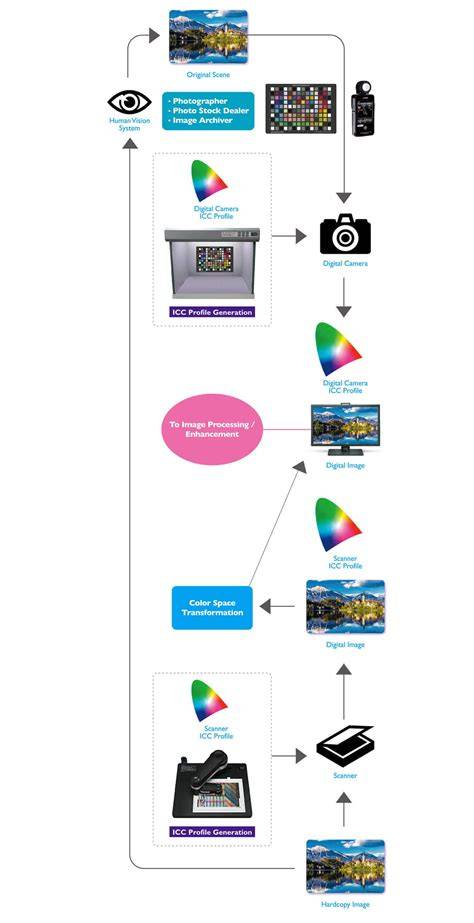
CorelDRAW Graphics Suite emphasizes production workflows: direct bitmap adjustments, color management, preflight checks, and professional publishing formats. PDF/X support (including PDF/X-4) and the Export docker or inspector enable repeatable, production-ready outputs. The suite also includes seamless Pantone color integration within CorelDRAW and PHOTO-PAINT, which streamlines color workflows for print work.
For apparel decorators and sign makers, the suite supports true 1:1 scaling, wide-format canvas work, and practical finishing tools like Border and Grommet to prepare banners. The Preflight Control helps identify production concerns before export, reducing last-minute issues in production.
Learning resources, templates, and learning curve
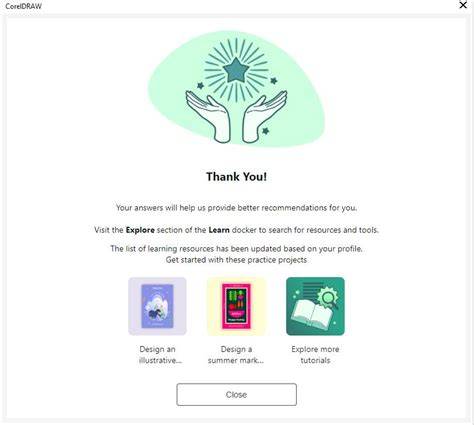
CorelDRAW offers extensive learning resources, including the Corel Discovery Center and built-in tutorials, which cover editing photos, creating graphics, and painting. The Learn Docker provides contextual guidance that updates as tools change, helping both beginners and experienced users learn new features without abandoning established workflows. For newcomers from Illustrator, CorelDRAW’s UI and shortcuts can require an adjustment period, but the learning path is well-supported by tutorials and guided tips.
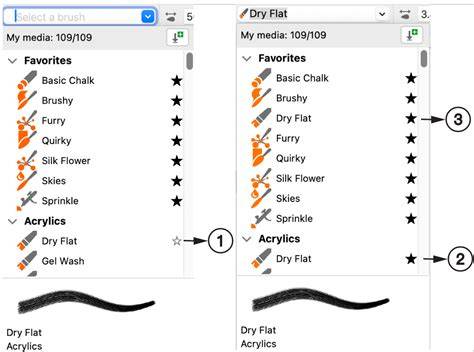
There are many ready-to-use templates and an online store for additional brushes, vector packs, and AI tools. The CorelDRAW suite is designed to be approachable for newbies while offering depth for professionals, with the flexibility to learn at your own pace and a strong emphasis on in-product assistance and learning resources.
Pricing, licensing, and platform support
CorelDRAW Graphics Suite is offered as both a subscription and a one-time purchase. Subscriptions provide ongoing updates, CorelDRAW Web, cloud storage, and monthly AI credits, while a perpetual license delivers desktop use without ongoing payments but excludes some current features and future OS support. The trial period is 15 days with no credit card required.
Platform support is cross-OS: CorelDRAW works on Windows and macOS, with CAPTURE available on Windows and macOS users accessing similar native capture functionality through their OS. The Mac version used to lag in tool parity (notably missing CAPTURE), but CorelDRAW 2026 continues to improve parity and performance across platforms. The pricing of two major paths-subscription versus perpetual license-positions CorelDRAW as a middle-ground option when compared with the Adobe Creative Cloud suite, depending on workflow needs and the value placed on a one-time purchase versus ongoing updates.
Comparison and alternatives
The CorelDRAW Graphics Suite sits between Illustrator and other design tools in terms of features and pricing. Adobe Illustrator is a strong competitor, especially for vector work, while InDesign, Photoshop, and other Creative Cloud apps offer deeper integration within the Adobe ecosystem. Inkscape provides a free option with vector capabilities, though it may lack full Mac compatibility and some advanced features. Canva remains a popular online alternative for quick poster and social graphics creation with templates but lacks the full-depth control CorelDRAW provides for professional production workflows.
User experience and performance refinements in 2026
Users report a cleaner interface with condensed toolbars and improved navigation. AI features are integrated in a way that emphasizes designer empowerment, not replacement, with background removal and image upsampling delivering production-friendly results. Startup times are improved, and focus modes, object styles, and multipage management help streamline complex documents. Performance is still influenced by hardware, but the 2026 enhancements aim to minimize workflow interruptions and keep design momentum high.

Practical takeaways for June’s workflow
- If you value a one-time purchase option with strong vector and page layout tools, CorelDRAW offers a compelling package, especially for print-focused workflows.
- Generative AI functionality can accelerate concepting and mockups, but expect credit costs per image and plan credits accordingly for team usage.
- For Mac users, ensure access to all desired tools and consider the parity of features with Windows; CAPTURE remains Windows-only, while other capture methods may fill the gap on macOS.
- Take advantage of built-in learning resources and the Learn Docker to shorten the learning curve when incorporating new features like AI tools and multi-asset export.
Tables and quick-reference data
| Component | Primary Use | Notes |
|---|---|---|
| CorelDRAW | Vector illustration, layout | Powerful brushes, PowerTRACE, LiveSketch |
| Corel PHOTO-PAINT | Raster editing | HDR support, multi-layer, real-time previews |
| CAPTURE | Screen capture | Windows only |
| Corel Font Manager | Font organization | Access to extensive fonts without installation |
| AI Credits | Power generative features | Monthly credits for subscription; fixed allotment for perpetual |