When it comes to producing professional videos, engaging visuals are crucial for attracting the audience’s attention and leaving a lasting impression. This is where our carefully curated list of DaVinci Resolve presets comes into play. DaVinci Resolve is renowned for its advanced color grading and editing capabilities. Yet, achieving the desired look can be time-consuming and complex without suitable presets. Whether you’re a budding videographer or an experienced content creator, this post is sure to equip you with the tools you need. It encompasses a variety of both premium and free DaVinci Resolve color presets, offering an array of customizable options to accentuate the quality and aesthetic of your videos.
This creative DaVinci Resolve LUTs pack takes you back to the bold and vibrant colors of the 80s. Capturing the nostalgic essence of the era, this tool transforms your video projects, treating them with a memorable retro aesthetic. This is a selection of 100 professionally handcrafted color-grading presets tailor-made for enhancing your creative projects. Suitable for various platforms including Premiere Pro, After Effects, and DaVinci Resolve, it includes 10 different categories each with its own unique themes for different moods and aesthetics.
This pack of 20 LUTs are perfect for enhancing films, social videos, and more with an authentic black and white effect. Their ease of use allows you to swiftly drag and drop or import each LUT onto your project, offering splendid color grading that works with any resolution. Enhance your videography skills with this unique DaVinci Resolve LUTs pack. This package, designed for professionals, offers 30 overlay compositions and unique scenes, each usable on a wide range of images and videos.
This DaVinci Resolve LUTs bundle is ideal for creators looking to enhance their outdoor video productions. These color look-up tables influence mood, time of day, and visual aesthetic, working seamlessly with Davinci Resolve to create stunning outdoor visuals. Fresh LUTs is a vibrant collection of LUTs for DaVinci Resolve, perfect for users looking to enhance their color grading for any kind of project. This is a great addition to any videographer’s toolbox. This comprehensive LUTs package delivers striking cinematic-style effects, enhancing your videos in DaVinci Resolve with a professional touch. An ideal LUTs bundle for those seeking to enhance videos with a vintage cinematic aesthetic.
This is a collection of 200 professionally crafted color-grading presets. These presets cater to diverse content genres, from moody arthouse pieces and trendy social media posts to crisp winter scenes and intense thrillers. This is a treasure trove of 500 distinct LUTs designed to enhance and simplify your color grading process. Whether you’re a pro or a novice, these color presets will help you craft visually striking creations in DaVinci Resolve.
This is a collection of DaVinci Resolve presets that elevate your video content by giving it that cinematic aesthetic. Color Gain LUTs for DaVinci Resolve is a unique collection of color grading presets. It includes a set of innovative color grading effects specifically designed to amplify and enrich the colors in your video projects. The Art Film LUTs for DaVinci Resolve is a creative bundle designed to offer distinctive color grading presets intended for an artistic film aura. It empowers you to enrich your video content with a mix of unique visual elements, enabling a dynamic and compelling storytelling approach.
This is a resourceful collection of LUTs for those working on wedding videos. With these color-grading presets you can easily enhance the visual appeal of your work, adding an extra layer of romance and charm to your footage. A collection of DaVinci Resolve color presets that aid in enhancing the color grading of vlogs. These presets simplify the post-production process, bringing a professional finish to your video content. The Orange and Teal LUTs for DaVinci Resolve is a color grading asset that adds a unique cinematic flair. By infusing orange and teal tones into your video footage, it embellishes the visual aesthetic and creates a more professional finish.
Explore the realm of science fiction with Scify LUTs for DaVinci Resolve. These color-grading presets are ideal for crafting a futuristic aesthetic in your video projects. This is a collection of creative DaVinci Resolve color grading presets that provide color looks tailored for an artistic aesthetic. Offering a unique means of enhancing your video footage, it simplifies post-production tasks in an intuitive manner. The warm tones LUTs for DaVinci Resolve are color-grading presets that help you enhance your visuals with an inviting, cozy ambiance. Easy to use, they can transform your content through unique and appealing warm color tones.
A collection of DaVinci Resolve color presets that brings the nostalgia of vintage aesthetics to your video projects. Crafted for use with DaVinci Resolve, these color-grading presets add an old-school charm, transforming your modern footage into a nostalgic visual narrative. The urban mood LUTs for DaVinci Resolve bring a unique, atmospheric touch to your video editing. Ideal for capturing the essence of cityscapes and street-scene narratives, these color-grading presets offer a distinct, moody aesthetic. A collection of DaVinci Resolve color presets that instantly enhance your video content. It enables creators to subtly transition their work by visually depicting different seasons, boosting the overall viewer experience.
Fashion LUTs for DaVinci Resolve offers color grading presets specially designed for fashion videos. These assets offer a seamless way to enhance the mood, style, and overall feel of your content, providing a professional edge. Sweet Romance LUTs for DaVinci Resolve is a collection of color-grading presets designed to sprinkle some love onto your videos. These color schemes add a gentle, romantic touch, making it an ideal choice for wedding, anniversary, or love-themed projects. A collection of DaVinci Resolve LUTs that enhance your color grading experience without effort. Seamlessly recreating a vintage ambiance in your visual content, they are perfect for filmmakers who want to give a timeless touch to their work.
This LUTs pack for DaVinci Resolve features color-grading presets specifically designed for drone video footage. These presets can transform your footage, producing cinematic results and enhancing the overall aesthetic, ultimately taking your drone videography to the next level. A collection of LUTs essential for color grading your travel and vacation videos. It has diverse preset options tailored for various lighting conditions and scenery to create immersive, eye-catching visuals. Night Life LUTs for DaVinci Resolve is a unique collection of color presets ideal for enhancing night-time footage. These color-grading presets can truly transform your evening visuals, lending them a more sophisticated and dramatic touch.
A collection of film LUTs for DaVinci Resolve featuring expert color grading presets designed to enhance your professional videos. This is a must-have collection of LUTs for film enthusiasts. It features DaVinci Resolve color grading presets that will give your projects a Hollywood-quality aesthetic. Cinema Wedding for DaVinci Resolve is the perfect collection of LUTs for enhancing wedding videos. This set of presets simplifies color grading, enabling you to add a professional, cinematic touch to your footage. A top-notch LUTs collection for DaVinci Resolve, featuring finely tuned color grading presets with a distinctive dark tone. It’s ideal for adding a captivating, atmospheric touch to your video projects.
This collection includes 30 high-quality LUTs you can use in DaVinci Resolve for color grading your videos. This is a massive bundle of LUTs and the color looks that are designed to work with all popular video editing software, including DaVinci Resolve. A collection of professionally-crafted LUTs for enhancing and optimizing Log footage. This is a free LUT for DaVinci Resolve that features a beautiful bluish color tone. This LUT for DaVinci Resolve is also free to download. It features a subtle matte effect that adds a gritty look to your videos.
Presets in DaVinci Resolve can completely transform your editing workflow. Whether you’re color grading footage, building cinematic transitions, or animating titles, free Resolve presets give you a professional edge-without hours of manual tweaking. This guide walks you through what presets are in Resolve, where to find the best free ones, how to install them, how to use them creatively, and best practices to keep your edits looking polished. You can also explore ready-made motion graphics, transitions, and design elements in our full guide to DaVinci Resolve templates to expand your creative toolkit.
What Are Presets in DaVinci Resolve? A Resolve preset is a saved configuration of effects, color corrections, or Fusion compositions that you can instantly apply to new clips or timelines. Professional-grade freebies spanning PowerGrades for cinematic color, Fusion transitions with on-screen controls, and title templates optimized for YouTube, ads, and social. Educational hub offering free LUTs and sample PowerGrades built for real-world color pipelines. Known for meticulous motion design, MotionVFX offers select freebies that feel studio-ready: camera-move transitions, kinetic titles, and graphic accents with responsive controls. Filmic PowerGrades that emphasize natural contrast, gentle highlight roll-off, and cohesive palettes across scenes. Reactor is a community-driven installer that unlocks a vast catalog of Fusion macros, transitions, generators, and utilities. The official Resolve forum often shares user-made templates, node setups, and troubleshooting gems. Tutorial-driven freebies that pair Fusion presets with clear lessons: lower-third systems, callouts, map routes, and HUD elements. A selection of free LUTs focused on storytelling: filmic contrast profiles, clean commercial looks, and camera-matched transforms. Community-maintained lists collecting free PowerGrades, Fusion templates, and Fairlight chains from multiple creators.
Pro tip: After importing, save your tweaked versions as custom presets (Gallery PowerGrades, or export Fusion settings).
How to Install Free Presets in DaVinci Resolve Unlike Premiere, DaVinci Resolve uses a few different preset types. Here’s the step-by-step process: Download Your Preset Pack - Unzip the files if needed. For PowerGrades (Color Presets): Open the Color page Right-click in the Gallery panel → Import → select the .drx file For Transitions or Fusion Templates: Copy the downloaded .setting files into the Fusion/Templates/Edit/Transitions folder in your DaVinci Resolve installation directory Restart Resolve to see them appear in the Effects Library Apply to Your Clip: Drag and drop the preset or right-click a PowerGrade to apply it to the current node tree. Tweak to Taste: Presets are a starting point-adjust nodes, keyframes, and timing for your specific footage.
Creative Ways to Use Free DaVinci Resolve Presets Build Cinematic Consistency - Use film-style LUTs and PowerGrades to give all your videos the same polished look. Speed Up Social Content - Batch-apply transitions and lower thirds to make reels and shorts production-ready faster. Boost Client Deliverables - Use audio mastering presets in Fairlight to give your clients clean, professional sound. Experiment with Fusion - Try creative text animations or 3D camera moves with one click. If you’d like to create your own reusable assets instead of relying only on presets, check our step-by-step tutorial on how to make a template in DaVinci Resolve.
Best Practices & Common Pitfalls Adjust for Each Clip: Color PowerGrades often need exposure adjustments to avoid mismatched shots. Avoid Overloading Fusion: Using too many Fusion-based transitions can slow playback. Cache or render in place. Mind GPU Load: Resolve uses GPU acceleration heavily; too many heavy effects may cause dropped frames. Save Your Custom Versions: Once you tweak a preset, save it to your own library to build a reusable toolkit. Verify Download Source: Only download from trusted creators to avoid broken or incompatible files. If you want to boost your workflow even further, explore our guide to the best plugins for DaVinci Resolve to discover tools that enhance performance, color grading, transitions, and VFX.
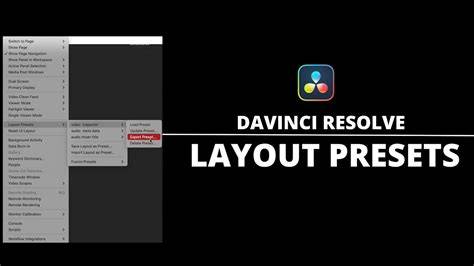
infographic showcasing types of presets, LUTs, PowerGrades, Fusion templates, and transitions to help readers visualize options.
Learn DaVinci Resolve in JUST 10 MINUTES!
краткое объяснение того, как начинать работать с наборами пресетов и какие преимущества они дают в рабочих процессах.
What are PowerGrades in DaVinci Resolve? PowerGrades are color grading presets saved as node trees that can be applied to any clip or project, giving you a consistent color style quickly. Where can I find high-quality free Resolve presets? Trusted sites include Motion Array, Mixing Light (free LUTs), and Motion VFX freebies. These offer pro-quality and are updated regularly. How do I install transition presets? Copy .setting files into the Fusion Templates folder for transitions, restart Resolve, and you’ll see them in the Effects Library. Do free presets work in the free version of Resolve? Yes, most presets work in the free version. Some may require Studio features like advanced noise reduction-check before downloading. Can I customize free presets after applying them? Absolutely. You can adjust nodes, timing, easing curves, and keyframes to make them fit your footage perfectly. Are free LUTs the same as presets? Not exactly. LUTs apply a single color transformation, while PowerGrades can contain multiple nodes, masks, and effects. Do presets slow down playback? Fusion-heavy templates can impact real-time playback.
Informational note: This article compiles an extensive range of DaVinci Resolve presets, from cinematic LUTs to wedding-themed, drone, travel, night life, and fashion looks, as well as practical installation and workflow tips to help editors streamline their color grading and finishing processes.