We’re working hard to make your work with text easier. Here you can find free realistic and stylish Adobe Photoshop and Illustrator text layers effects and styles.
Overview of text effects and their role in design
We're working hard to make your work with text easier. Here you can find free realistic and stylish Adobe Photoshop and Illustrator text layers effects and styles.
Text effects range from simple typographic embellishments to complex 3D and glow treatments that transform ordinary words into focal points of a design.
These effects help convey mood, brand personality, and hierarchy within a composition.
Categories of text effects
We’re working hard to make your work with text easier. Here you can find free realistic and stylish Adobe Photoshop and Illustrator text layers effects and styles.
Display and bold styles give emphasis and structure, while script, serif, and gothic options convey tradition or formality.
Chrome, metallic, glass, and holographic textures add luxury or futuristic vibes, whereas grunge, vintage, and retro treatments create nostalgia or character.
Chaptering the effects into types helps designers choose the right look for a given message:
- 3D Text Effects
- Glow and Lighting Effects
- Glitch and Distortion Effects
- Prism, Glass, and Chrome Effects
- Texture and Grain Effects
- Liquid, Melting, and Fluid Distortions
Practical workflow for applying text effects in Photoshop
These Photoshop tutorials are for more knowledgeable designers, helping them to create beautifully complex word art and 3D special effects.
Begin by selecting an appropriate font family (Sans Serif, Display, or Script) to align with the intended mood.
Next, experiment with layer styles such as stroke, inner glow, gradient overlay, and bevel and emboss to establish depth and presence.
Texture plays a crucial role: combine textures like grain, halftone, or abstract backgrounds to add tactile interest without overpowering the typography.
Advanced techniques may involve 3D extrusion, perspective distortions, and custom lighting setups to create convincing depth.
Always consider readability: ensure contrast and spacing are preserved even when applying dramatic effects.
Tips for clean, effective text effects
Typography should remain legible while the effects enhance personality.
Blend modes, opacity adjustments, and careful color choices can keep effects from overwhelming the text.
Test your designs at various sizes to ensure the text remains legible on print and digital displays.
Extensions like Gradient, Halftone, and Smudge textures can add subtle complexity without sacrificing clarity.
Common pitfalls and how to avoid them
Overloading text with too many effects can reduce readability and visual coherence.
Inconsistent lighting and mismatched textures can break the illusion of a unified design.
Neglecting accessibility concerns, such as color contrast, can make text difficult to read for some audiences.
Applications across media
Text effects are ubiquitous in branding, advertising, posters, social media visuals, and packaging mockups.
From logo typography to large-format displays, the right treatment can reinforce brand identity and message hierarchy.
Whether you’re crafting bold poster typography or subtle branding text, Photoshop offers a spectrum of tools to achieve the desired result.
Visual examples and resources
We’re working hard to make your work with text easier. Here you can find free realistic and stylish Adobe Photoshop and Illustrator text layers effects and styles.
Explore categories like Free Fonts, Display, 3D Text Effects, Glow Text Effects, and Vintage Text Effects to find starting points for your project.
Beginner tutorials can help learners grasp fundamentals, while advanced tutorials enable the creation of intricate word art and dynamic 3D effects.
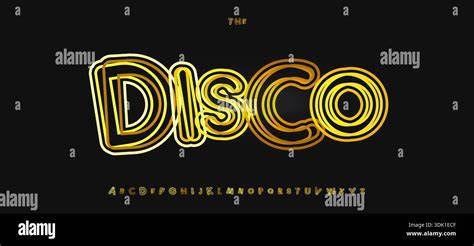
How to Make Vintage 3D Chrome Text Effect in Photoshop
Table: example text effects and typical use cases
| Effect Category | Typical Use | Notes |
|---|---|---|
| 3D Text Effects | Logos, titles | Depth and perspective exaggeration possible |
| Glow and Prism Effects | Digital signage, web headers | Crucial for high-contrast displays |
| Chrome/Metal Text Effects | Luxury branding, tech products | Reflective surfaces require careful lighting |
| Grunge/Vintage Text Effects | Posters, album art | Texture should feel authentic |
| Liquid/Melting Effects | Experimental art, headlines | Motion-inspired but static in print |
When you’re ready to save and share your work, remember to test across devices and print formats.