Samsung has released a major update for its image editing app, Galaxy Enhance-X. This update introduces a significant redesign and several new features. The app now features three distinct tabs, replacing the old user interface that displayed all editing options on a single screen. Version 16.3.00.31 of Galaxy Enhance-X is now available on the Galaxy Store with a download size of approximately 173.5MB. This update is compatible only with devices running Android 16 and One UI 8.5. The Plugins tab houses compatible add-ons for the app.
Three-tab interface and new structure
There are now three tabs to work with in Enhance-X, part of the recent app interface revamp: Plug-ins, Home, and History. The Plug-ins tab is a good place to start, because it shows off some of the app's capabilities: Tap the download icon (the downward arrow) on FilmStyle to access nine extra filters for your pictures. These filters and many more effects can be applied to your photos and videos from the Home tab. This tab is essentially a file picker-you can select one or more photos and videos to work with. Pick one or more images, and you can choose between Photo tools and Doc tools (for scans) at the bottom; if you're selecting videos, there's just the Video tools option. That then takes you into the full editing interface, where you can see everything Enhance-X has to offer (including the FilmStyle filters).
Use the icons at the bottom of the screen to browse through the tools, which are typically one-tap enhancements that the app will configure itself. Many of these options are useful quick fixes, but there are some fun tools as well. Tap Creative then 24-hr time lapse, and you can turn any image into a short video-nothing in the image will move, but the colors will shift as if you're seeing the picture go through a full night-and-day cycle.
Editing capabilities across photos, videos, and documents
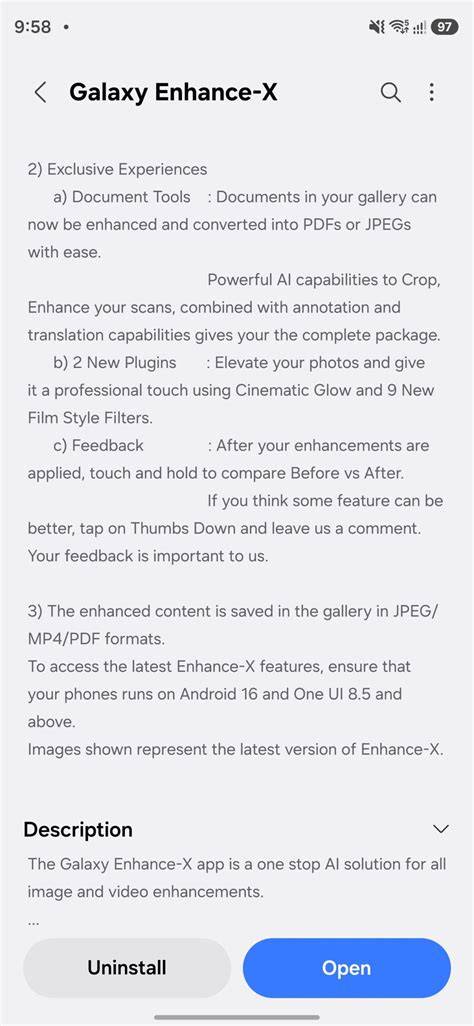
The latest version of Galaxy Enhance-X supports document editing. Users can now convert documents into JPEGs or PDFs. The app also allows you to enhance colors, apply filters, annotate, translate, and crop or rotate document scans. The History tab organizes all past projects into Photos, Videos, and Documents sections.
On the photo side, you can apply cinematic filters and film-style effects. FilmStyle adds professional film effects, and CinematicGlow provides diffusion effects to create a gentle, dreamy aesthetic. The Suggested tab lets you try FilmStyle filters and view a rundown of what each filter does and which image types it works best with. When editing a video, options include Slow mo, trimming tools, Single take with effects like rebound and highlights, and the ability to preview each effect before saving.
For documents scanned as photos, you can Add text with a text box, choose font size, style, and color, and annotate to correct mistakes-without needing another app. The app’s AI also helps with general enhancements, and there is a Magic feature for one-tap comprehensive improvements.
AI-driven enhancements and one-tap editing
Galaxy Enhance-X is powered by AI to analyze each photograph and suggest editing improvements. If you do not know which filter to apply, tapping the magic wand icon lets the app adapt improvements to the photo type. HDR analysis expands the dynamic range by adjusting highlights, shading, brightness, and contrast, with intensity levels from 0 to 4. The Old Photo tool uses generative AI to restore and bring clarity to old or damaged images, offering new levels of customization.
Video editing capabilities
Video editing features include Instant Slow-mo, where you slow down a video by touching and holding the screen, and a timeline-based interface for precise control. The app also provides other effects such as a Single take section for experimenting with motion effects and highlights that identify the best parts of the video. Previewing each effect before saving helps users decide on the final edit.
Document scanning, translation, and batch editing
In addition to image editing, Galaxy Enhance-X supports scanning documents and translating them. You can convert scans to JPEGs or PDFs, annotate, and translate within the app. The batch editing feature enables users to work on multiple photos and videos in a single session, increasing productivity for users with large editing workloads.
History, plugins, and learning resources
The History tab is where all edits are stored and where users can undo changes if necessary. The Plugins tab expands functionality by offering add-ons such as FilmStyle, with additional filters accessible through download. Asif and David Nield are technology journalists who have covered Samsung’s app ecosystem extensively, providing context for how Enhance-X fits into a broader suite of tools and AI-assisted editing capabilities.
Compatibility and availability
Galaxy Enhance-X is available in the Galaxy Store and designed to work with devices running Android 16 and One UI 8.5. Earlier versions and other configurations may miss some features, such as the new Focus Shift and Crop & Upscale tools introduced in newer updates. The app’s AI-powered editing and one-tap enhancements aim to bring professional-grade results to everyday users, with adjustable intensity levels for several features.
Samsung's AI-Powered Tool Has Finally Arrived: Galaxy Enhance-X
In short, the latest update to Galaxy Enhance-X offers a modern three-tab interface, expanded AI-powered editing tools, improved document handling, and batch processing capabilities, making it a versatile tool for photographers, videographers, and document editors alike.