A glowing neon text title can be a great opener for your videos. Fusion in DaVinci Resolve 17 makes it easy to create a simple neon text effect for your project if you are looking to do it yourself and your own touch. Motion Array also offers some great downloadable and quick-to-use alternatives to save you time and frustration for those last-minute updates and changes.
Overview and context
While previous versions of DaVinci Resolve had a built-in neon title template, version 17 no longer has this option. In the Edit page, drag a background clip or still image of your choice to the timeline. Make sure the clip is the right duration for your title. We are using 5 seconds. In the Effects panel, find the Fusion composition and drag it on top of the clip in your timeline where you would like the title to appear. A new video track will be created.
Step-by-step: creating neon text in Fusion
With the Fusion clip selected, go to the Fusion page. Now add a Text Node and connect it to the MediaOut Node. View the node in the left viewer by selecting the left button on the lower-left corner of the Text1 Node or by pressing 1 when the node is selected. With your Text1 Node selected, change your text, font, size, and other settings in the Inspector until you are happy with the appearance. This Text1 Node will be the bottom layer, so change the Color to something very dark, near black.
Now add a Merge Node and make sure your Text1 Node is linked as the background. Select your Text1 Node and press Ctrl or Cmd + C to copy it, then click on an empty space. Now press Ctrl or Cmd + V to paste a copy. This node will be named Text1_1. Change the color of your Text1_1 Node to something bright that resembles a neon color like bright yellow, blue, or pink. If you would like the color to change during the animation, you can create keyframes at the start and middle of your animation with a different color in the middle. Now the color will change as the animation plays.
Next, you need to add the Soft Glow and Glow effects to your Text1_1 Node. You can do this by pressing Shift + Spacebar and searching for the effects. Adjust the various settings of the Soft Glow and Glow effects until you have good-looking results. Link your Text1_1 Node and the glow effects as the foreground of the Merge1 Node.
The last step in Fusion is to add some flicker to the neon text. We will do this again using keyframes. Select the Merge1 node and go to the first frame of your animation. Now create a Keyframe by clicking the small diamond next to the Blend slider. The button will turn red. Now move to the next frame and drag the Blend slider to the left until it is 0. The bright text will disappear, leaving the dark shadow only. Move another frame forward and drag the Blend slider to 1.
Back in the Edit page, you can play back and see your result. If your background clip is too bright behind your text, select it and drop the Opacity in the Inspector or Gain in the Color page if you have another clip below it.
Enhancements and extras
It’s good, but let’s add some finesse to it with a neon light sound effect from Motion Array. We will use the Neon Light Flicker Sounds. Import the sound effects from the pack and choose one that works with the flicker in your title. If you are short of time and the above tutorial seems too long and detailed, why not check out some cool resources that are available for DaVinci users?
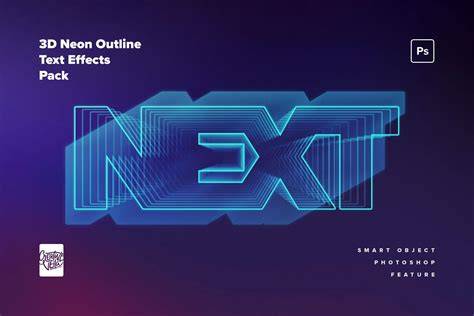
- The 9 different neon titles and the ability to customize them will allow you to add a splash of color to your projects.
- Another great template for social media with 10 dynamically animated colorful cyber-themed brush titles.
Practical tips
- Use a dark background color for the base Text node to enhance the glow contrast.
- Experiment with multiple copies of the text node to create layered neon strokes.
- Sync glow intensity and color changes with your on-screen action for a cohesive feel.
Give ANYTHING a Realistic NEON GLOW in Illustrator
Additional resources
If you want ready-made options, explore Motion Array for quick-to-use neon titles and social media templates that can speed up your workflow.