Use the Google AI-powered image editor for your Performance Max and Demand Gen campaigns to save time and resources while producing high-quality image assets tailored to your business and brand.
With the help of Google AI, you can generate new images, replace image backgrounds, auto-enhance images and create all image sizes that you need to reach audiences across Google's advertising channels. You can access the image editor from asset studio. Choose image: Use an existing JPEG or PNG image. You can choose up to 8 images. Select Generate more to come up with more options. Choose Select when you're satisfied with the image.
Image preparation and cropping for optimized ad assets
The image editor crops an image to 3 different sizes that match the recommended aspect ratios for landscape, portrait, and square image assets for Performance Max and Demand Gen campaigns. Select a thumbnail in the panel to view the cropped version of the image in that aspect ratio. Click and drag the corners of the frame to resize the cropped area. If needed, you can adjust the foreground by selecting Remove or Restore and a brush size. Move or Resize the foreground to a position or size of your preference. Don't worry if the foreground looks blurry in the preview.
Enter a text prompt to generate a new background. Only prompts in English, German, French, Spanish, Portuguese, Dutch and Italian, and Japanese are currently supported. You'll have a choice of up to 4 backgrounds. Select Generate more again to come up with more options.

Feedback and refinement
This form allows you to mention whether you like the image or not. You can also mention why the image isn’t good enough to be added in the campaign. Auto enhance automatically adjusts the brightness, contrast, and saturation of the image. (Optional) Select the object that you want to remove, using the Rectangle or Brush tool. Note: Only the main image will appear in your Asset studio. Use more than one word. Generative AI tools in Google Ads are designed to automatically limit the creation of certain content.
If no images were created for a prompt you specified, try to reword it in a way that clearly avoids the content Google Ads isn’t designed to create. Assets created by generative AI aren’t guaranteed to be approved by Ads Policy. You can input text prompts in Asset studio to edit generated images. Google restricts which advertisers have access to manually prompted image generation. We’re committed to upholding our principles for developing generative AI technology responsibly and at the highest standards for fairness, privacy, and security. For example, Google AI is designed to not automatically suggest generative images for sensitive verticals, such as political or pharmaceutical ads. Note that generative AI is an experimental technology, and may display inaccurate or offensive content that doesn’t represent Google’s views. Don’t rely on generative AI features in Google Ads for medical, legal, financial or other professional advice.
EVERYTHING You Need to Know About Google AI Studio
From concept to visuals at speed
Was this helpful? How can we improve it? Image editing used to mean opening Photoshop, wading through complex tools, and spending hours on tedious fixes. Today, AI is changing everything. With Google Gemini's new flash model, all you have to do is upload an image and describe what you want changed, all in text. Then, Google AI Studio handles the rest, editing your image. The best part? This is a game-changer for marketers who need quality visuals at scale. The speed at which we can now iterate is mind-blowing, and I'm obsessed with how it can democratize creative work across teams.
If you don‘t love graphic design or using editing tools, working with images feels like a time sink. I’ve been there. But, Google Gemini 2.0‘s new flash model is bimodal, meaning you can upload images and text. The AI’s ability to understand both formats lets you edit any image just by typing. Here's how it works: First, head over to Google AI Studio. When you land, you'll get a pop-up asking if you have an API key or if you want to use Google Gemini. Now, you’re ready to go. Google AI Studio allows me to add items to images in seconds. In the past, I would have had to find a tennis ball and Photoshop it into the image above. I love how this streamlines my creative workflow. The speed at which marketers can now go from idea to execution is incredible. Whether you‘re selling a product or service, your team probably has photos on file. These may be shot by your creative team, snapped during an event, or taken by you for a social campaign. AI image editing can help you transform these pictures quickly. That means you'll never run out of creative, and you can make adjustments fast.
Edit product images. Create eye-grabbing video thumbnails. Transfer image styles. If you have an edited photo you really like, you can take a new image and instantly edit it to match that first image’s style. To test this feature, I started with a simple prompt: “Generate a story of a white baby goat going on an adventure in a farm in a 16-bit videogame style.” I was blown away by the results. The images looked like a real video game I could play on a handheld console. You can use the same storytelling features to level up your presentations. Simply input your script and have Gemini generate the slides. I also recommend storytelling for video teams. You can use this feature to help you storyboard your shoots, mapping out scenes before the camera rolls. Google AI Studio makes photo editing easy and can save your team time.

When testing this tool, I asked AI to update one of the YouTube thumbnails for my podcast, Marketing Against the Grain. Every episode needs a thumbnail that has the same style but looks somewhat visually distinct. I uploaded an old show thumbnail to Google AI Studio as a starting point. However, when I asked the AI to work on multiple instructions at once, it got confused. Sometimes, it would only complete one of my requests. Keep in mind, this technology is still in its early days, so you’ll want to keep your requests simple and clear. And, we’re entering an era where anyone can create professional-quality visuals in seconds, not hours. Google AI Studio is a great place to experiment. The learning curve is minimal, and the productivity gains can power teams of any size.
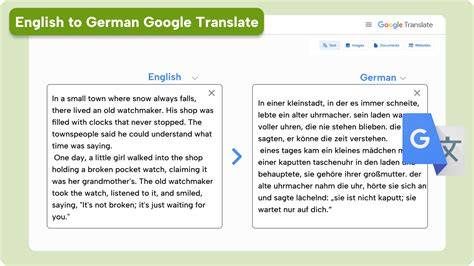
This isn't just about making prettier pictures. Mit der leistungsstärksten KI von Google Bilder generieren und optimieren. Bei Google Pics sind Ihrer Kreativität keine Grenzen gesetzt. Mit den umfangreichen Steuerelementen können Sie einzelne Objekte verschieben, ihre Größe anpassen und sie umwandeln, Text bearbeiten und übersetzen oder einen bestimmten Bereich des Bildes aktualisieren. Mit Google Pics lassen sich Bilder direkt in Google Präsentationen hinzufügen und bearbeiten. Sie möchten zu den Ersten gehören, die Google Pics ausprobieren können? Demnächst ist es so weit. Wir testen die Funktion derzeit mit einer kleinen Gruppe von Nutzerinnen und Nutzern, werden sie aber bald für alle verfügbar machen. Werden Sie Teil unserer Workspace-Discord-Community, um auf dem Laufenden zu bleiben und sich mit Workspace-Expert*innen und -Enthusiast*innen auszutauschen. Außerdem können Sie sich für Workspace Experiments registrieren und sich für den Workspace Experiments-Newsletter anmelden. Wenn Sie Google Workspace in Ihrem Unternehmen verwenden, können Sie Pics testen, sobald die App verfügbar ist.
Do you know Google has this platform called the Google AI Studio where you can go and experiment with Google's latest AI models like Nano, Banana and View 3 and even test out your prompts? But it's not limited to that. You can now vive code apps within the Google AI Studio and for that you do not need an API key, you do not need any extra setup. Basically you need nothing. But yes, you just need to have an idea and you can build your very own app on the Google AI Studio. When you go to the live coding section in the studio, you will see a lot of showcase apps, which includes games, productivity apps and other crazy ideas which you can choose to start out with. But since I wanted to create an app from scratch, I just did that. I typed in a single prompt for the idea that I had in mind and hit run. In no time, the app was ready. Which was a simple image editor powered by Google's Nano Banana image and model. I even tested the a by changing the background of the image I had uploaded and the app just worked. Then I wanted to add a download function to download the edited image from the app. I wrote a single prompt from it and the function was added in seconds. The AI Studio gave me the option to copy the code, download it, deploy it to Google Cloud, push it to GitHub and even share the app with friends for them to check it out.
EVERYTHING You Need to Know About Google AI Studio
The creative industry is shifting fast-tools like Firefly show how AI can enhance creativity, not replace it. Say hello to the all-new Adobe Firefly, your all-in-one home for AI-powered creativity. Firefly brings together top generative AI models from Adobe - including the new Image Model 5 - and partners like Google, OpenAI, Luma AI, ElevenLabs, and Topaz Labs. All your go-to creative tools, all in one place, with just one subscription. Brainstorm, edit images, videos, and sound.
Prompt engineering and workflow efficiency
I've started keeping a dedicated folder in my note-taking app specifically for AI prompts that have worked well. Why? Because great prompts are worth reusing. When you craft something that gets you exactly the results you need, save it. You'll thank yourself later. It's like having your own personal prompt library that grows smarter over time. What's your system for organizing prompts? Would love to hear what's working for others.
Google has boosted AI Studio-now it resembles the free competitor Lovable. You can create fully functional applications in a MINUTE with a single prompt, and then view and refine the result directly in the browser. Everything now lives in one unified surface, from Gemini to GenMedia to TTS and Live models. A new command center shows platform capabilities, keeps you updated on what's new, and gets you back into your projects instantly. Real-Time Usage Visibility enables a clear view of usage and limits in real-time, helping to manage your app's scale properly.
Google Maps grounding can help you anchor models with real-world location data. The philosophy shift here is important: These aren't flashy features. No matter the season, we've got features that support practical workflows and collaboration across teams. The platform continues to evolve, aligning with broader AI-powered creative and marketing workflows.