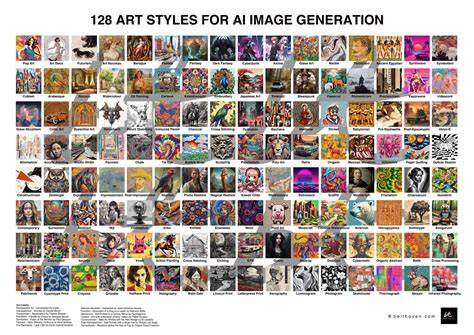
Lift is an all-in-one creative platform that lets you generate images from text and edit them instantly - all in your browser. Whether you want to turn ideas into visuals or fine-tune photos for business, Lift brings powerful AI tools and classic editing features together in one place.
How it works
It’s simple: start by typing a prompt to generate an image in your chosen style (3D, cartoon, Ghibli, realistic, etc.) - or upload an existing photo. Then, use the built-in editor to enhance, resize, remove objects or backgrounds, apply filters, and more. Everything is cloud-based, no app or design skills needed.
Yes. Whether you generate an image or upload your own, Lift can enhance it with one click - fixing blur, lighting, color, and resolution. You can also remove unwanted objects or backgrounds for cleaner, more professional results.
Absolutely. All images generated or edited in Lift can be exported without watermark when you're on the Pro plan.
Key features
- AI image generation from text prompts in multiple styles (3D, cartoon, Ghibli, realistic).
- One-click enhancement for blur, lighting, color, and resolution improvements.
- Object removal and background replacement for cleaner visuals.
- Built-in editor for resizing, cropping, filters, and text overlays.
- Background removal and replace with clean, professional backdrops.
- Extensive library of fonts, stickers, and design elements for quick creations.
- Video editing capabilities for social content and short-form videos.
- Pro export without watermark on eligible plans.
Workflow examples
Users can generate a concept image from a text prompt, then refine it for business use by adjusting lighting and color, removing distractions, and exporting a polished asset. Alternatively, upload a photo and apply AI-powered enhancements to restore clarity or upscale resolution. The process is designed to be accessible to non-designers while still offering depth for more advanced users.
Editing and enhancement workflows
Lift’s editor supports fixing blur, adjusting lighting and color, resizing, and removing unwanted elements. You can also relight photos and upscale resolution to improve output quality. The inclusion of AI background removal helps create cleaner product photos and professional headshots.
For content creators, the Story templates and Reels/Covers templates enhance Instagram and other social media workflows. The platform accommodates both quick social posts and more deliberate branding assets.
User experience and reliability
Lift is designed to be approachable with a cloud-based workflow that requires no local design skills. However, reviews across users highlight a mix of experiences: many praise the ease of use and breadth of features, while others report frustrations with pricing, subscription practices, and refund challenges. In practice, Pro subscribers can export without watermark, which is a value point for many professional users.
Some users note unexpected charges and difficulties canceling or obtaining refunds, which detracts from perceived value. This tension appears in feedback about trial charges, subscription management, and customer support responsiveness. Despite these concerns, many users find the tool highly functional for both photo editing and quick video creation, with the ability to produce professional-looking results directly in the browser.
Pricing and plans (summary)
Lift offers a Pro plan that enables watermark-free exports and broader access to tools. Some reviews describe Lift Pro as providing solid value for professional use, while others point to the potential for hidden or surprising charges. Reviewers commonly compare the cost against the breadth of AI editing and content creation features, noting a preference for clear, predictable pricing.
Use cases
- Professional headshots and portraits generated or enhanced with AI.
- Product photography and marketing visuals with clean backgrounds and consistent styling.
- Instagram Stories, Reels, and other social media visuals crafted from templates or AI design tools.
- Photo restoration, denoising, and upscaling to rescue low-resolution images.
- Video editing in addition to photo work for a unified content creation studio.
Table: capabilities at a glance
| Feature | Description |
|---|---|
| Text-to-image | Generate images in multiple styles from prompts. |
| One-click enhancement | Fix blur, lighting, color, and resolution. |
| Object/background removal | Eliminate unwanted elements or replace backgrounds. |
| Resizing and cropping | Adjust dimensions for various platforms. |
| Filters and text overlays | Stylize images and add branding text. |
| AI upscaling and denoising | Improve low-resolution images with AI. |
| Video editing | Basic to intermediate video tools integrated. |
| Export | Watermark-free on Pro plan; other exports may include watermark. |
Ключевые моменты для пользователей
Lift объединяет возможности генерации изображений и их редактирования в одном интерфейсе, позволяя быстро переходить от идеи к готовому визуальному контенту. Это особенно полезно для малого бизнеса, фрилансеров и команд маркетинга, которым нужна гибкая и быстрая работа над визуальным контентом без обучения сложным инструментам.