In this tutorial, I’ll show you how to use Midjourney Prompts to create stunning, cinematic camera angles. Want to take your AI visuals to the next level? Understanding and implementing camera angles in your Midjourney prompts can dramatically improve your results. By simply including these angle terms in your prompts, you can direct your shots with more precision and achieve that cinematic look you're after.
Here are some essential camera angles to enhance your AI storytelling. Create Cinematic Camera Angles with These Midjourney Prompts. Here is a step-by-step tutorial showing you the steps for creating different cinematic camera angles with Midjourney. Enjoy :)
Low angle and power dynamics
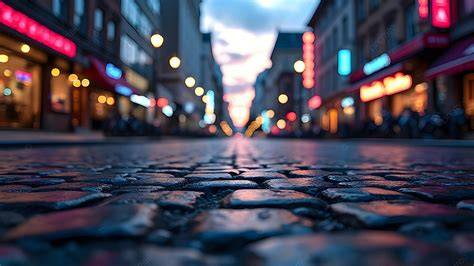
Low Angle is a view from below, looking upward towards your subject. This type of shot creates a sense of dominance, or grandeur - perfect for heroic shots or showing a person in power.
In Midjourney prompts, the right angle choice can transform a scene from ordinary to epic. A low-angle prompt emphasizes strength, authority, and presence, especially when the subject is framed against the sky or towering architecture. The effect is cinematic and powerful, drawing the viewer’s eye upward and elevating the subject within the frame.
Practical prompts and considerations
- Describe the subject and context with a low camera angle to convey importance.
- Pair with lighting that beams from above or behind to enhance silhouette and scale.
- Be mindful of edge distortion at extreme angles and adjust focal lengths accordingly.
High angle and vulnerability
High-angle shots are taken from above the subject, making them appear smaller, more vulnerable, or observational. This perspective invites viewers to assess the scene from a distance, often used in storytelling to convey vulnerability, surveillance, or a broader context.
When composing prompts, a high-angle angle can contrast with a powerful subject in the same frame, creating tension or visual narrative nuance. Use it to imply distance, contemplation, or a moment of reflection within your AI-generated story.
Prompts and guidance
- Use “high camera angle” to establish perspective over a scene.
- Combine with wide or ultra-wide lenses to emphasize surroundings and scale.
- Incorporate motion or environmental elements to deepen the sense of being observed.
Wide-angle and spatial storytelling
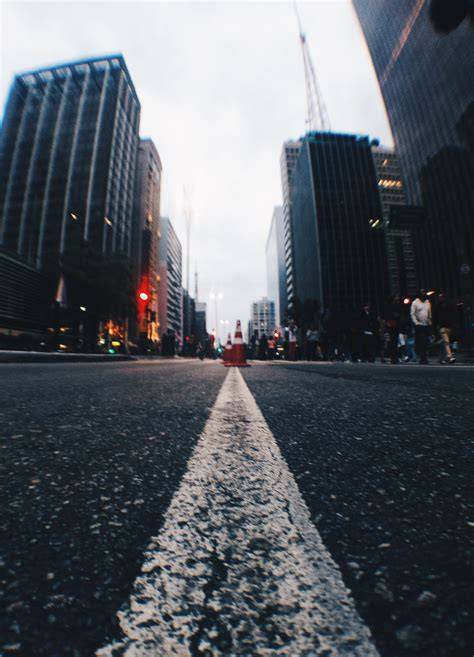
Wide-angle shots capture a broad field of view, establishing landscapes, architecture, and large groups. They convey scale and environment, helping viewers understand spatial relationships within the scene.
In Midjourney prompts, wide-angle or ultra-wide-angle prompts can introduce dramatic distortion at the edges, which adds a dynamic, immersive feel. This is especially effective for establishing shots or expansive cityscapes and natural vistas.
Prompts to guide wide perspectives
- Use terms like “ultra-wide angle shot” or “panoramic shot” to push for expansive composition.
- Pair with a foreground object to create depth and parallax.
- Be cautious with subject proximity; edge distortion can be pronounced at extreme angles.

Overhead and top-down perspectives
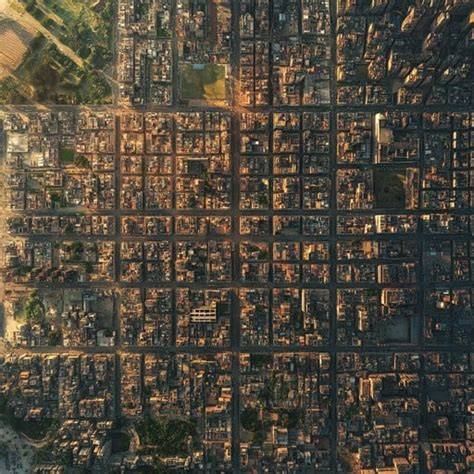
Aerial or top-down views provide a cross-sectional look at spaces, revealing patterns, layouts, and the relationship between elements. This angle is invaluable for architecture, urban planning, and abstract storytelling where geometry matters.
Prompts that emphasize “top-down shot” or “bird’s-eye view” can illuminate complex scenes-almost like a map-while maintaining visual clarity and rhythm across the frame.
Tips for effective top-down prompts
- Describe the layout and key elements visible from above.
- Use natural or diffused lighting to maintain even exposure across the scene.
- Combine with negative space framing to guide the viewer’s gaze to important details.
Ground-level and immersive engagement
Ground-shot angles place the viewer at street level, intensifying immersion and immediacy. They’re ideal for intimate portraits, action scenes, and documentation-style visuals where the audience feels part of the moment.
In prompts, ground-level prompts work well with a mix of natural lighting and subtle depth of field to keep the focus on the subject while revealing surrounding texture and atmosphere.
How to craft ground-level prompts
- Specify the eye line and horizon placement to control perspective.
- Consider shallow depth of field to isolate the subject from a textured background.
- Mix with storytelling elements to heighten narrative impact without explicit narration.
Forced perspective and playful distortion
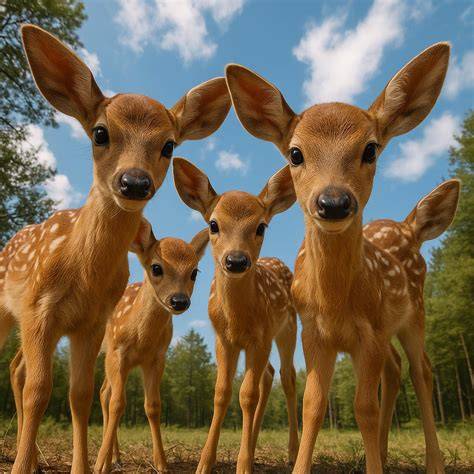
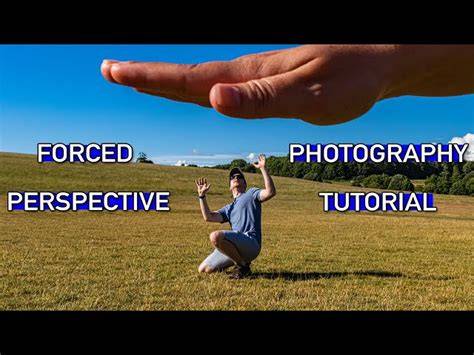
Forced perspective shots push the boundaries of perception, creating illusions where objects appear larger or smaller than they are. This technique can be used to dramatize relationships, convey scale in a whimsical way, or illustrate a narrative twist in your Midjourney output.
Prompts using “forced perspective shot” can yield imaginative, magazine-worthy visuals that still feel plausible, especially when paired with contextual cues like distance, scale cues, and environmental context.
Prompt strategies
- Combine objects at varying distances to emphasize size relationships.
- Use minimal background clutter to reinforce the illusion.
- Experiment with tilts and pivots to exaggerate the perspective shift.
Submerged and through-the-X shots
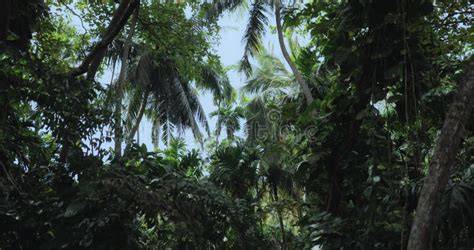
Submerged angle shots, ground-shot angles, and “through-the-X-shot” techniques offer creative ways to frame scenes. These prompts place emphasis on a specific element first (like the ground, a wall, or a landmark) and then reveal other subjects around it, guiding the viewer’s attention in a controlled way.
Try “through-the-rainforest shot” or “through-the-viewfinder shot” prompts to explore how framing around an element can redefine mood and storytelling within AI-generated visuals.
Usage guidance
- Identify a pivot element to frame first (ground, wall, cave, etc.).
- Use descriptive environmental cues to enhance mood while maintaining visual coherence.
- Avoid overcomplicating prompts to preserve clarity in AI rendering.
Negative space framing and composition variety
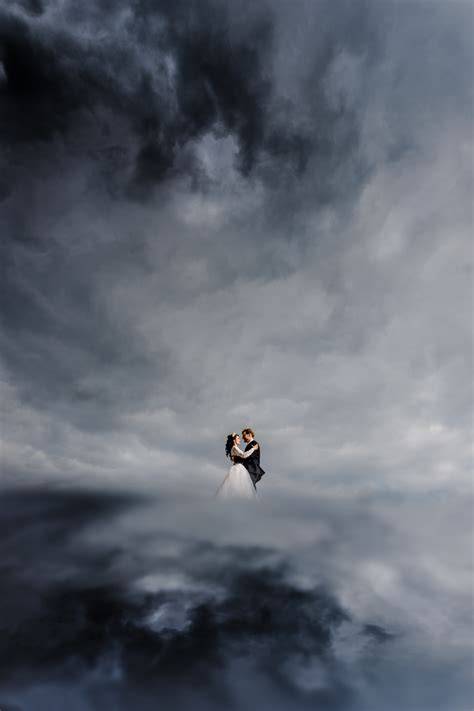
Negative space framing uses blank or open areas to balance the subject and convey mood, silence, or tension. This technique helps draw attention to the main subject while letting the environment breathe around it.
In prompts, intentionally reserving space around the subject can yield elegant, minimalist AI imagery with strong visual impact.
Additionally, mixing multiple composition modes-close-up, portrait, full-body-within a prompt can produce a diverse set of outputs for a single concept, expanding creative possibilities without constant prompt revisions.
Camera lens choices and film stock in prompts
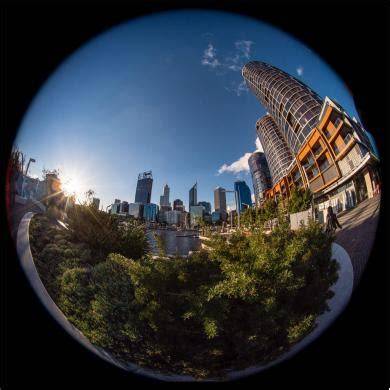
In traditional photography, lens choice can make or break a shot. Midjourney supports a variety of lens keywords, such as fisheye, pinhole, vintage, and wide-angle, each imparting distinct distortions and aesthetic qualities.
Film stock prompts (e.g., Fujifilm Fujicolor, Ilford HP5) influence color rendition, grain, and mood, helping you evoke specific eras or stylistic cues in AI images. Pairing lens and film stock prompts can recreate iconic looks-from warm Fujifilm portraits to gritty black-and-white textures.
Examples of lens and stock prompts
- Fisheye lens prompt: “Boxer dog wearing a sombrero in Mexico in the early morning, fisheye lens.”
- Pinhole lens prompt: “Boxer dog wearing a sombrero in Mexico in the early morning, pinhole lens.”
- Vintage lens prompt: “Boxer dog wearing a sombrero in Mexico in the early morning, vintage lens.”
- Fujifilm Fujicolor stock: “Minimalist photograph … desert landscape at sunset, Fujifilm Fujicolor.”
- Ilford HP5 stock: “Minimalist photograph … desert landscape at sunset, Ilford HP5.”
Lighting: shaping mood and depth
Lighting plays a crucial role in how an image is perceived. Natural lighting and diffused lighting can produce authentic, soft, and even illumination, ideal for portraits and lifestyle scenes.
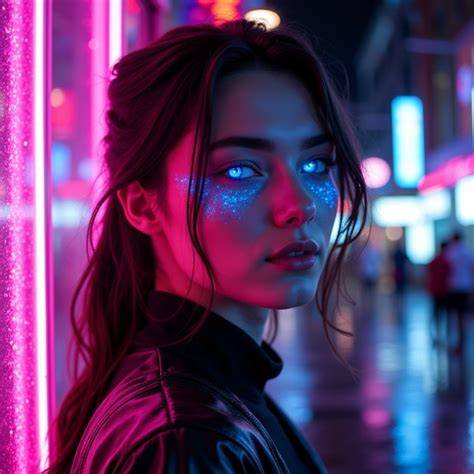
Rim lighting, neon side lighting, and other directional techniques add drama, color separation, and silhouette definition, enabling more cinematic results in AI renderings. Use prompts like “rim lighting” or “neon side lighting” to explore bold visual storytelling.
Lighting prompts and tips
- Natural lighting for realism and warmth.
- Diffused lighting to minimize harsh shadows and flatten texture.
- Rim lighting to emphasize contours and create a halo effect around subjects.
- Neon side lighting for urban, night-time drama.
Camera settings and brand cues in prompts
Beyond angles and lenses, camera settings (ISO, aperture, shutter) and brand cues (Canon, Nikon, Arri, RED) influence the final look. For example, “ISO 100” yields clean, low-noise imagery in bright scenes, while “aperture f/1.8” produces shallow depth of field for portraits and macro shots. Shutter speeds like “1/500” freeze motion for action shots.
Brand cues help evoke specific color science and rendering characteristics. “Shot with Canon” often yields warm, natural tones; “Shot with Arri Alexa” emphasizes cinematic color depth; “Shot with Nikon” can deliver balanced lighting and sharpness. These branding prompts act as shorthand to guide the AI’s stylistic choices.
Putting prompts into practice: a structured workflow
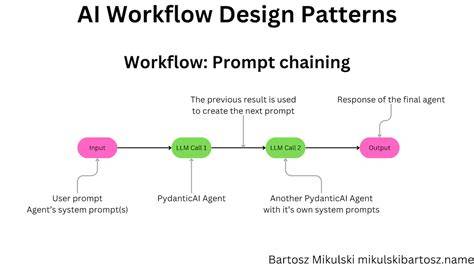
- Choose a cinematic angle that supports the story (low angle for power, high angle for vulnerability, etc.).
- Select a lens type and, if desired, a film stock to achieve the intended mood.
- Decide on lighting style (natural, diffused, rim, neon) to shape depth and color.
- Consider composition prompts (close-up, portrait, full-body) for variety within the scene.
- Incorporate a focal pivot or “through-the-X” framing to guide the viewer’s eye.
- Assign a camera brand or model if you want consistent color and texture across iterations.
- Iterate with longer prompts to refine details and ensure consistency across generations.
Examples of camera-style prompts
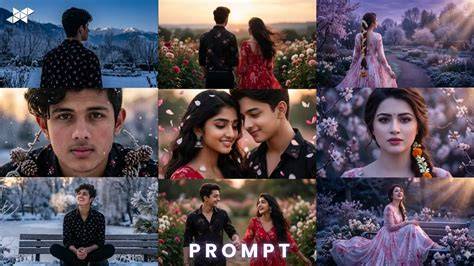
Below are representative prompts that illustrate how to combine angles, lenses, lighting, and composition. Adapt them to your subject and setting for cinematic AI art.
- Low angle portrait of a leader, wearing a sharp suit, from below, wide-angle lens, golden hour lighting, close-up to full-body options, -ar 16:9 -v 6.1
- High angle cityscape, drone-like top-down view, ultra-wide angle, diffused daylight, establishing shot, -ar 16:9 -v 6.1
- Ground-level action shot, 50mm equivalent, natural lighting, shallow depth of field, short focal length foreground with motion blur in background, -ar 16:9 -v 6.1
- Forced perspective shot of a person appearing to hold a large distant object, wide-angle distortion, sunset haze, -ar 16:9 -v 6.1
- Through-the-wall shot of two colleagues in a bright office, framing around a doorway, natural light, -ar 16:9 -v 6.1
Midjourney camera prompts: practical notes
Midjourney has inherent limitations in resolution and upscaling. When aiming for cinematic photography-like quality, you may encounter upscaling artifacts. Tools and workflows outside of Midjourney, such as Aiarty Image Enhancer, can help upscale and refine details while preserving realism. The goal is to leverage camera-angle prompts to guide the AI toward consistent, publication-quality visuals.
Remember: the camera angle keywords are most effective when used in the initial prompt. If the angle is incorrect, it’s often better to start over with a corrected angle rather than attempting to fix it through multiple iterations.
Gallery-inspired prompts: a curated set for quick-starts
Here are compact, ready-to-paste prompts designed to produce varied cinematic looks. Use these as jumping-off points to generate a library of angles, lenses, and lighting styles.
- Extreme close-up shot of a subject, dramatic eyes, high-contrast black-and-white, -ar 16:9 -v 6.1
- Ultra-wide angle shot of a skyline, expansive depth, warm sunset, -ar 16:9 -v 6.1
- Top-down shot of a grid-pattern courtyard, muted color palette, even lighting, -ar 16:9 -v 6.1
- Low-angle action shot with motion blur, 35mm focal length, dusk light, -ar 16:9 -v 6.1
- Through-the-window shot, city reflections, soft backlight, -ar 16:9 -v 6.1
Ключевые идеи и элементы для описания сцен
Midjourney prompts benefit from a clear lexicon: specify camera angle, lens type, lighting, distance, and composition, while keeping the language concrete and visual. Use structured, comma-separated phrases to guide the model toward the intended aesthetic, mood, and narrative weight. By combining these elements thoughtfully, you can craft AI-generated images that feel deliberately staged and cinematic rather than incidental sketches.
Итоговый набор техник
Используйте сочетания уголков камеры, вариантов линз, световых решений и композиции для создания богатых сюжетно-насыщенных AI-изображений. Экспериментируйте с планом кадра, от крупного плана до панорам, применяйте разные стили съемки и film stock, чтобы получить желаемый характер кадра. Помните, что цель - передать историю через визуальные решения, а не просто сгенерировать красивый кадр.
tags: #midjourney #camera #prompts