With ON1 Cloud Sync and a robust mobile editing engine, ON1 Photo RAW for Mobile extends desktop-grade photo editing to iOS and Android devices, allowing photographers to capture, edit, and organize RAW images anywhere. The app mirrors the powerful processing and AI-assisted tools of ON1 Photo RAW 2026.5, offering a cohesive workflow across devices and platforms.
Overview of ON1 Photo RAW for Mobile and its Core Capabilities
ON1 Photo RAW for Mobile is a free app that unlocks RAW capture, non-destructive editing, and organization on mobile devices, using the same RAW processing engine as the desktop version. It supports pro-grade raw format photos with full manual controls and includes powerful masking tools for targeted edits. Pro-grade filters and masking tools enable stacking and layering to build distinctive looks, while local adjustments provide precision editing on specific areas of an image.
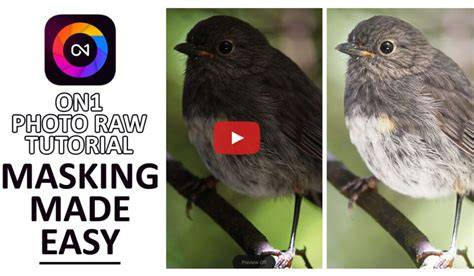
Adjustments span exposure, contrast, color, tone, and sharpening with a full suite of sliders. The app includes Brilliance AI for intelligent tone and color tuning, and features such as a Dynamic Contrast filter, Vignette, Curves pane, and more. Masking tools and the ability to apply changes to portions of an image are central to ON1’s mobile workflow, complemented by innovative AI-assisted selections like Super Select AI and masking layers when available.
Mobile Camera and RAW Editing Workflow
The mobile camera captures RAW photos with manual controls, enabling precise exposure and white balance settings in the field. RAW processing uses the same engine as the desktop app, ensuring consistency in tone and color across devices. After capture, adjustments such as Exposure, Contrast, Shadows, Mid-tones, Highlights, Whites, Blacks, and Noise can be applied, with sharpening refined to preserve detail.
Local adjustments are made via the Adjustment Brush or Masking Bug shapes, allowing selective edits. Pro-grade filters-Dynamic Contrast, HDR-like looks, Curves, Black and White, Film Grain, and Vignette-are available, and multiple filters can be stacked for complex effects. A dedicated masking workflow supports precise control over edits, while AI-powered tools help accelerate common tasks.
When needed, the Apply changes to a portion of an image approach helps maintain natural skin tones, skies, or backgrounds while enhancing global attributes. The Brilliance AI tool can be applied selectively to parts of the image, offering targeted control over color and tone in different regions.
Organizing and Syncing Across Devices
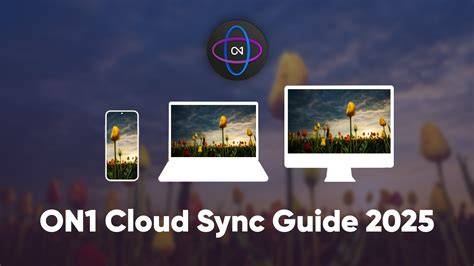
ON1 Cloud Sync is the backbone of cross-device workflows, enabling photos, edits, albums, and presets to stay synchronized between desktop and mobile. Cloud Sync is available with ON1 Cloud Sync-enabled plans, including ON1 Photo RAW MAX and ON1 Photo Studio subscriptions, and it supports keeping metadata, star ratings, and likes in sync across devices. For users who prefer not to sync, the mobile app still functions as a standalone editor with local storage.
The mobile app includes organizational features such as star ratings, likes, dislikes, and rejects, with search and filtering based on text, metadata, and AI-detected objects. A Smart Organize tool can help identify duplicates and group related shots by time and location, while Maps and Geolocation data offer a visual context for photo locations.
Importing and cataloging work similarly to the desktop experience, with folders and albums that can be marked as cataloged for quick searching. While the mobile app does not replicate every desktop feature verbatim, it provides a powerful set of tools that complement the desktop workflow, making it a strong companion in ON1’s ecosystem.
AI-Powered Tools and Creative Options
ON1 Photo RAW for Mobile leverages Brilliance AI to automatically adjust tone and color while allowing you to control the strength of the effect. Portrait AI provides automatic retouching for faces, including smoothing and blemish reduction, eye whitening, and teeth adjustments. Adaptive AI presets offer targeted corrections for landscapes, architecture, wildlife, and portraits, enabling quick and consistent looks across a batch of images.
The Sky Swap AI and other Creative AI features enable sky replacement and scene-level edits, expanding the range of looks achievable in the mobile environment. Masking and selection tools are designed to be efficient on smaller screens, with depth masks and precise 1-click selections that streamline the workflow. The Curves tool supports multi-point adjustments, allowing nuanced tonal control that rivals desktop capabilities.
For more advanced effects, ON1 includes a suite of filters and LUTs, with the option to stack looks and apply selective adjustments to specific regions. The app also supports non-destructive editing workflows, so edits can be revisited and refined without compromising the original RAW data.
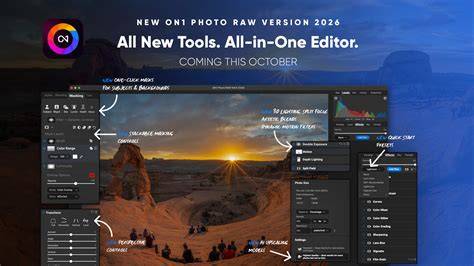
Table: Key Features Across Desktop and Mobile
| Feature | ON1 Photo RAW 2026.5 (Desktop) | ON1 Photo RAW for Mobile |
|---|---|---|
| RAW processing engine | Yes | Yes |
| Non-destructive editing | Yes | Yes |
| Masking and layers | Advanced | Mobile-friendly masking |
| Brilliance AI | Yes | Yes (mobile) |
| Sky Swap AI | Yes | Yes (mobile) |
| Cloud Sync (cross-device) | Yes with MAX/Studio | Yes with Cloud Sync plans |
| Pricing model | One-time or MAX subscription | Free app with premium unlocks via plan |
| Camera support | Broad RAW cameras | Pro RAW capture on mobile |
Pricing, Licensing, and Availability
ON1 offers both perpetual licenses and subscriptions. The standard Photo RAW option is a one-time purchase, while Photo RAW MAX includes plugin support and Restore AI, along with cloud storage options. Subscription plans provide continuous updates, mobile apps, and cloud syncing, with 200 GB of cloud storage bundled in MAX plans. The mobile app itself is free to download, with premium features unlocked via ON1 Cloud Sync and related subscriptions.
Two installation allowances exist: the MAX edition can be installed on up to three computers, while the standard edition supports up to two. The ecosystem also includes other ON1 products and integrations, such as plugins for Photoshop, Lightroom, and Affinity Photo, expanding the scope of the ON1 workflow beyond the desktop app alone.
Practical Guidance: Is ON1 Photo RAW for Mobile Right for You?
ON1 Photo RAW for Mobile is ideal for photographers who need greater control over RAW images in the field, want to maintain consistency with their desktop workflows, and value AI-powered enhancements that speed up editing on mobile devices. It’s particularly suitable for photographers who already use ON1 desktop tools and wish to continue their editing across devices. However, it may not be the simplest solution for every image, and casual shooters might prefer lighter editors for quick snapshots.
When planning a mobile workflow around ON1, consider how Cloud Sync fits into your needs, how many devices you want to connect, and whether you’ll benefit from the Max edition’s plugin support and Restore AI. Start with a real photo set to test the mobile app’s responsiveness, masking precision, and AI features before expanding to a broader workflow.
What’s New in the 2026.5 Release and Forward Look
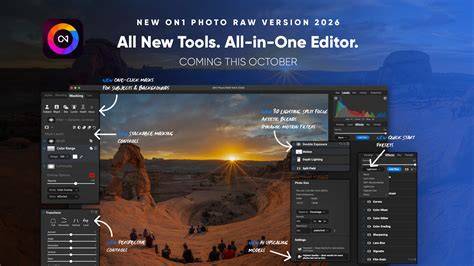
The 2026.5 update emphasizes AI-driven improvements, new masking capabilities, enhanced color and tone controls, and expanded camera compatibility. New features like Depth Lighting, Split Field, and advanced masking workflows aim to streamline editing and offer more creative control on mobile devices. The update also notes improved performance on Windows ARM devices and expanded RAW format support, ensuring compatibility with the latest cameras.
Future updates point to more intelligent AI-assisted masking, easier subject-background separation, and enhanced mobile UI optimizations tailored for one-handed editing. The roadmap includes ongoing improvements to speed, stability, and cross-device synchronization, reinforcing ON1’s commitment to mobile photographers who work with desktop ecosystems.
Conclusion: A Cohesive, All-in-One Editing Experience
ON1 Photo RAW for Mobile complements the desktop experience with a powerful, non-destructive RAW editor that travels with you. The integration of Brilliance AI, Super Select AI, Sky Swap, and robust masking tools, along with cross-device syncing via Cloud Sync, creates a cohesive workflow for photographers who edit on the go and back at their desks. The choice between perpetual licenses and subscriptions, plus the option to add plugin support and Restore AI with MAX, provides flexible paths to fit diverse editing needs and budgets.