Our Adobe Photoshop Keyboard Shortcuts skins are designed to help you work faster, stay organized, and protect your gear with a durable, personalized finish. Each custom skin is finished with a textured scratch resistant laminate that provides protection for the life of your product, while overlay decals are designed to fit over your Photoshop keyboard shortcuts without interfering with knobs, buttons or sensors.
Why use keyboard shortcut stickers for Photoshop?
These stickers replicate the original keys in every detail, including the exact size of every keycap and the font of the characters. They are reasonably easy to apply and highly durable, making them a practical upgrade for both professional and hobbyist workflows. They are especially beneficial for users who switch between layouts or work across multiple devices, as they provide quick visual references for essential commands.
Key benefits and features
- Mat, non-glossy finish that reduces fingerprint visibility and keeps keys looking clean compared to glossy alternatives.
- Easy to apply and remove without leaving residues, allowing for quick customization or replacement.
- High-quality, long-lasting materials designed to protect keys from wear while maintaining readability.
- Custom-tailored options can match unusual keyboards or layouts, ensuring a perfect fit and aesthetics.
- Improved speed and accuracy: professional stickers help you work faster up to 80% by providing clear shortcuts at a glance.
Design and customization
Each skin is crafted in-house to order, with options to tailor the design to your specific keyboard model and language preferences. The textures are designed to be durable and resistant to everyday wear, while maintaining legibility under various lighting conditions.
Practical considerations when choosing stickers
Consider your keyboard model, language layout, and whether you need full-key coverage or selective keys. The decals are designed to be highly precise in size and spacing to match standard keycaps, ensuring consistent alignment and a cohesive look across the board.
Installation and maintenance tips
Installation is straightforward: align the sticker with the corresponding key, apply, and smooth out any air pockets. For best results, ensure the keyboard surface is clean before application. The matte finish helps prevent fingerprints, making maintenance simple and quick.
User experiences and feedback
Customers report that the stickers save time and improve typing accuracy across multiple setups, including Mac keyboards with various language layouts. Many note that the matte finish is preferable for everyday use and that the decals are reliable and easy to maintain. The ability to tailor stickers to unusual keyboards is highly praised, with users highlighting the positive impact on workflow and branding in professional environments.
Quality and craftsmanship
All products are made to order and crafted in-house, reflecting a commitment to quality and customization. The textures offer protection for the life of the product, while the high-quality vinyl ensures a clean, professional look that stands up to daily use.
Additional considerations
When planning your order, consider shipping and return policies to ensure a smooth purchasing experience. The policy allows returns within 30 days for unused items in original packaging, with some exceptions for gift cards. Shipping times may vary by destination and stock, so planning ahead can help you receive your stickers promptly.
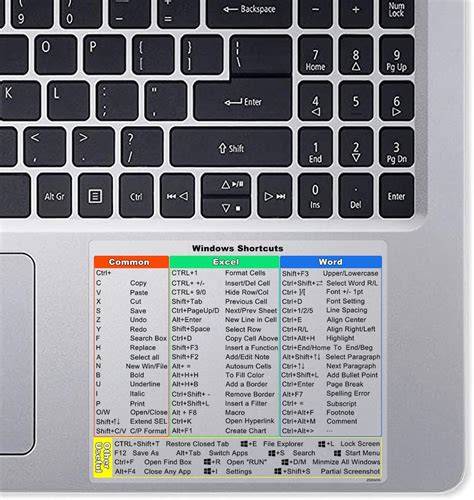
65+ Pro-Level Photoshop Keyboard Shortcuts You're Not Using!
In summary, Photoshop keyboard shortcut stickers offer a practical, durable, and visually appealing way to streamline workflows, protect your hardware, and personalize your workspace with a tailored look that suits your language and keyboard layout.