Create compliant passport photos in seconds, right from your browser. The tool guides you through three simple steps to your perfect passport photo: upload, edit & adjust, and download. Upload any portrait photo from your device, crop and adjust to match official requirements, then download a print-ready image in seconds for immediate use or printing.
How It Works
- Upload Photo
Upload any portrait photo from your device - we'll help you make it perfect.
- Edit & Adjust
Crop, adjust, and position your image to meet exact dimension requirements and proper facial centering.
- Download
Get a print-ready passport photo in seconds, suitable for printing or digital use.
Powerful Features for Perfect Passport Photos
- Country-Specific Templates: Choose from templates for US, Canada, UK, Australia, Israel, Finland, and many more to ensure compliance with local guidelines.
- Precise Cropping Tools: Cropping tool ensures exact dimensions and proper face positioning according to official specs.
- High-Resolution Downloads: Download your photo in high resolution for printing or digital use.
- Print Ready: Easily download one or multiple photos in print-ready formats.
- AI Background Removal: Remove backgrounds automatically and replace with a clean white background ideal for IDs.
- Privacy First: All processing happens in your browser; photos never leave your device.
How to Take Passport Photos at Home
Take a picture following in-app instructions or the guide on how to take passport photos at home. Upload the image, wait a few seconds for an AI check, and then download digital images or order printed photographs. The process is designed to be fast, secure, and hassle-free.
Supported Countries and Guidelines
We currently support passport photo specifications for Australia, Canada, Finland, India, Israel, Japan, UK, US, and many others. If your country isn’t listed, you can request support. The database is updated whenever government guidelines change.
Flexibility and Accessibility
There is no limit to how many photos you can process, and all processing happens locally in your browser-no server storage of your photos. The service is designed for both individuals and businesses, including photo studios and HR departments managing employee IDs.
Real-World Applications and User Testimonials
Users include frequent travelers, HR professionals managing employee ID programs, and families seeking a convenient way to produce passport and visa photos at home. Testimonials highlight ease of use, rapid processing, background editing, outfit adjustments, and the ability to generate compliant photos without visiting a studio.
How Our Passport Photo Makers Compare
Across providers, the core workflow remains the same: upload, adjust, and download. Key differentiators include template breadth, background removal quality, processing speed, offline privacy, and verification by human experts when offered. Some tools emphasize low cost, while others stress guaranteed compliance and expert validation.
Practical Tips for Perfect Photos
- Choose a well-lit room with a neutral background to minimize shadows.
- Wear simple clothing and ensure the face is clearly visible with a neutral expression.
- Use high-resolution uploads to preserve detail for printing.
- Leverage country-specific templates to guarantee alignment with local rules.
Usage Scenarios
Passport, visa, ID, and driver’s license photos can all be generated using professional templates and AI-assisted editing. The platform supports both digital delivery and print-ready formats, enabling users to print at home or through preferred services. The process is designed to be accessible to non-professionals while offering the tools that studios rely on for quick turnarounds.
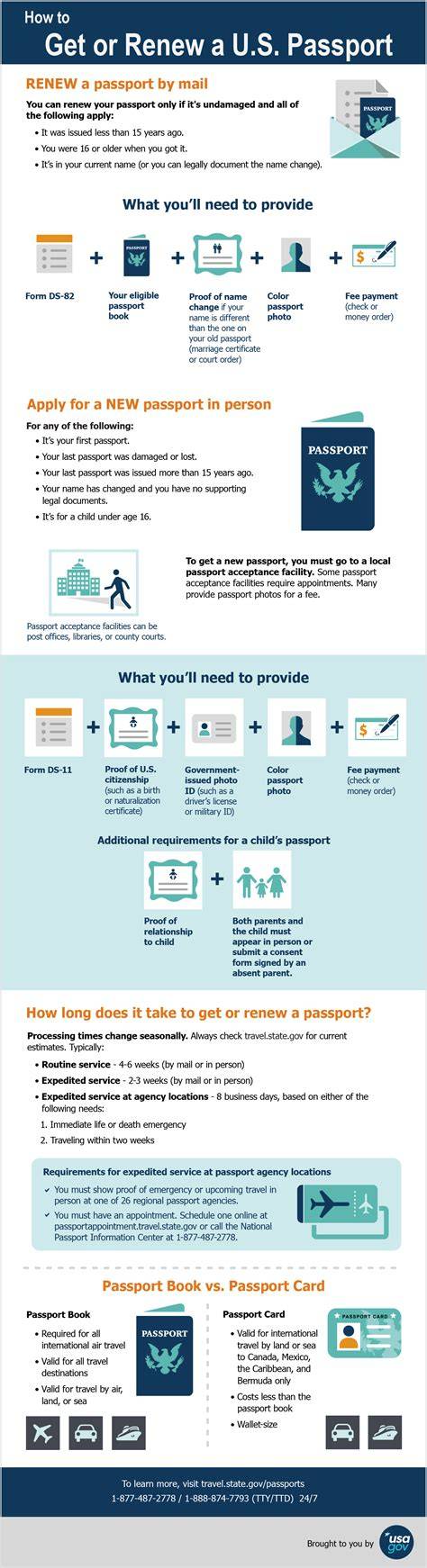
Take a selfie or upload an existing portrait, let the AI crop and adjust, then opt for human expert verification if available. The system emphasizes privacy, with all processing staying on-device and no storage of user photos on servers.
FAQ Highlights
Is it possible to take my own passport photo at home? Yes, simply capture a photo with your smartphone or upload an existing one, and the tool will ensure it meets official requirements.
What’s the price comparison for passport photos? Digital passport photos can be offered at competitive prices, with printed options available and delivery included in some services.
Can I wear glasses or hats in passport photos? Each country has its own rules; the tool provides templates and guides to help ensure compliance while accommodating common eyewear and attire questions.
Is the service compliant with privacy regulations? Yes, processing occurs locally in the browser and does not involve server-side storage of photos, supporting privacy and data protection.
tags: #professional #passport #photo #software