Photo to Silhouette Maker is an AI-powered silhouette app that helps you create sharp, artistic silhouettes without manual editing. Just choose a photo and the app intelligently detects the subject, processes the background, and transforms your image into a beautiful silhouette-ideal for posters, profile pictures, minimalist art, and social media.
Why Choose Photo to Silhouette Maker? AI Silhouette Creation with advanced AI that accurately detects people, animals, and objects to generate smooth, well-defined silhouettes. Smart Background Processing ensures unwanted background elements are automatically handled to produce clean silhouette shapes with clear edges. Multiple Silhouette Styles offer classic black silhouettes, neon silhouettes, and artistic variations using effects and filters, including double exposure style effects. Creative Background Collections provide nature, gradient, color, and artistic backgrounds to enhance your silhouette designs. Text & Typography Tools allow adding names, quotes, or captions to design posters and share-ready artwork. Fast, Simple & Beginner-Friendly means no design skills required; you can create high-quality silhouettes in just a few taps.
Key Features at a Glance
- Photo to silhouette converter app
- AI-powered silhouette maker
- Clean-edge silhouette generation
- Neon silhouette effects
- Double exposure style effects
- Artistic filters & effects
- Text editor for images
- High-resolution save & export
- One-tap social sharing
Practical Uses and Supported Subjects
Perfect For profile pictures and display photos, human, animal & object silhouettes, posters, banners & creative designs, minimalist art & wallpapers, social media posts & stories. Create girl silhouette, man silhouette, dog silhouette, wolf silhouette, tree silhouette, palm silhouette, and more effortlessly.
How to Make a Silhouette from a Photo
- Step 1 Upload image - Upload or drag and drop the image that you want to convert into a silhouette in a JPEG or PNG format.
- Step 2 Customize silhouette - Once the silhouette is generated, resize, reposition, and change the background or exposure to your preference.
- Step 3 Download image - Apply the edits and download your final silhouette image in JPEG or PNG format with a preferred resolution.
Make silhouettes from images automatically and instantly with a seamless AI workflow. As you upload your photo, it automatically detects the subject or object and instantly transforms it into a perfect silhouette. From a cat silhouette or a dog silhouette to a mountain silhouette, a tree silhouette, and many more, you can make any that you want.
Manual Refinement and Background Customization
Explore the tools to edit silhouette manually. If you feel a need to edit the AI-generated silhouette manually, the Refine Mask feature has you covered. Utilize tools, including Brush or Erase and Magic Brush or Magic Erase, with adjustable sizes and strengths, respectively. You can also make the mask visible or hide it. Get to fine-tune the subject or object selection with maximum ease. Even the complex ones, such as the forest silhouette, family silhouette, dancer silhouette, silhouette portrait, silhouette painting, and more, can be generated and edited without any difficulty!
Edit the silhouette background as you like. The silhouette tool generates the artwork with a beautiful background automatically. You can switch it up with a new background from your device, free stock images, or a preset free background library. You can also keep the original background. Easily adjust the exposure, as well, of the background image. With this all-in-one silhouette generator, making a striking couple silhouette, flower silhouette, human silhouette, or any other just became a lot simpler and more fun!
Extendibility: Free Photo Editor and More
Customize your silhouette further with a free photo editor. Edit your silhouette artwork further using a wide range of free photo editing tools. Blur the background for a unique appeal. Change the color of the silhouette for a dramatic look. Resize the image for seamless social media sharing or printing. Add text to the photo for a quote. Try it with your heart silhouettes, butterfly silhouettes, girl silhouettes, or mermaid silhouettes.
Additional Tools and Examples from Similar Offerings
Other AI silhouette tools offer a similar workflow: upload, automatic edge detection, background removal, and high-contrast silhouettes suitable for profile pictures, logos, wall art, or crafting projects. They provide templates like black-and-white silhouettes with transparent backgrounds, original-background silhouettes, and styles ranging from minimal to themed scenes. Some tools also support batch processing and API access for bulk production, which is useful for branding and merchandise.
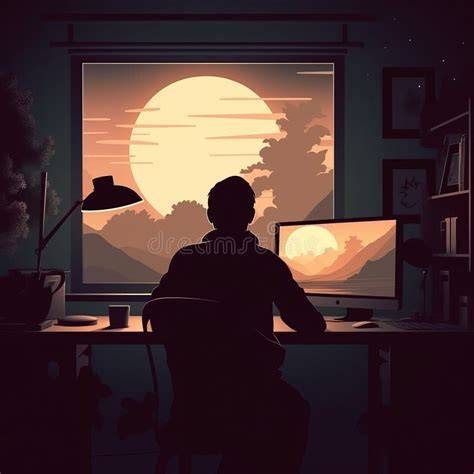
To maximize results, use photos where the subject is clearly separated from the background, with good lighting and a distinct outline. Portraits facing the camera or in profile against plain, light-colored backdrops typically yield the best silhouettes.
Yes, you can use the silhouette maker for free to create and download silhouettes. You can download your silhouette as a high-resolution PNG file with a transparent background. The tool is designed to be accessible across devices, including browser-based use with no software installation required.
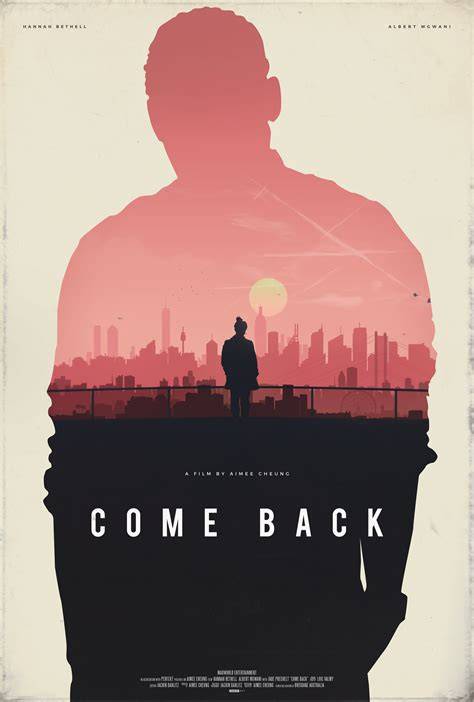
For design versatility, silhouettes can be used for profile pictures, logos, wall art, invitations, gifts, and other graphic design projects. The clean, high-contrast shapes make them suitable for laser cutting, vinyl decals, and other craft workflows as needed.
Tips for Best Results
- Upload a photo with clear subject-background contrast.
- Ensure the subject is well-lit and not blending into shadows.
- Choose photos with a distinct outline or pose.
- Avoid significant overlap of objects with the main subject.
- Use high-resolution images to keep edges sharp.
- Prefer simple backgrounds to help AI detect the subject faster.
Related Tools and Concepts
A silhouette model maker refers to the AI technology that analyzes the geometry and depth of a subject in a photo to create an accurate outline. It distinguishes the foreground from the background to generate a precise, solid shape.
Automatic Matte Generation Tool for Silhouette (I Vibe Coded This!) | BatchMatte V1.0
Pixelbin’s silhouette maker emphasizes quick results, non-watermarked exports, and cross-platform access. It supports free plans with limited silhouettes per month and API access for bulk creation, suitable for branding and production workflows.
Practical Use Cases and Why People Love Silhouette Makers
Use cases include creating visuals for personal decor, branding, vinyl cutting, crafts, and gifts. Silhouettes simplify complex imagery into iconic shapes that communicate instantly and scale well across media.
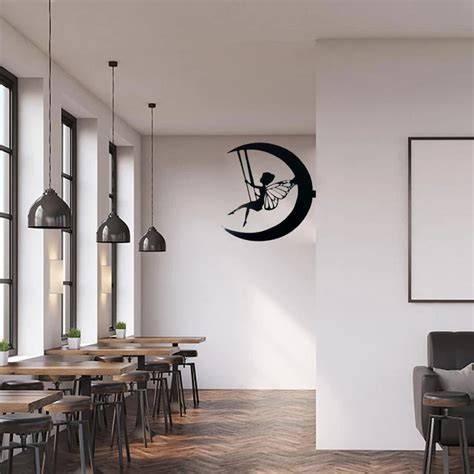
With AI-driven edge detection and background removal, you can produce professional silhouettes with minimal effort-perfect for social media, invitations, posters, and logos.
tags: #silhouette #picture #editor