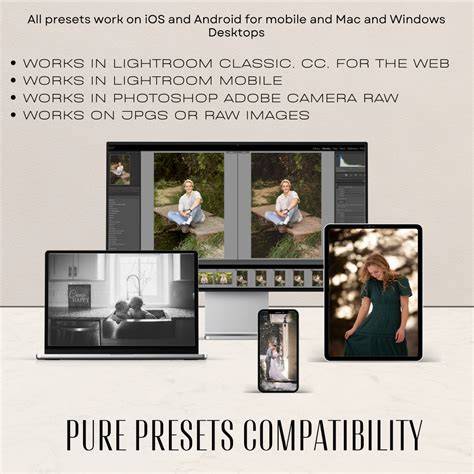
Telegram Lightroom presets offer a wide range of styles and formats compatible with Lightroom Desktop, Mobile, Classic, Photoshop, and Camera Raw, including older Lightroom versions 4, 5, and 6. This article compiles a detailed overview of the most useful free presets, their compatibility, and practical tips for incorporating them into your editing workflow.
Understanding compatibility and formats
All presets (271+) are included in XMP, DNG, and LRTemplate formats. Tap a category below to see the full collection. These presets are designed to be versatile across Lightroom Desktop (CC and Classic) and Lightroom Mobile (Android and iPhone). They are suitable for a range of devices and software versions, ensuring you can edit consistently regardless of your setup.
Downloadable sets are described as film-inspired, soft and bright, deep shadows with rich contrast, or customizable to create your own style. The goal is to provide presets that streamline editing while maintaining high image quality and flexibility for different lighting conditions and subjects.
Popular preset categories and their effects
- Film-inspired presets: Recreate grain, color shifts, and tonal warmth reminiscent of classic 35mm stocks such as Kodak, Fuji, and Agfa. These presets aim for a nostalgic look with authentic texture and color rendition.
- Soft and bright presets: Designed to lift shadows and soften highlights, producing clean-toned images with a light and airy feel. Ideal for portraiture and lifestyle photography where a gentle mood is desired.
- Deep shadows and cinematic presets: Emphasize dramatic contrast, muted tones, and rich depth to achieve a cinematic aesthetic suitable for moody portraits and storytelling imagery.
- Custom style presets: Create your own signature look by combining different tonal curves, color shifts, and grain elements to suit personal aesthetic preferences.
- Boudoir-friendly presets: Focus on flattering skin tones with bright illumination and warm browns, helping emphasize natural beauty and texture while maintaining tasteful contrast.
Practical usage tips
- Start with a neutral or baseline preset to establish a consistent starting point for skin tones and exposure, then apply specialized presets to accentuate mood.
- Experiment with grain and color shifts to emulate film stock, adjusting intensity to avoid over-processing in highlights or shadows.
- Use presets as a foundation for batch editing: apply a preset to multiple images, then fine-tune each photo individually for color balance and contrast.
- For mobile editing, test presets on different screens to ensure skin tones remain natural across devices.
Sample use cases by category
- Film-inspired: Perfect for wedding, editorial, or artistic portraits where a timeless film aesthetic is desired.
- Soft and bright: Ideal for bright portraits, lifestyle photography, and social media images with a clean look.
- Cinematic: Best for moodier scenes, architectural photography, or travel photography with dramatic lighting.
- Custom styles: Suitable for branding photography where a unique and consistent look strengthens identity.
- Boudoir: Enhances warmth and skin tones while preserving texture and detail in shadows and highlights.
Potential visual aids
Infographics can illustrate the range of presets, compatibility, and typical tonal outcomes. A flowchart could map from a base photo to different preset categories and suggested tweaks, helping users choose the right preset for their subject and lighting.
Video tutorials can complement the article by showing step-by-step application in Lightroom Desktop and Mobile, including importing XMP, DNG, and LRTemplate formats and adjusting exposure, contrast, and color grading after applying presets.
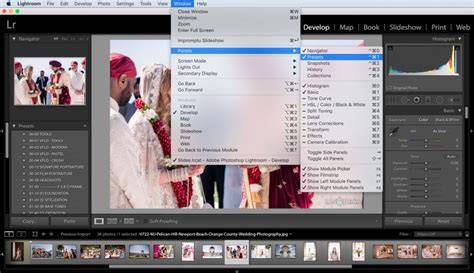
Table: preset features at a glance
| Category | Primary effect | Best for | Formats included |
|---|---|---|---|
| Film-inspired | Grain, warm tonality, color shifts | Editorial, portraits with vintage vibe | XMP, DNG, LRTemplate |
| Soft & bright | Lifted shadows, gentle highlights | Lifestyle and wedding photography | XMP, DNG, LRTemplate |
| Cinematic | Deep shadows, high contrast | Moody portraits, travel, architecture | XMP, DNG, LRTemplate |
| Custom styles | Personal tonal curve | Branding, creative projects | XMP, DNG, LRTemplate |
| Boudoir | Bright skin tones, warm browns | Intimate portraits, skin tone accuracy | XMP, DNG, LRTemplate |
These presets are designed to be compatible across Lightroom Desktop (CC and Classic) and Lightroom Mobile (Android and iPhone), including older Lightroom versions. They provide a practical way to achieve professional results with minimal edits per image, making it easier to maintain a consistent visual identity across a photographer’s portfolio.