Adobe offers software to complete many different creative and business tasks. All students, faculty and staff at Ohio State are able to use Adobe Express, an all-in-one web app for photos, videos, documents and graphic design. Adobe Acrobat Pro is also available for faculty and staff use.
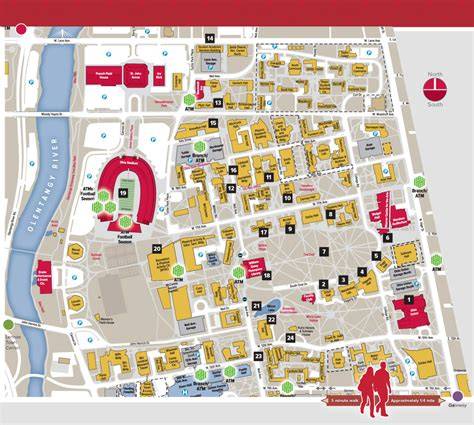
Adobe Creative Cloud Free Access is provided across campus Digital Unions and public computer labs. The full Creative Cloud suite of apps is available for free in Digital Unions and public computer labs at each campus. You can check what locations have Creative Cloud here. Locations include Columbus Digital Unions like 18th Ave Library and Thompson Main Library Floors G-4; Lima 340 Galvin Hall; Mansfield Bromfield Library & Information Commons; Marion 220 Library Classroom Building; Newark John L. and Christine Warner Library; Wooster Research Library 128 Halterman Hall.
Professional and Academic Use
Professional/Academic Use: Adobe Creative Cloud licenses are available for teaching, learning, research and work purposes at Ohio State. Receive your free access by following the instructions below. Access must be renewed each July at the start of the fiscal year through the same form. Please note that Adobe Acrobat Pro, the most used Adobe software at Ohio State, can be used by all faculty and staff without the need for a Creative Cloud license.
Personal Use and Purchasing
Personal Use: To get access to Adobe Creative Cloud for personal use at the university’s discounted rate, follow the instructions below and have a credit card ready for payment. FAQs cover how to get Creative Cloud, what is included with Adobe Express, licensing terms, and how to keep files after access ends.
What is included with Adobe Express? Adobe Express includes the functionalities of Photoshop Express, Premiere Rush, Firefly, Adobe Stock, Spark Page, Spark Video, Portfolio and Fonts. These are capabilities provided in Express and you will need to be working in an Express project to use them. If you are not able to access Premium templates and assets, log out and log back in to confirm you are using a university account. If you are not taken to the Ohio State single-sign-on page during log in, you are not in the correct account.
What apps are included with an Adobe Creative Cloud license? A Creative Cloud license includes the full Creative Cloud app suite. Visit the Adobe Creative Cloud site to view a full list of apps and learn more about what each one can help you create.
Support, Access and Accounts
Where can I get support? Adobe Express access is free. How can I keep my Creative Cloud files after access ends? You can download your Creative Cloud assets to transfer to a new account by following the instructions from Adobe for file transfer. You can also save projects to your desktop or a cloud service for future use.
What are the terms and conditions for purchasing an Adobe Creative Cloud license through Ohio State? Licensees must be affiliated with the university to access and use this service. Licensees that are no longer affiliated with the university will lose access to the service and are not eligible for refunds. Software licenses cannot be shared or transferred. Software license pricing is not prorated and includes required credit card fees. All licenses expire at the end of June each year, regardless of when they are purchased. Each license must be renewed annually to continue use of the service.
Step the Adobe Model down to Firefly Image 4 and the image will generate properly. This is fixable by doing a repair from the Adobe installer. Adobe Acrobat Reader is also available for free, but should not be installed concurrently with Adobe Creative Cloud. Photoshop for iPad is included with the full license.
Logging out of Adobe Creative Cloud Desktop will deauthorize that device and deactivate all Adobe software that was installed using the app. To log out, click the menu bar app icon, then click the randomly generated user icon next to the three-dot menu in the upper-right, and select Sign Out. Adobe Creative Cloud Desktop has a function called "Creative Cloud Sync" that automatically syncs files under a new user folder of the same name, from your computer to Adobe's servers. To disable this feature, click the ACCD app icon in the menu bar, then click the three-dot menu in the upper-right, and choose Preferences. Under Preferences, select the Creative Cloud tab, then the Files tab, and uncheck the "Creative Cloud Sync" box.
Infographic: Locations with Free Creative Cloud Access on Ohio State Campuses
For quick reference, students, faculty and staff can use Adobe Express in a web app, while the full Creative Cloud suite is available in designated labs and through licensed access. The university’s aim is to provide broad access for professional, teaching, research and personal use while maintaining renewal and licensing terms that apply each year.