INDD files, or Adobe InDesign Documents, are the default file type for Adobe InDesign, a desktop publishing program used to create layouts and print designs. These files include all the essential information needed for a page layout, such as fonts, formatting, page content, swatches, and styles. When we talk about the Indesign format, we’re referring to the file format used by Adobe InDesign, also known as INDD. INDD files are versatile and incorporate everything a page layout needs, including fonts, formatting, page content, swatches, and styles.
The INDD format stores complex layout data effectively, maintaining a structure for multi-page layouts, master pages, text frames, images, vector paths, gradients, and color swatches. It includes the document settings, styles (paragraph, character, and object), and other detailed layout information. The history of the INDD format is tied to the evolution of Adobe InDesign itself, introduced in 1999 as a rival to QuarkXPress, with significant evolution through the years to add features, performance, and compatibility improvements. A vital feature of the INDD format is the ability to embed fonts and graphics within the file, creating a self-contained document and reducing issues related to missing links or fonts during handoff.
INDD files include critical elements such as swatches, styles, and detailed formatting, ensuring consistency in layout designs. INDD supports interactive elements, letting designers build multimedia-rich digital content, including hyperlinks, buttons, audio and video files, and interactive forms. The INDD format stores detailed prepress settings that ensure the final printed output adheres to the necessary specifications, maintaining information about color spaces, bleed settings, trapping settings, and printer marks to control print quality and accuracy. You can open INDD files with Adobe InDesign, the primary software for managing these documents, though some third-party programs may claim compatibility, they often lack full support for editing or maintaining the integrity of the file’s features.
INDD files are the standard file type for Adobe InDesign, used for creating and saving documents within the program. IDML files (InDesign Markup Language) are backward compatible and can be opened with any version of InDesign back to CS4. INDT files are InDesign Template files, functioning like regular documents but requiring a new name when saved to prevent overwriting the original template. In addition to INDD, IDML, and INDT, InDesign supports formats such as PDF (print and interactive), EPUB (eBooks), and HTML (web content). A common challenge is backward compatibility, where newer files may not open in older versions; saving as IDML can help, albeit with possible feature loss that requires restoration. File corruption, missing fonts, and large file sizes are other frequent issues that designers encounter when working with INDD files. Version control, regular backups, and thoughtful file organization help mitigate these risks, while templates provide starting points for consistency and speed. Packaging is essential when handing off files to clients or teammates, ensuring fonts and images are properly included.
When working with large INDD files, linking images instead of embedding them and using compressed graphics can substantially reduce file size. For businesses handling large volumes of imagery or automation needs, cloud-based solutions like Cloudinary offer a scalable workflow for image conversion and optimization, including upload, transformation, and integration with existing pipelines. Cloudinary enables transformations on the fly, automated processing, and detailed usage analytics, and can be integrated into workflows to verify format compatibility before opening documents, importing assets, or exporting content from InDesign. Note that format support varies by operation type, with some formats suitable for opening native files and others for asset placement or export workflows.
Indesign supports a wide range of industry-standard formats for professional publishing, from print production to digital distribution, and you can use File > Export to create deliverables in these formats. PDF export is limited to a maximum page size of 200 inches × 200 inches. When placing native PSD or AI files, InDesign maintains live links. For maximum formatting control, Word documents with defined styles can be used. Other formats include snippets created by dragging objects from the document window to the desktop or a folder. Adobe InDesign is a desktop publishing and page layout designing software released in 1999 and designed to create posters, brochures, magazines, newspapers, books, and ebooks; it can publish content for tablet devices in conjunction with Adobe Digital Publishing Suite.
InDesign is the successor to PageMaker, acquired from Aldus in 1994. By 1998, PageMaker faced reduced market share against QuarkXPress, leading Adobe to develop InDesign to compete and replace PageMaker in 2000 with the first version targeting OS X. Over time, InDesign became bundled with other Creative Cloud tools, leading to broader adoption. It integrates with Photoshop and Illustrator, offering a seamless workflow across the Creative Cloud ecosystem and enabling both print and digital publishing. InDesign can function as part of a broader workflow with InCopy and InDesign Server, supporting collaborative editorial and enterprise publishing needs. InDesign’s feature set includes advanced typography, OpenType support, layout styles, optical margin alignment, and cross-platform scripting with JavaScript, which helped establish it as the industry standard for professional publishing.
Key Features and Capabilities
- Versatile Layout Tools: grid systems, alignment tools, and master pages for consistent and precise multi-page designs.
- Typography Tools: advanced formatting, kerning, tracking, paragraph and character styles for polished text layouts.
- Image and Graphics Handling: support for high-resolution images, vector graphics, and interactive elements.
- Collaboration Features: sharing, review, change tracking, and team collaboration.
- Publishing Options: diverse export formats for print, PDF, and digital, including interactive PDFs and eBooks.
- Interactive Document Creation: embedded video, audio, animations, and multimedia in interactive publications.
- Data Merge: automates personalized documents by merging data from external sources with layouts.
- Liquid Layout and Alternate Layouts: responsive design adaptations for different screen sizes and orientations.
- Accessibility Features: tagging, alternate text, and other tools to improve document accessibility.
- Integration with Creative Cloud: seamless work with Photoshop, Illustrator, and other assets for streamlined workflows.
Workflow and Templates
Templates save time and ensure consistency across publications. Packaging INDD files properly prevents issues with missing fonts or images during handoffs. For large INDD projects, linking assets rather than embedding reduces file size and preserves flexibility. Version control and regular backups are crucial for protecting work and enabling efficient collaboration. Shared libraries and cloud-based storage help teams manage assets and maintain brand integrity across projects.
Typography and Layout Techniques
InDesign offers robust typography controls, including OpenType support and advanced kerning/leading options. Nested styles, GREP styles, and master object styles enable scalable, repeatable formatting across pages. Liquid layouts and alternate layouts support responsive design for various devices, while accessibility tooling helps create inclusive documents with proper tagging and structure.
Historical Context and Compatibility
InDesign’s history began as a response to the market dominance of QuarkXPress, with early releases focused on typography and integration with Creative Suite. The evolution introduced XML export (InDesign Interchange, INX) and later formats to support backward compatibility and new features. Newer versions generally read older files, but backward compatibility is not guaranteed, encouraging use of IDML for cross-version interchange. The software has expanded from print to digital publishing, including interactive PDFs, eBooks, and web-ready formats, reflecting a broadening publishing landscape.
Practical Guidance and Best Practices
- Use templates to establish consistent foundations for typography, layout, and color.
- Package projects before sharing to ensure fonts and linked assets are included.
- Link images for large INDD files to minimize bloat and improve performance.
- Leverage version history and backups to mitigate data loss from corruption or crashes.
- Utilize Creative Cloud Libraries and font management tools to maintain brand consistency and streamline asset access.
- Adopt data merging for catalogs, letters, and personalized documents to automate repetitive tasks.
- Employ interactive features for digital publications to boost engagement and accessibility.
- Maintain live preflight to catch issues like missing fonts or low-resolution imagery before printing.
Table: File Formats and Use Cases
| Format | Use Case | Notes |
|---|---|---|
| INDD | Native InDesign documents | Full feature set; editable in InDesign |
| IDML | Backward/cross-version interchange | XML-based; may lose some features |
| INDT | InDesign templates | Saves without overwriting original when renaming |
| Print and interactive delivery | Export format; supports interactive elements | |
| EPUB | E-books | Reflowable or fixed layout depending on settings |
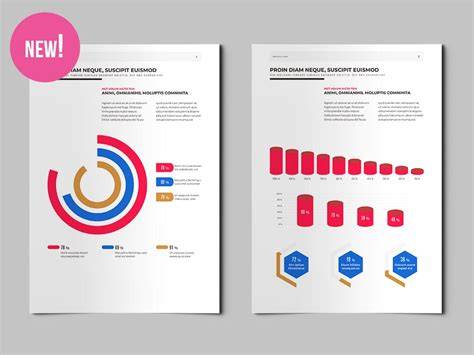
What Is InDesign? The Ultimate Tool for Designers Explained!
InDesign integrates with a range of cloud and desktop tools, enabling automation and scalable workflows. Cloud-based image processing services, such as Cloudinary, illustrate how cloud solutions can assist with format compatibility, asset transformation, and workflow automation in modern publishing contexts. This ecosystem supports professionals across industries-from magazines and catalogs to marketing collateral and digital publications-by enabling precise typography, robust layouts, and efficient collaboration.