Specialization in three courses led by Daniel Walter Scott guides beginners and aspiring designers through foundational UI/UX skills using Figma. Through hands-on projects, learners create user personas, wireframes, high-fidelity mockups, and interactive prototypes, culminating in a portfolio that demonstrates planning, design, and delivery of polished digital interfaces.
Foundations: Wireframing, Design Principles, and User-Centered Briefs
In Part 1, you’ll learn the core tools and foundational skills to start designing user interfaces with confidence-even if you’re brand new to design. By the end of this course, you’ll know how to create wireframes, apply key design principles, and structure your work to align with client expectations. This beginner-friendly introduction to the UX design process covers defining a brief, creating UX personas, and laying out simple wireframes.
Allied with practical tasks, you’ll explore user-centered design questions to ask at every stage, helping teams cut through assumptions and build products people actually want. You’ll also learn the do’s & don’ts around choosing fonts for web & mobile apps, and how to implement colours and images properly in your designs. The course emphasizes creating icons, buttons, and other UI components while introducing essential terms such as Components, Constraints, and Multi Dimensional Variants in an approachable way.
Transitional elements and simple micro-interactions begin to enter the workflow, and free UI kits and plugins for Figma are introduced to speed up design work. A simple Style Guide is built, ready for client handoff, setting the stage for more complex interactions and transitions later in the series.
Leveling Up: Clean Layouts, Responsive Design, and Reusable Components
Part 2 takes your design skills to the next level by teaching how to build clean, flexible layouts and reusable components. With Dan Scott as your instructor, you’ll move beyond basics to explore Auto Layout, Constraints, and Component Variants-tools essential for designing responsive, scalable UI. You’ll learn how to create layouts that adapt across different screen sizes while maintaining visual coherence.
The course covers a broad set of categories, including Figma (Design Software), UI Components, Layout Design, Interaction Design, Prototyping, Responsive Web Design, Digital Design, and Version Control. You’ll gain practical expertise in creating tactile interfaces that translate cleanly into development handoff, with an emphasis on collaboration and a real-world workflow.
These lessons prepare you to design interfaces that align with client expectations, support accessibility and usability, and facilitate a smooth transfer of polished designs to developers. The focus extends to building a scalable design system mindset, using components and variants to accelerate future projects while preserving consistency.
Bringing Designs to Life: Prototyping, Validation, and Developer Handoff
In Part 3, Daniel Scott guides you to bring your designs to life through interactive prototypes and prepare them for effortless developer handoff. UI considerations cover pixels, fonts, colors, and spacing, while UX focuses on testing ideas and iterative improvements, including AB testing scenarios.
Lessons emphasize how to test UX concepts, iterate on interactions, and validate design decisions with real users. You’ll learn to create fully interactive prototypes and ensure assets are export-ready for developers. The course also explains how to translate design decisions into a feasible handoff, discussing Dev Mode and other features that streamline collaboration with engineers.
Hands-on projects include designing a responsive ecommerce wallet site in Figma-from wireframes to high-fidelity prototypes-using a persona-driven task flow, a style guide, and desktop/mobile navigation. You’ll work through class projects that simulate real-world briefs, featuring a product home page, features, checkout, and a confirmation page tailored to a portfolio.
What You’ll Learn Across the Series
- Wireframing fundamentals and layout planning
- Typography, color theory, and visual design basics
- Prototyping, micro-interactions, and animations
- Auto Layout, Constraints, and Component Variants for responsive UI
- Reusable components and design systems concepts
- Collaborative workflows and version control
- User personas, briefs, and user-centered research questions
- Developer handoff readiness, asset export, and documentation
Resource libraries provide articles on design basics, UX strategies, and the role of UI/UX in product development. Topics cover user-centered design questions, automated UI handoff, tokens to sync design and code, and the differences between UI and UX. The course materials also discuss design thinking, accessibility considerations, and contemporary design system practices to sustain consistency across projects.
- Create a working brief for a project and begin with wireframes to establish layout concepts.
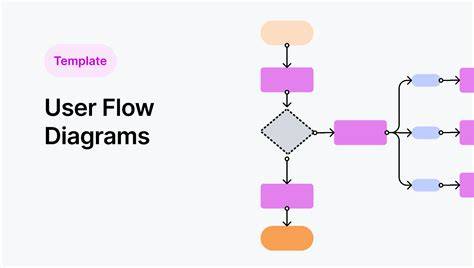
- Develop a persona-driven task flow and build a style guide for client handoff.
- Design high-fidelity prototypes and iterate through usability testing and AB experiments.
- Prepare assets for developer handoff and communicate design intent clearly to engineers.
Overall, this Specialization equips beginners with practical, portfolio-ready skills to plan, design, and deliver polished digital interfaces using Figma. By completing the hands-on projects, learners develop a cohesive understanding of the full design workflow-from initial briefs to final handoff-while building confidence to collaborate on real-world design projects.
tags: #figma #ui #ux #design #essentials