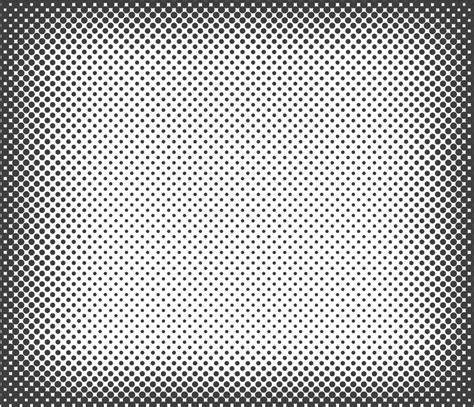
Democratizing the use of shaders for both designers and developers, halftone remains a recurring favorite in graphic design. The classic dot pattern-dots of varying sizes arranged in a grid-creates the optical illusion of color gradients, adding texture or grain to digital outputs and offering a playful yet meaningful avenue for animation.
Halftone can be described as an impression of continuous tones achieved through a high-frequency grid of dots. Because these dots can be smaller than the eye’s spatial resolution, the brain ends up performing a spatial average of the pattern. To make this approach approachable for beginners, this article builds the effect from its most fundamental pieces, starting with a distance d to the center point {0.5, 0.5} of the UV coordinate system. With that, we obtain the fundamental shape for the halftone effect and then focus on its second main characteristic-the grid.
Foundations: grid, tiling, and dot radii
The grid is essentially equivalent to performing mod(x, 1), returning the fractional part of x. We first scale our UV coordinates by multiplying them by the grid size, then use the scaled UVs as an argument for fract, yielding a tiled fragment shader that produces multiple cells, each with its own UV coordinates ranging from 0.0 to 1.0 and running the same fragment shader. While experimenting with dot radii yields beautiful patterns, a central appeal of halftone is applying it as a filter on top of a 3D scene, image, or video. If we apply the grid of dots as a filter and color the dots based on the sampled pixels at that position, we obtain a simple mask. The pixelization logic relies on the floor function to define our pixelatedUV coordinates.
Yet, to move beyond a monochromatic halftone, we must vary dot size. A useful technique is to introduce a grid offset, staggering dots rather than leaving them perfectly aligned. This increases dot density and reduces white space, producing richer textures. Variants and presets-like inverted patterns with white dots inside colored pixels or ring patterns-expand the expressive potential of halftone beyond a single uniform grid.
Multichannel halftone: color-aware halftones
Rather than treating halftone as a single grid, it can be viewed as a stack of grids, each corresponding to a color channel. We can derive layers defined through Red, Green, and Blue for an RGB look, or Cyan, Magenta, Yellow, and Key for a CMYK print finish. The visual result depends on how these layers are rotated and blended, mitigating Moiré patterns when multiple grids overlap. A practical approach rotates each layer at a specific angle to minimize artifacts and preserves vibrancy across color channels.
In the subtractive light model, the color blending follows a different logic: ColorOut = White * (1.0 - C) * (1.0 - M) * (1.0 - Y). This reflects how color channels absorb specific wavelengths. The CMYK halftone variant is especially central to printing aesthetics, with dots’ size varying according to the sampled color, enabling a faithful reproduction of tones and hues in print-like results.
Routing and dynamics: Moiré suppression and neighbor influence
Naively stacking four grids can produce unintended Moiré patterns and washed-out colors. A robust solution is to rotate each layer at distinct angles and to consider the influence of neighboring cells. Instead of each pixel being aware of only its own cell, we examine a 3x3 kernel to determine cellCenter positions and assess reachability, effectively blending colors from neighboring cells to reduce clipping. This neighbor-aware approach allows dots to “borrow” color from adjacent cells, enabling more natural transitions and richer textures.
Beyond static grids, halftone can become dynamic. Dots can be animated or displaced, creating motion trails or living textures. For example, a displacement driven by a brush texture can shift centers of neighboring cells, causing dots or rings to move in a controlled way. The movement direction can be defined from the intensity of the brush, and the motion can be eased to yield smooth, organic dynamics. These small changes demonstrate how halftone, though rooted in a simple dot pattern, can morph into a wide array of expressive effects.
Practical implementation notes
- Base halftone uses a grid of dots with radii dependent on color intensity sampled from the image.
- To reduce artifacts in multi-layer halftones, rotate layers by specific angles and blend color channels carefully.
- For CMYK halftone, convert RGB to CMYK and render each color channel on its own rotated grid.
- To avoid clipping and improve continuity, extend influence beyond a single cell by considering neighboring cells.
- Dynamic halftone can be achieved by feeding a displacement texture (e.g., a brush) into the dot centers to animate movement.
Examples and applications
Halftone is particularly effective as a post-processing shader on 3D renders, photographic images, or video. By layering multiple grids and manipulating dot sizes, designers achieve tactile textures-from vintage newsprint aesthetics to modern, high-contrast visuals. The same principles underpin more advanced shader-based paintings, where simple dots and random distributions can emulate painting styles like pointillism, impressionism, or watercolor when extended with time, color mixing, and stroke-interaction effects.
- Single-grid monochrome halftone demonstrates the fundamental tiling and dot-size control.
- Multi-channel halftone introduces color separation and channel-specific rotations to reproduce CMYK or RGB aesthetics.
- Dynamic halftone explores motion by displacing dot centers or ring patterns in response to input textures.
Overall, halftone dots overlay techniques provide a versatile, approachable framework for texture, color management, and motion in graphic design. The building blocks-grid tiling, dot size variation, multi-layer color separation, and neighbor-based blending-offer a robust toolkit for both static visuals and real-time shader-based artworks.
Halftone Shader in 2 MINUTES (Blender)
These concepts lay the groundwork for further exploration, including real-time shader-based painting and more nuanced color mixing strategies, all while keeping the approach accessible to newcomers and seasoned designers alike.