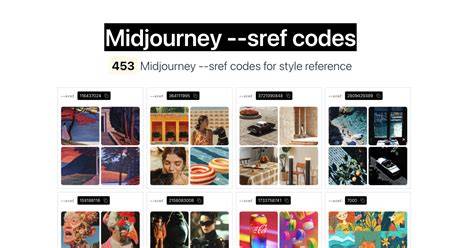
Midjourney SREF codes, or Style Reference codes, are numeric shortcuts that encapsulate specific visuals, textures, and rendering aesthetics. They let you apply complex, predefined styles to prompts with minimal typing, enabling quick, repeatable branding and creative consistency across images.
What is an SREF Code and why it matters
Midjourney SREF codes are shortcuts that let you quickly apply specific visual styles to your images. Think of them as numbered presets for aesthetics. You use them by adding --sref followed by a number to your prompt. They come from Midjourney’s own internal library of aesthetics: billions of trained visual styles distilled into short numeric codes.
To apply a random style, use --sref random. You can adjust the style’s influence with the --sw parameter (max 1000, default 100). Sref codes aren’t generated from your uploads; they’re part of Midjourney’s internal library, trained on billions of visual styles. What you can do instead is use image style references (uploading an image as input) or moodboards, which let you guide the style with your own visuals. Sref codes simply give you quick access to styles already built into Midjourney.
Another key feature is blending. You can blend multiple SREF codes in a single prompt, unlocking unique style combinations. The Style Explorer provides a visual interface to browse styles and copy their codes directly into prompts, making discovery easier and more repeatable.
How to obtain and apply SREF codes
Official method: To get a SREF Code, simply add - sref random at the end of your prompt. Midjourney will replace it with a random code (for example, - sref 123456). If you reuse that specific number in future prompts, you’ll return to the same style.
Alternative pathways exist when a code is not readily extractable from an image. You can use an image URL as a reference with - sref [Image URL], which isolates style from subject, or explore external libraries and communities that curate and share codes. The end goal is consistency: a repeatable, distinctive look across projects.
Style Explorer and workflow essentials
The Style Explorer is a visual hub where you can browse hundreds of styles, preview their appearance, and copy the SREF code directly into your prompt. It unlocks thousands of options, though the full Midjourney library spans billions. You can mix multiple SREF codes to create hybrid aesthetics, which often yields unique results you wouldn’t obtain with a single code.
A common workflow involves testing a simple prompt to see the default render, then applying SREF codes to steer the look. For example, you might start with a prompt like “movie still from the epic adventure fantasy film” and iterate with SREF sequences to reach a more editorial or photorealistic vibe. Personalization codes (like --p) can influence photorealism before applying SREFs.
Example sequence: building a photoreal editorial look
Prompt: movie still from the epic adventure fantasy film the asiatique girl with long brown hair in an oversized cloak and boots, leading her horse through tall grass by water, directed by john uprising shooted on fujifilm superia --ar 16:9
Then add personalization and styles: --profile xc42mvx --stylize 500
Next, explore the Style Explorer, click Styles, and search for a vibe that fits photorealism. When you click a style, its SREF code is automatically appended to your prompt. You can refine by adding more codes or adjusting weights with --sw, and by using --stylize to calibrate the overall aesthetic strength.
Blending and weighting
When you add multiple SREF codes, you can control each one’s influence with the :: weight notation. For example: /imagine prompt: ... --sref 1597908609 2673273116 1029604332 1944871548 3414400754 2940830411::2 16804804 1214942344 307308201::3 3276614487 1660759520::2 --sw 300
Adjusting the overall impact of all codes is done with --sw. The range is 1 to 1000; higher values increase how dominant the style is in the final image.
Practical tips for consistency and branding
- Use the Style Explorer to quickly locate a desired aesthetic and copy its code directly into your prompt.
- Blend codes to craft a unique but repeatable look across a series of images or a brand suite.
- When aiming for editorial realism, consider starting with a photorealism-focused code and then layering with additional styles for color, texture, and lighting.
- If you can’t extract a code from an existing image, use an image URL as a style reference and combine it with a known SREF code to blend aesthetics and subject control.
- For production quality, consider upscaling the final Midjourney render with dedicated AI upscalers to preserve crispness at large formats.
Beyond SREF: related concepts and workflows
SrefHunt is a community-driven platform designed to help Midjourney users discover, collect, and share SREF codes and prompts. It features curated collections, easy search and filters, one-click copy, and personal collections. Submitting your own SREF code is quick and simple, and the platform emphasizes creativity, collaboration, and inspiration.
Typical questions and clarifications
- Can I extract an SREF Code from any image I make? No. Numerical SREF Codes are generated when you explicitly use - sref random or when you apply a known numerical code yourself.
- Is an SREF Code the same as a seed? No. SREF controls visual style; Seed controls composition and initial noise.
- Do SREF Codes work across Midjourney versions? They may not translate identically across major version updates; always test in the latest version.
- If I use an image URL for style reference, does Midjourney copy the subject as well? Generally no; the focus is on style, but there can be occasional content leakage if the reference is highly iconic or minimal in elements.
Сitations and practice resources
As you explore SREF workflows, remember that real-world use often blends official commands with community-curated codes. The goal is consistency, efficiency, and a distinctive artistic fingerprint that can scale across projects and platforms.