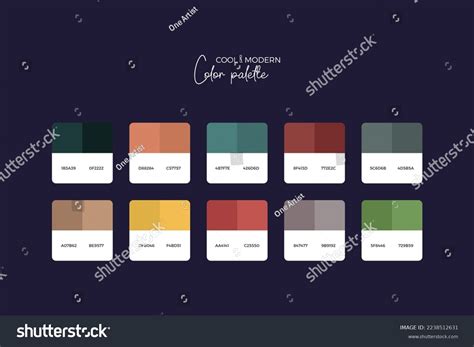
If you find yourself scrolling through Instagram a lot, then you're probably familiar with the distinctive patterns and color palettes that many photographers use to tie their entire feed together.
Limit your color palette
One of the simplest ways to make your photos look consistent is to limit the colors you include in your images. This may seem restrictive at first, but it’s highly effective in maintaining a consistent theme. Choose between two to five colors that you’d like to feature prominently in your work. Remember: all the colors don’t have to be in every picture all the time. Including at least two tones from your palette should be enough to maintain your style.
Admittedly, this can be challenging to implement, especially if a particular scene doesn’t have any of the colors from your chosen palette. Another way to work around this is to choose one particular color to include in every photo, so that this becomes the dominant color of your feed.
Stick to your filters
The easiest way to edit your images is by using filters or blur backgrounds. On Instagram, there are several filters that you can apply to change the look of your posts. All you have to do select one, and the filter is applied automatically. For a consistent look, stick to one or two filters that look similar to one another. That said, you don't have to limit yourself exclusively to Instagram filters. Try apps like VSCO, as they offer a wider range of presets (another term for filters). VSCO also offers variations of each preset, allowing you to compensate for varying exposures of pictures.
Create your own preset
Presets are fun and easy to use, but if you want to be original, try playing around with your settings to create your own unique filters instead. Experiment with settings to make your photos look different from anyone else's. Just remember that specifically adjusting the tone curve, HSL, and split toning often generates the best results. Tone curve allows changing highlights, lights, darks, and shadows with more precision than brightness and contrast. When it comes to changing colors, you'll need to tweak your HSL settings (Hue, Saturation, Lightness). Finally, adjust split toning if you want to add some color to your highlights and shadows, giving photos more dimension. You can also fine-tune the colors of photos further by adjusting temperature and tint. Once you figure out how each setting works, you can create color profiles and personal presets that look richer and more refined than the prepackaged options. Just keep experimenting with your style, and who knows, it might end up becoming the new trendy filter that everyone else tries to emulate.
Try batch editing
Another technique to try is batch editing. As the name suggests, it allows you to apply changes to a set of pictures simultaneously. If you have Lightroom, all you have to do is upload the batch of photos you want to edit. Just keep in mind that they all have to have the same exposure settings, as well as size. Otherwise, you’ll end up with inconsistent results. For even more consistency, consider using well-designed Lightroom presets to help all of your photos start with the same baseline tones and styles. Once the files are loaded onto the filmstrip, edit the first photo of the batch. Once you’ve made the changes, select the rest of the pictures and click Sync, which is found at the bottom of the toolbar. Lightroom will then apply all the changes you made to all of the photos in your filmstrip.
Organize your feed
Before you post your photos, consider planning and organizing your feed. This way, you see how well they look side by side, and whether each photo has the right color profile, subject, and even composition. You can use apps such as Plann, Later or Planoly to give you an idea of how your feed will look like before you post. These apps let you set and move photos on a grid.
Stick to your own style
The easiest way to figure out the style you want is by looking at different photographs. Which types of photos do you usually gravitate toward-images with vibrant colors or perhaps ones with more earthy tones? Do you tend to like pictures that look clean or raw and grainy? Studying photographs taken by other people will serve as a foundation on which you can start building your own style. Just keep in mind, however, not to merely copy the work of your idols. The sources of your inspiration are just your starting point-not the end game. If you want to succeed, you’ll need to identify and stick to your own vision.
Watch tutorials
If you want to edit your photos a certain way but don’t quite know how to go about it, take some time to watch tutorials. Take advantage of the thousands of YouTube videos that discuss all the different editing techniques. They’re not just free, but most of them actually show you the entire process one step at a time. By watching tutorials, you can learn everything from recreating the look of film photography with filters to expertly retouching portraits. Some of the more popular YouTube channels even offer free plugins and presets that you can use to make your photo editing more consistent.
Shoot RAW
Lastly, if you plan on editing your photos a lot, consider shooting on RAW format. Since this file format retains all the information your camera captures, it allows you to make significant changes to your images later without losing too much detail.
Editing relies heavily on your own creative taste. Apart from making sure your image is well exposed, it’s also up to you to decide what type of look you want to achieve as a whole. Editing takes both practice and intuition to become good at it. It's also about exploring what you can do with your photo editor and maximizing its potential. Once you've got the hang of understanding your camera, exposure basics and how to compose a great photo it's time to learn a few photo editing essentials to put the finishing touches on your artistic vision. The steps below will get you started on the photo editing process right away. You'll also find things to think about before you begin editing at the end of this article.
Key editing steps you can start with
- Crop your images and clean them up.
- Adjust white balance.
- Adjust exposure and contrast.
- Adjust color vibrancy and saturation.
- Sharpen images.
- Finalize and share.
The basic photo editing techniques should be available in even simple editing programs, and each can enhance your images to make them more powerful and shareworthy. Advanced editing software will offer these basic tools and will also include refinements that allow you to do more sophisticated editing that's outside the scope of this article. You don't have to do all of the basic editing steps on every image, but the steps you choose to do should be done in the order listed.
The easiest photos to edit, of course, are ones taken by a skilled photographer who takes time to get exceptional shots in the field. You should also be certain your editing program can work with RAW images. To start learning how to get the best shots, consider taking a hands-on photography course. Sign Up for an Outdoor Photography Class
Practical editing workflow and tools
- Crop and Clean Up Your Images
- Straighten images and crop to improve minor compositional details.
- Spot-clean images to remove dust and distractions.
- Adjust White Balance with presets or temperature/tint sliders.
- Adjust Exposure and Contrast with histogram guidance.
- Adjust Color Vibrancy and Saturation to refine mood.
- Adjust Sharpness and consider clarity or structure tools.
- Finalize and save edited versions alongside originals.
Importing and Sorting Photos: A beautiful thing about digital photography is you can take multiple shots to increase the odds of getting some spectacular ones.