Ready to transform your average graphics into head-turning, click-worthy ads and mockups? Dive deep into product mockups, learn to harness the magic of AI for stunning enhancements, and say goodbye to tedious edits with Effortless Smart Objects. Master the essential skills of text, graphics, and compositing, then bring your creations to life in the real world through billboards, magazines, and more!
Adobe Photoshop is an advanced photo editing program, which has many marketing uses. We chose Photoshop, as it’s the best known. Plus, it’s the tool we use when we edit photos. If you don’t have Photoshop, there are other tools which can also edit photos like Affinity Photo and GIMP. Check out our thoughts on these in our graphic design tools guide.
Why visuals drive marketing success
Our senses send around 11 billion bits of information to our brains every second. But did you know that 90% of those come from what we see? Our sight helps us in all sorts of ways. It helps with basic survival needs. It helps us with advanced self-improvement activities. Like reading high-quality marketing blogs ;) Our brains love images. They’re hard-wired to process them. And interestingly, we can process images 60,000 times faster than we process words. So, influencing customers means influencing what they see.
How customers see you matters. Visuals have a huge marketing role in influencing customers. You want them to see your brand in the right way because how they see you influences whether they choose you. For example, static images can be used to convey branding and product stories more effectively than words alone.
Photoshop as a “Swiss Army knife” for marketing
Photoshop is like a Swiss Army knife for marketing. You can use it in many different ways. And once you start to use it, you wonder how you ever got by without it. At its most basic level, you can use Photoshop for marketing to: adjust and crop photos to fit any size of space, combine photos, add or remove elements from photos, adjust key photographic elements like saturation, brightness and exposure, add text, graphics and visual effects to photos. These all help you create attention-grabbing visuals to attract customers.
Non-destructive workflows and smart objects
Plus, discover non-destructive editing and smart object creation for ultimate design flexibility. Empower your workflow with Smart Objects! Go beyond basic overlays! Photoshop’s Generative Expand tool opens whole new worlds of creative possibilities.
Practical applications: from concept to real-world placements
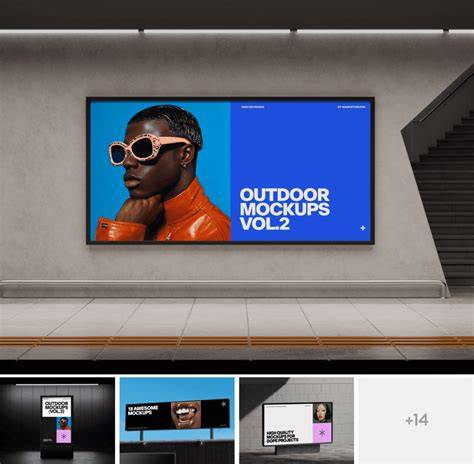
Creating product mockups in Photoshop has never been easier! Whether you’re launching your own business or working for clients, this skill allows you to visually represent the finished product or concept in real-world scenarios. For example, with Photoshop you grab an image of a blank billboard and then combine it with your mock-up to simulate a real billboard advert. It’s a fairly easy and quick job in Photoshop, and you can adjust the colors, font styles and composition to show multiple options to respondents in market research.
Ever admired those captivating labels on cosmetic bottles? In this tutorial we’ll show you how to recreate them in a few easy steps. Learn to bend text around curves, master shapes, and use AI to extend and revive background designs. Learn how to integrate text and logos onto fabrics, creating a realistic and visually compelling effect. You can also use Photoshop to manipulate the background to add a lifestyle feel to imagery, which is especially popular in e-Commerce and print materials.
From concept to measurement: market research with visuals
Market research for advertising benefits from visuals to gauge reactions. For new advertising campaigns, packaging and marketing innovations, you want to understand how customers will see those changes. To get a realistic reaction, you need visuals for customers to look at. You can mock up realistic-looking visuals of what your advertising, packaging or marketing innovation idea will look like when it’s done. This helps you test ideas early in the research process before finalising visuals.
In advertising market research, it’s common to show customers multiple concepts in real-life situations. You ask them to review each concept and discuss what they like or dislike, helping determine impact. A simple example is mocking up variations of a product advert on a billboard to compare headlines, font options and colors. This approach provides actionable feedback while keeping costs lower than producing real campaigns.
Brand identity and consistent visuals
Photoshop can play an important role in creating tangible assets for your brand identity. Your brand assets may include specific photography of the product, the advertising or the people behind the product. Photoshop can help ensure hero images appear consistently and repeatedly. Consistency and repetition are vital. We often use the Filter / Sharpen option to make sure key brand images don’t have rough edges, and use Adjustment Panels and Levels to improve shadows, highlights and midtones. Hue, Saturation and Brightness adjustments help images “pop” on the screen.
Integrating text, logos, and typography into visuals
Learn to bend text around curves, master shapes, and place logos onto fabrics or other textures for realistic finishes. The ability to integrate typography with product visuals enhances storytelling and brand recognition. If you want to explore more tutorials on graphics, we recommend exploring our Graphics & Text Learning Path. Step into a transformative journey designed to empower you with the skills needed to craft eye-catching designs.
Lighting, perspective, and scene composition
Master the art of light and shadow matching! Ditch wonky angles and conquer perspective to bring designs to life. Learn how to separate items like bottles from their backgrounds and insert them into captivating new settings. This helps convey mood and atmosphere, telling a richer story in billboards, magazines, and online campaigns. We also highlight the Von Restorff effect-the tendency to notice items that stand out from the group-useful for making your ads distinctive from competitors.
Practical example: ring advertisement mock-up
Example: we can create an image to help advertise a ring. The original image may have a lifestyle feel; to highlight the product, we edit with Quick Selection to isolate the ring, create a separate layer, apply a black and white adjustment for background, and add a warm gradient to the background. We fine-tune brightness and contrast, add a gold color overlay to the ring, and place a light flare behind it to simulate sparkle. This demonstrates how a mock-up can have high impact in a short space of time, illustrating how Photoshop supports launch-ready visuals for print, digital, and POS materials.
Optimising photography for advertising across channels
Photoshop is a great tool to improve the impact of photos used in digital marketing, social media, and e‑Commerce. Cropping and resizing ensure images fit different spaces and platform dimensions. Social media often requires standardized templates and different aspect ratios, so Photoshop helps you maintain consistency while adapting visuals for each channel. You can also unify images from multiple sources to maintain a cohesive brand look across campaigns.
In e-commerce, product imagery is essential. Mock-ups of products on blank items or lifestyle backgrounds help convey context and drive online sales. The ability to place designs on items like T-shirts, mugs, or face masks demonstrates how Photoshop supports Print on Demand and branding strategies. This flexibility enables you to present a product in desirable contexts without expensive photo shoots.
Images in modern advertising: responsibility and transparency
Advertising is inescapable in modern society. Advertisers control one of the most accessible and saturated messaging channels that exist. Because advertising is so prevalent, advertisers play a powerful role in shaping our culture. There are growing conversations about the ethics of retouching and the need for transparency. Bills and guidelines in various regions advocate for disclosure of retouched imagery to address mental health and body image concerns. As creators, we should consider how our visuals influence audiences and aim for responsible practices.
Social Media Post Design Photoshop Tutorial: Create Eye-Catching Posts for Online Product
Whether you’re exploring new tutorials on graphics or integrating AI-powered enhancements, the goal is to empower your workflow while maintaining high ethical standards. Our approach combines practical techniques with an understanding of how visuals shape perception, helping you craft ads that are not only beautiful but also effective and responsible.
tags: #photoshop #and #advertising